How to Add an Order Bump on Shopify (2026)
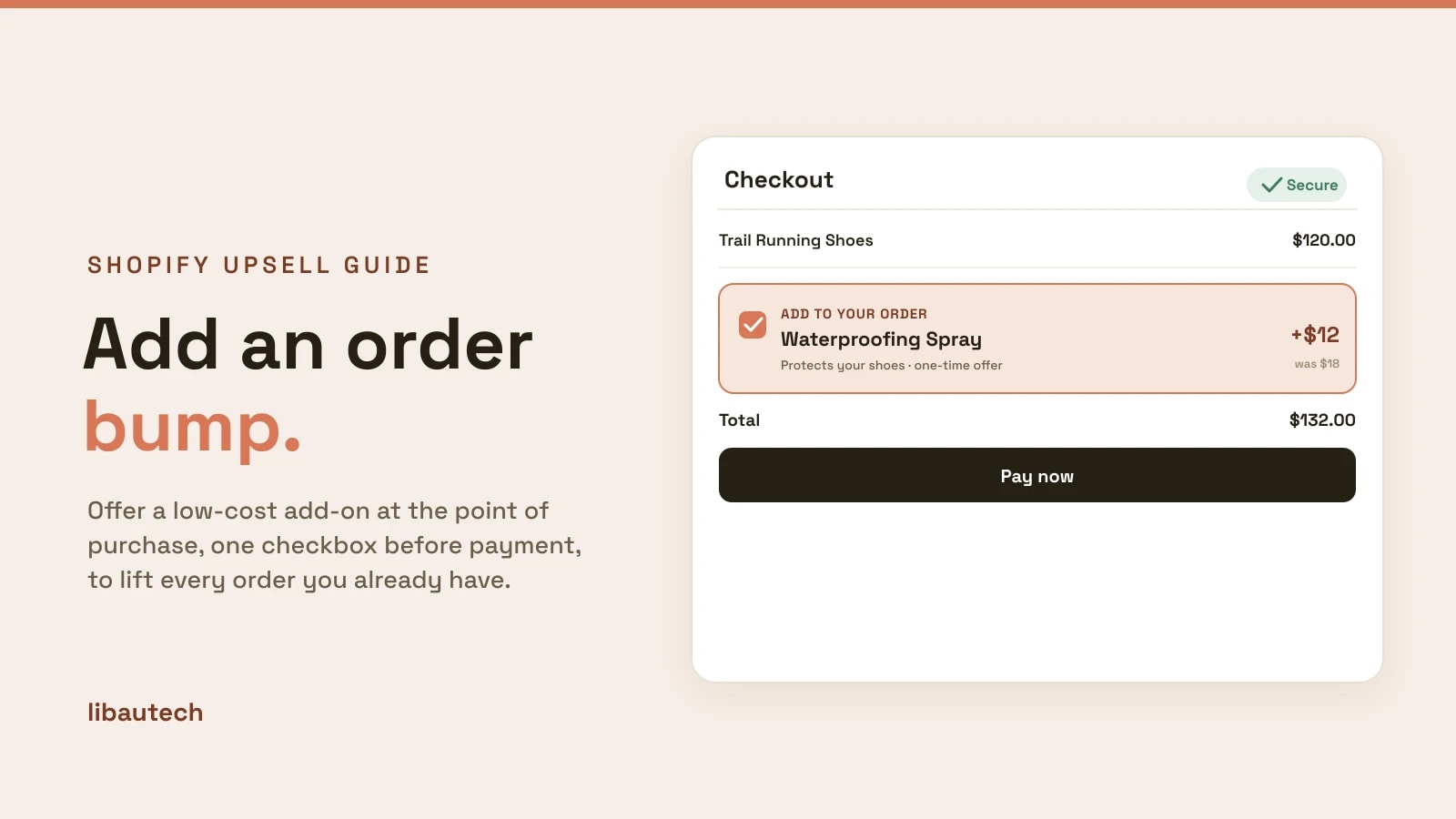
An order bump is a small, one-click add-on offer shown at the point of purchase, usually as a checkbox on the cart or checkout page, so a customer can add a complementary item to the order they are already placing without a second decision. Shopify does not have a built-in order bump, so you add one with an upsell app. This guide explains where an order bump can go on Shopify, how to set one up, and how it differs from an upsell popup or a post-purchase offer.
Key takeaways
- An order bump is a low-friction add-on offer at the point of purchase, accepted with a single click or checkbox before the customer pays.
- Shopify has no native order bump, so you use an app. On the cart page you can add one on any plan; a true in-checkout bump needs Checkout Extensibility, which is a Shopify Plus feature.
- An order bump happens before payment. A post-purchase upsell happens after payment. They stack well together.
- Keep the bump cheap and relevant, roughly 10 to 30 percent of the cart value, and offer only one.
What is an order bump?
An order bump is an add-on offer placed right where the customer is checking out. It is deliberately small and low-friction: a single complementary product, often at a slight discount, that the shopper accepts with one tap or checkbox without leaving the page or re-deciding on the whole purchase. Think of gift wrap next to a gift, a screen protector next to a phone, or a care kit next to a pair of boots.
It works because the buyer has already decided to purchase. Adding one relevant, inexpensive item is an easy yes, so order bumps lift average order value with almost no friction and no extra traffic. For more placements like this, see our roundup of Shopify upsell examples.
Where an order bump can go on Shopify
Shopify has three moments around the purchase, and the term "order bump" is usually reserved for the first two, before payment.
| Placement | When | Plan needed | Is it an order bump? |
|---|---|---|---|
| Cart page | Before checkout | Any plan (via app) | Yes, the most common order bump |
| Checkout page | During payment | Shopify Plus (Checkout Extensibility) | Yes, a true in-checkout bump |
| Post-purchase page | After payment | Any plan (via app) | No, this is a post-purchase upsell |
For most stores the cart-page order bump is the practical option, because it works on every Shopify plan through an app and does not require Checkout Extensibility. The in-checkout version, which appears on the payment screen itself, is reserved for Shopify Plus stores using checkout extensions.
How to add an order bump on Shopify
Because there is no native setting, you install an upsell app that offers cart add-ons. The Libautech Bundles & Upsell app adds in-cart upsell and order-bump offers on any plan, so we will use it as the example. The steps are the same in principle for any cart-upsell app.
- Install the app. Add Libautech Bundles & Upsell from the Shopify App Store and open it.
- Create a new offer. Choose a cart or in-cart upsell offer, which is the order-bump format.
- Set the trigger. Decide which product or which cart triggers the bump, for example "show when the cart contains running shoes."
- Pick the add-on. Choose the complementary product to offer, such as waterproofing spray or a care kit, and add an optional small discount to make it an easy yes.
- Write the offer. Keep the copy short and benefit-led ("Protect your shoes for $12"), so the value is obvious at a glance.
- Publish and test. Add a triggering product to the cart, confirm the bump appears, check the discount applies, and test it on mobile.
Once it is live, every shopper who reaches the cart with the trigger product sees the add-on and can accept it in one click before checkout.
Order bump vs upsell popup vs post-purchase upsell
These three are often confused. They fire at different moments and do different jobs, and you can run more than one.
Order bump. A checkbox-style add-on at the cart or checkout, before payment. Lowest friction, best for cheap complementary items.
Upsell popup. A modal that appears when a shopper adds to cart, suggesting a better or additional product. More prominent, better for trading up. See how to add upsells to Shopify for that pattern.
Post-purchase upsell. An offer on the thank-you page, after payment, that attaches to the completed order in one click. Zero risk to the sale, since it fires after checkout. We cover it in how to add a one-click upsell after checkout.
A common high-performing setup is an order bump before payment for a cheap add-on, then a post-purchase upsell after payment for a larger one.
Order bump best practices
Keep it cheap. The best order bumps are roughly 10 to 30 percent of the cart value. A small add-on is an impulse yes; a big one makes the shopper reconsider the whole order.
Make it relevant. Offer something that genuinely complements what is in the cart. Gift wrap, warranties, refills, and care products convert well because they fit.
Offer only one. A single, clear bump beats a wall of add-ons. Too many choices at checkout create friction and hurt conversion.
Show the value, not just the price. "Add gift wrap for $4.99" works better than a bare line item, because the benefit is explicit.
Discount lightly. A small "was $18, now $12" nudge raises take rate without training customers to expect deep discounts.
Add one relevant order bump, keep it small, and it will lift average order value on sales you were already going to make. To pair it with bundles, see how to bundle products at a discount on Shopify.