Upselling vs Cross-Selling on Shopify
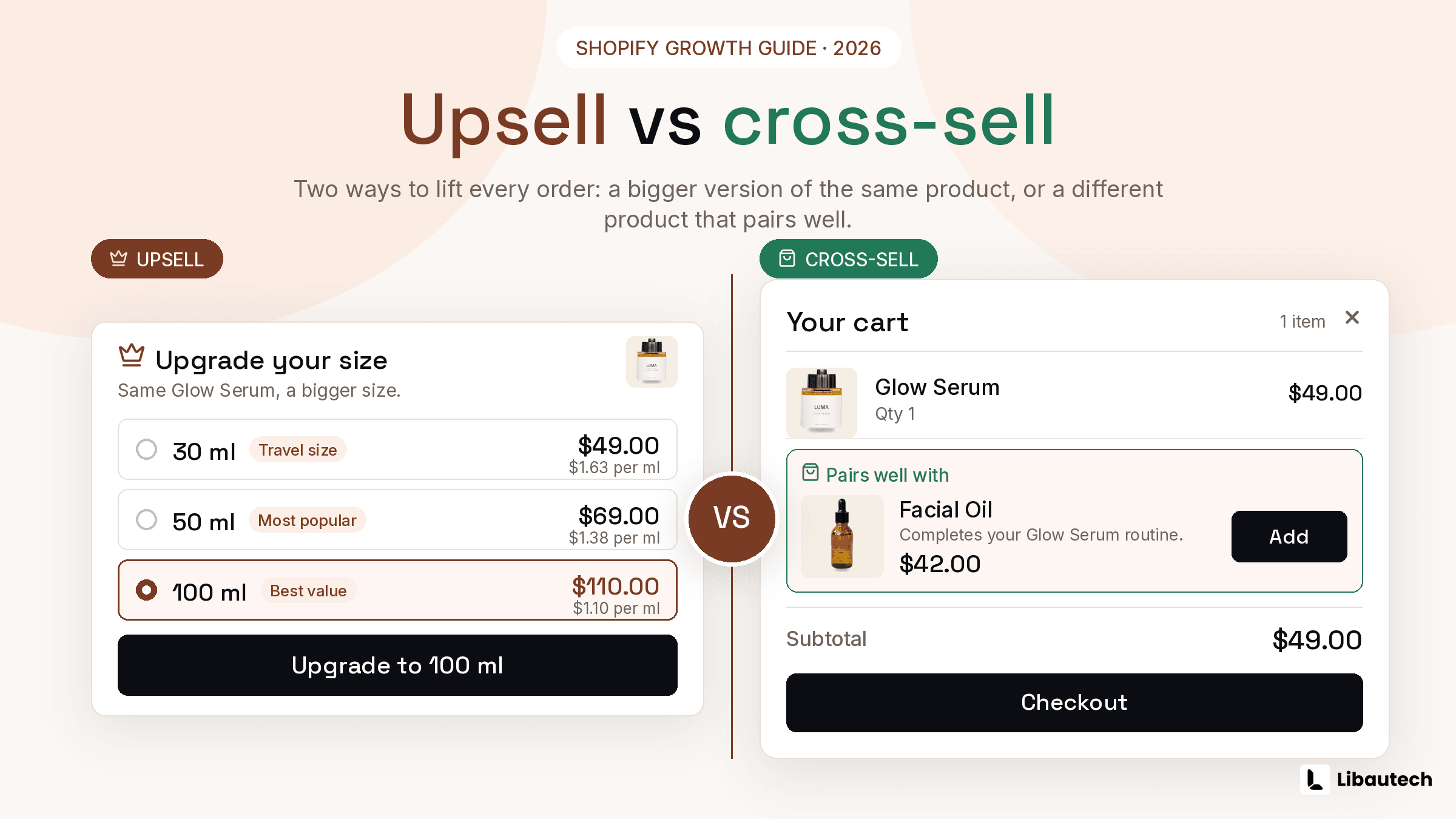
Upselling moves a customer to a higher-value version of the product they are buying, such as a larger size, a multi-pack, or a premium model, while cross-selling adds a different, complementary product to the same order, such as a case with a phone or conditioner with shampoo. On Shopify both run through the same placements and usually the same app; the difference is what you offer, and choosing correctly per product is worth more than any design tweak.
The terms get used interchangeably in marketing content, which produces stores upselling where they should cross-sell and vice versa. Here is the clean split and the decision rule.
TLDR: Key Takeaways
- Upsell: same product, more of it or better. Cross-sell: different product that completes the purchase.
- Upsells fit consumables and tiered catalogs (sizes, packs, models). Cross-sells fit catalogs with natural complements (main item plus accessory).
- Placement rule of thumb: upsells earn the product page (the shopper is still choosing a version), cross-sells earn the cart and post-purchase (the main choice is made).
- The commonly cited industry range attributes a 10 to 30 percent AOV lift to the two techniques combined; most strong stores run both, not either.
What Is Upselling on Shopify?
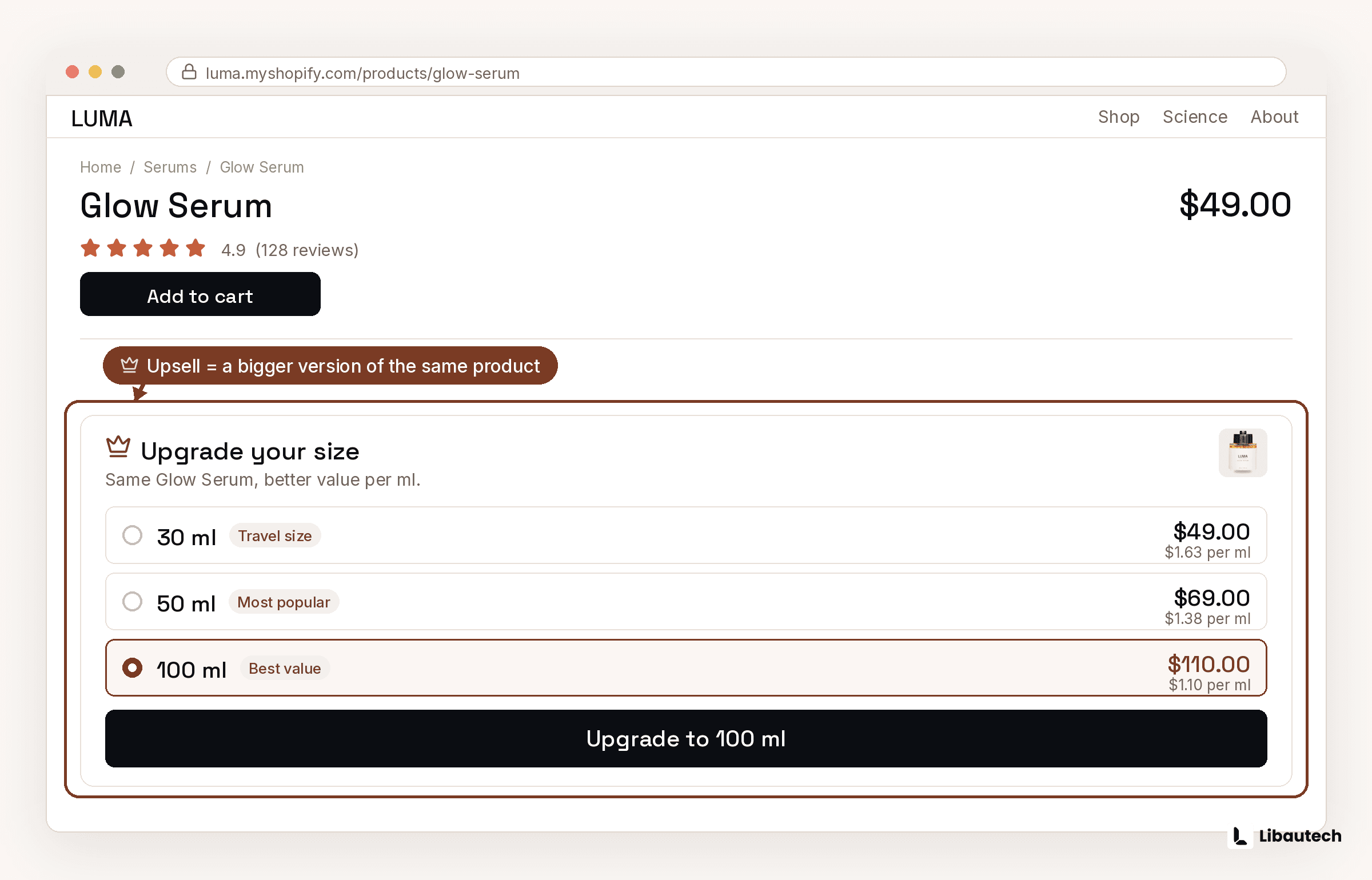
Upselling raises the value of the item already chosen. Shopify examples: a quantity break tier ("1 for 20, 3 for 48") converting a single-unit buyer into a 3-unit buyer, a size upgrade ("500 ml, save 15 percent per 100 ml"), or a model upgrade ("the Pro adds X for 20 more"). The psychology is momentum: the buying decision is made, and the upsell only asks "how much of it", which is a far smaller question than "what else".
What Is Cross-Selling on Shopify?
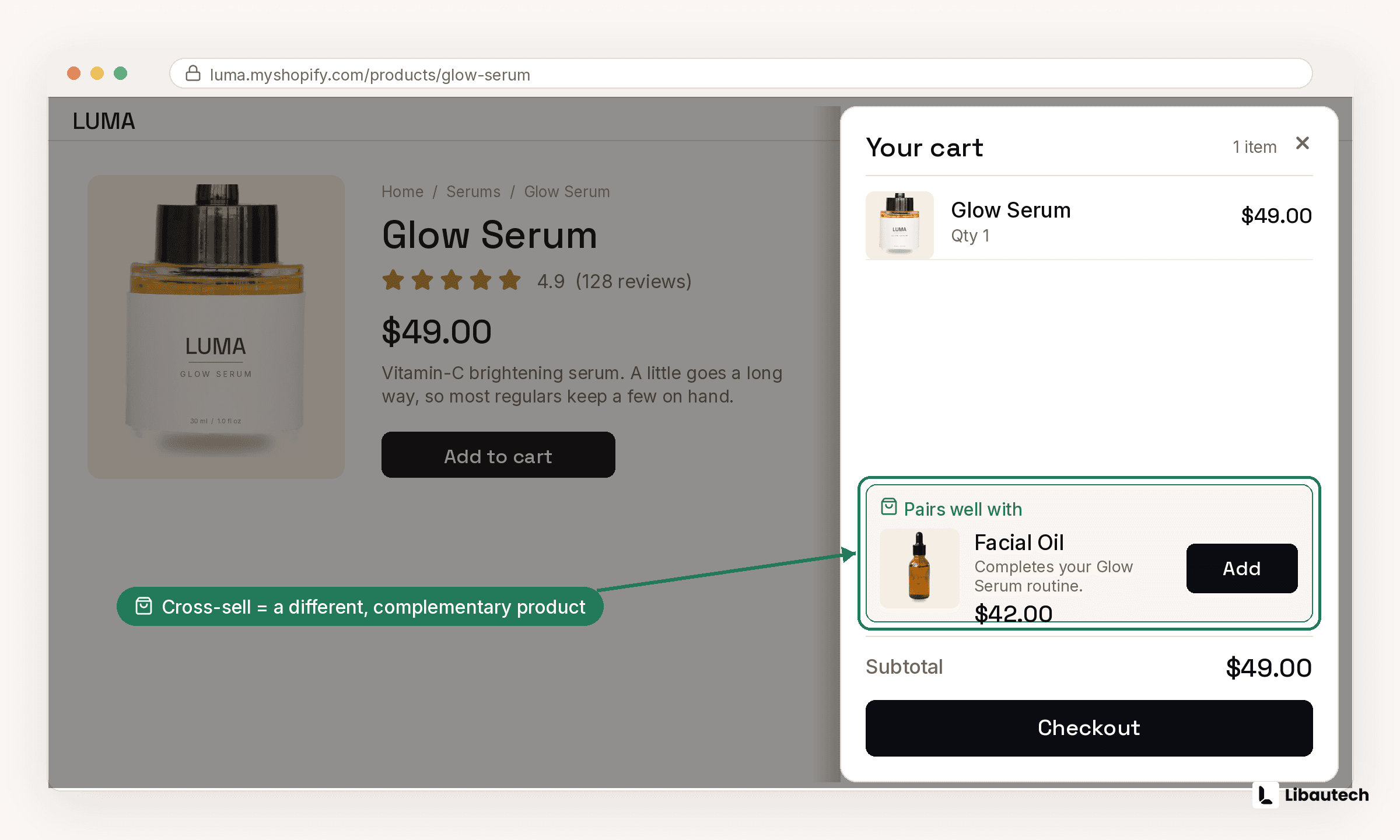
Cross-selling attaches complements. Shopify examples: a frequently bought together block pairing the camera with a memory card, an add-on checkbox for batteries under the buy button, a cart popup offering the matching belt when trousers are added, or a post-purchase 1-click offer of the refill. The psychology is completion: the shopper is buying an outcome, not an object, and the complement makes the outcome whole. For the setup mechanics of the pre-payment placements, see our pre-purchase upsells guide.
Upselling vs Cross-Selling: Side by Side
| Upselling | Cross-selling | |
|---|---|---|
| What changes | Value of the same item | Number of different items |
| Classic example | Buy 3, save 20 percent | Add the matching case |
| Best catalogs | Consumables, sized or tiered products | Catalogs with natural complements |
| Best placements | Product page (tiers, upgrades) | Cart, post-purchase, product page FBT |
| Typical discount | Per-unit savings on volume | 10 to 20 percent on the added item |
| Risk if misused | Overselling quantity nobody needs | Irrelevant pairings that train shoppers to ignore offers |
When Should You Upsell and When Should You Cross-Sell?
Read your catalog, not the tactic list. If customers use the product up or buy it repeatedly (coffee, supplements, socks), lead with upsells: quantity tiers on the product page do most of the work. If your products are hubs with accessories (electronics, furniture, apparel outfits), lead with cross-sells: frequently bought together and cart offers. If both are true, sequence them: the quantity tier upsells on the product page, the complement cross-sells in the cart or post-purchase, so the 2 offers never compete for the same click.
One rule applies to both: 1 offer per placement, accepted in 1 click, priced inside the impulse band (complements at 25 to 50 percent of the main item; volume tiers with a visible 10 to 20 percent per-unit saving).
How Do You Set Up Both on Shopify?
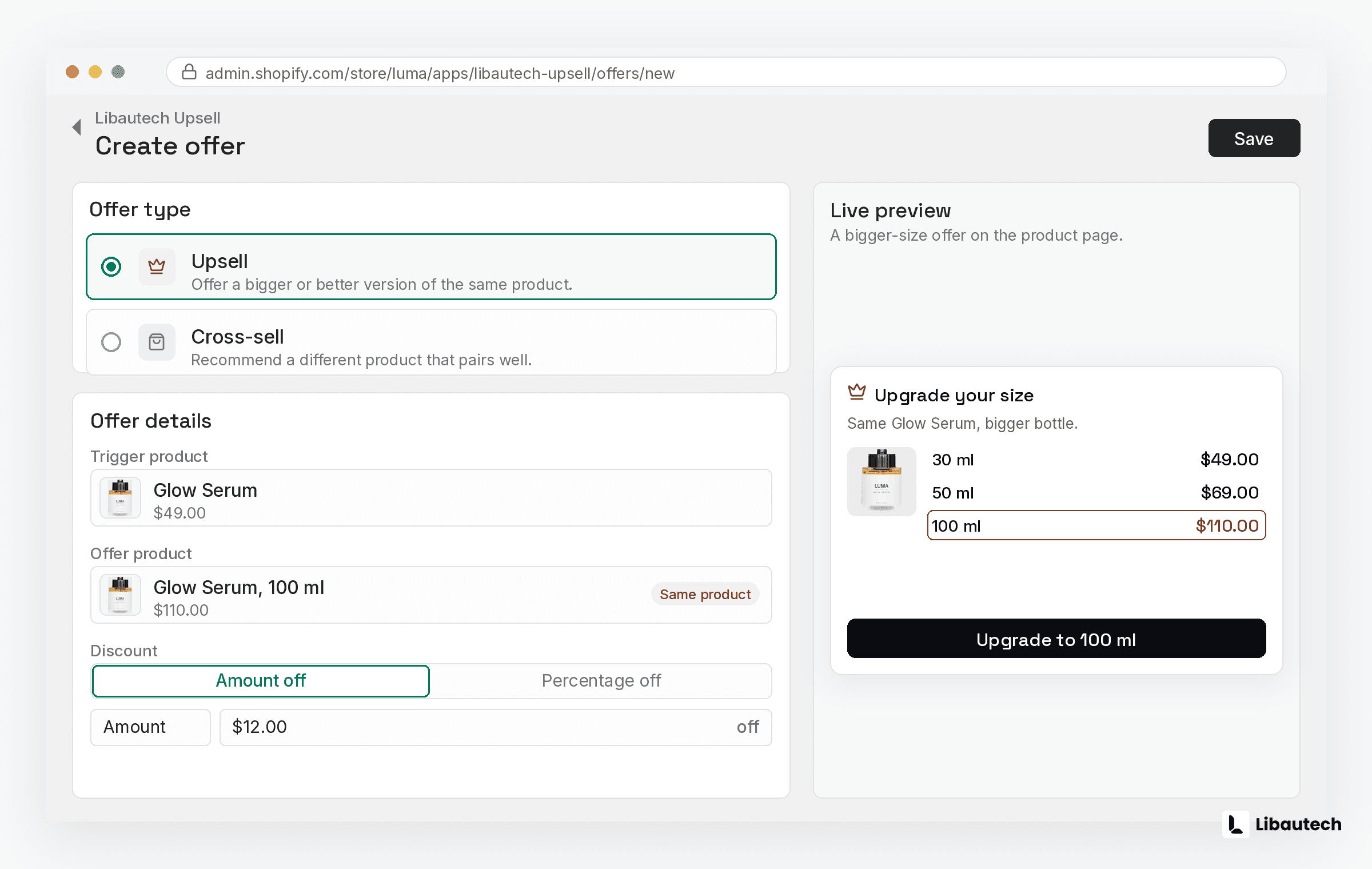
Shopify has no native system for either beyond basic discount rules, so an app supplies the offer blocks, targeting, and analytics. Libautech Bundles & Upsell runs both from one dashboard: quantity breaks and volume bundles for the upsell side, frequently bought together, add-ons, cart popup, and post-purchase offers for the cross-sell side, each tracked separately so you can see which technique is actually earning on your catalog. Built for Shopify badge, 7-day free trial, no code on Online Store 2.0 themes. To see what the combined lift should look like in your numbers, start with our guide to increasing average order value.
Related guides: 12 Shopify upsell examples, Add product recommendations, Best product recommendation apps and Best frequently bought together apps.