How to Set Up Wholesale Pricing on Shopify (Without Plus)
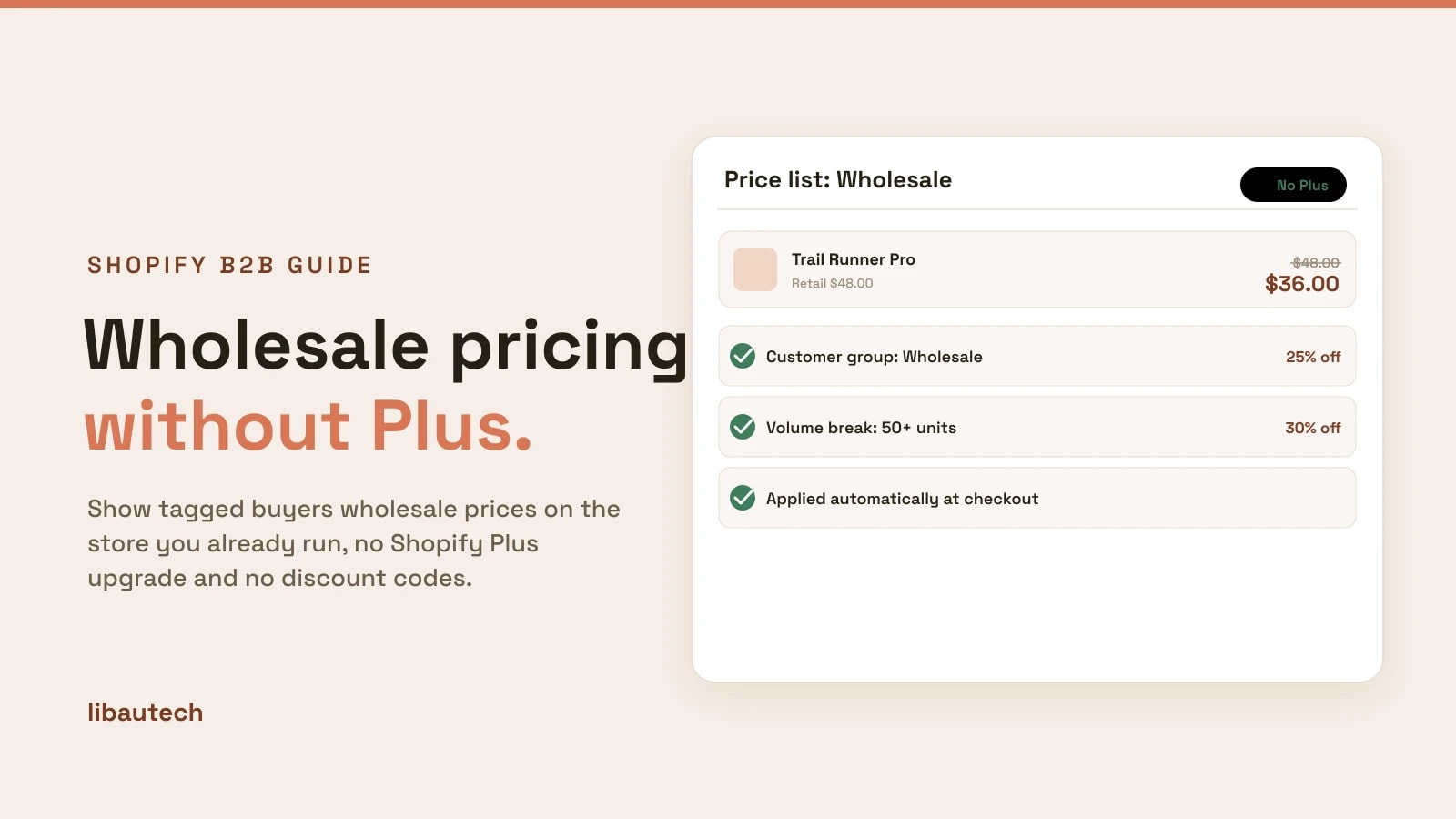
You can offer wholesale pricing on Shopify without upgrading to Shopify Plus. Shopify's built-in B2B features are Plus-only, but wholesale pricing itself, showing tagged buyers a lower price automatically, runs on any Shopify plan through an app. This guide shows how to set it up: tag your wholesale customers, create a price list, and publish, so B2B buyers see their prices with no discount codes.
Key takeaways
- Wholesale pricing does not need Shopify Plus. An app runs it on Basic, Grow or Advanced.
- The pattern is always the same: group your buyers (by tag), assign them a price list, publish.
- Prices apply automatically for tagged customers at checkout, with no coupon codes to share.
- You can start free: Libautech B2B Discounts does customer-group pricing, volume breaks and tiered pricing at no cost.
Do you need Shopify Plus for wholesale pricing?
No. Shopify's native B2B, with company profiles, buyer-specific catalogs and payment terms, is a Shopify Plus feature. But for the core job, showing wholesale customers a lower price, you do not need Plus. A wholesale pricing app applies customer-group prices, volume breaks and tiered discounts on any plan. We compare the two routes in do you need Shopify Plus for B2B.
How to set up wholesale pricing on Shopify
These steps use the free Libautech B2B Discounts app as the example. The flow is the same for most wholesale pricing apps.
- Install a wholesale pricing app. Add the app from the Shopify App Store and open it. No theme code is required.
- Tag your wholesale customers. In Customers, add a tag such as "wholesale" to each B2B buyer. The tag is how the app knows who gets wholesale prices. This is your customer group.
- Create a price list for the group. In the app, create a price list tied to the "wholesale" tag. Set a blanket percentage off (for example 25 percent off everything), or set specific prices on specific products.
- Add volume or quantity breaks. Optionally, set tiers so bigger orders save more, such as an extra discount at 50 or 100 units. See how to add volume discounts and quantity breaks for that step in detail.
- Publish and test. Save the price list, then log in as a tagged test customer and confirm the wholesale price shows and applies at checkout, with no code entered.
Once it is live, every tagged wholesale buyer sees their price automatically, while retail shoppers keep paying full price on the same store.
Types of wholesale pricing you can set
- Customer-group pricing. A price list for a tagged group, such as wholesale or VIP. This is the foundation, covered in customer-group pricing on Shopify.
- Blanket percentage discount. A flat percentage off your whole catalog for the group, the fastest way to start.
- Volume and quantity breaks. Buy more, save more, set per product or across the group.
- Tiered pricing. Different discount levels for different buyer tiers, such as silver and gold wholesale accounts.
Best practices
Require login for wholesale prices. Show wholesale pricing only to logged-in tagged customers, so retail shoppers never see B2B prices.
Keep one catalog. Run retail and wholesale from the same store and products, rather than a separate hidden store, so inventory and orders stay in one place.
Skip discount codes. A code that anyone can share is not wholesale pricing. Tie prices to the customer group so they apply automatically and privately.
Start simple. A single blanket percentage for one wholesale group is enough to launch. Add volume breaks and tiers once it is working.
New to B2B on Shopify? Start with our beginner's guide to B2B on Shopify, then come back here to set the pricing up.