Last updated: April 2026 · Pricing and ratings verified from live Shopify App Store listings on April 30, 2026. Reviewed by the Libautech team — builders of Built for Shopify apps used by 5,000+ merchants across 50+ countries.
Most roundups of Shopify accessibility apps list 10 widget tools as if they all solved the same problem. They do not. A widget overlay, a code-level remediation platform, and an alt text generator solve three different accessibility problems for stores at different compliance maturity. Lumping them together makes it impossible to decide what to install — or to recognize that overlay-only solutions have well-documented limitations the marketing copy never mentions.
The honest framing: Shopify accessibility apps break into three jobs, each with its own trade-offs around compliance depth, legal protection, and ongoing maintenance.
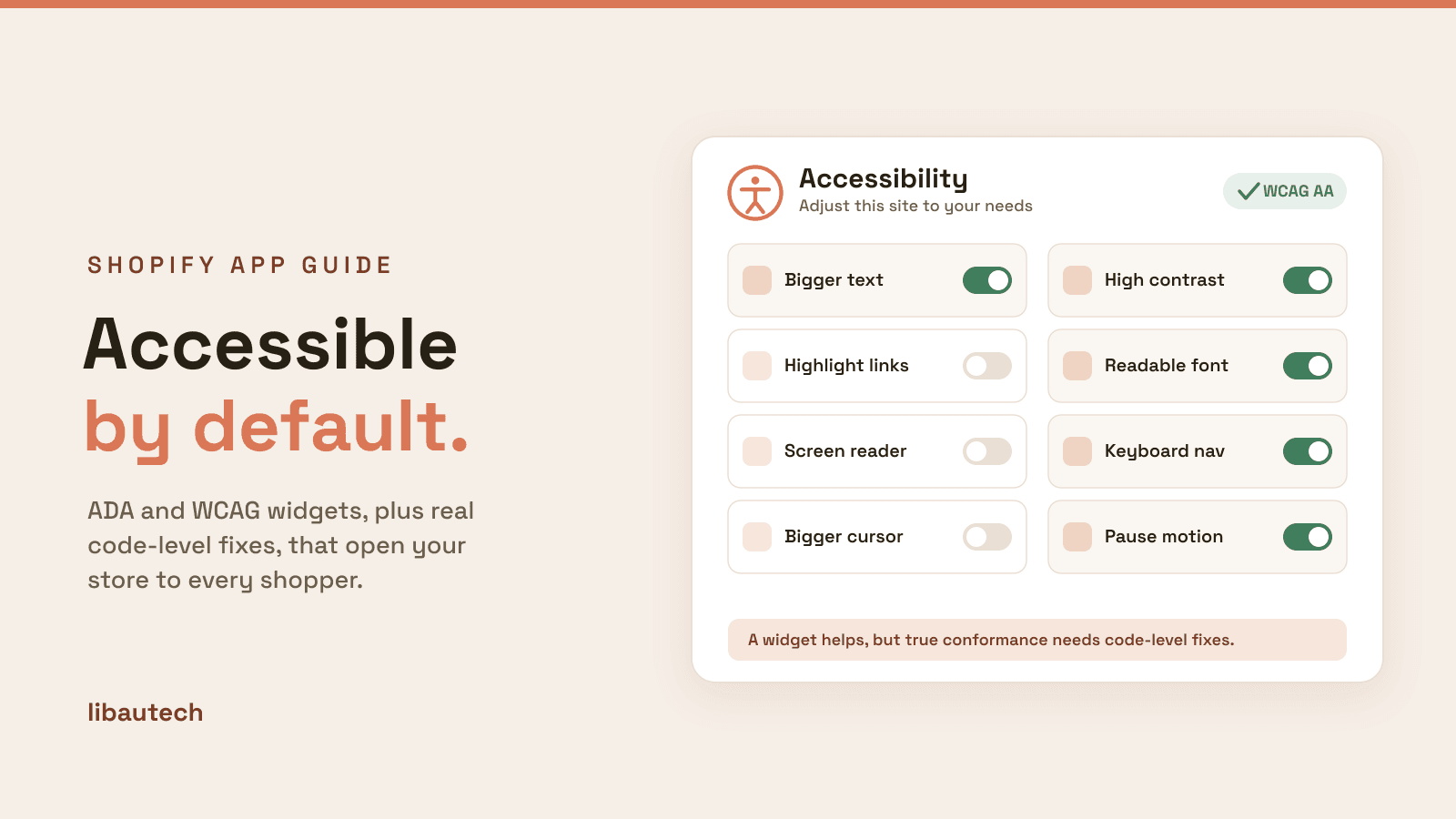
The first job is widget overlay accessibility — a small icon on the storefront that opens an accessibility toolbar with contrast modes, font sizing, cursor enlargement, screen reader optimization, and keyboard navigation enhancements. Accessibility Spark, Accessibility Assistant, AccessPro, UserWay, Accessibly, and EA Accessibility lead this layer. The strength is fast install, low cost, and meaningful improvement on common visual accessibility barriers. The trade-off: widget overlays have well-documented limitations in the disability community and have been called out in some ADA lawsuits for not fixing underlying code issues.
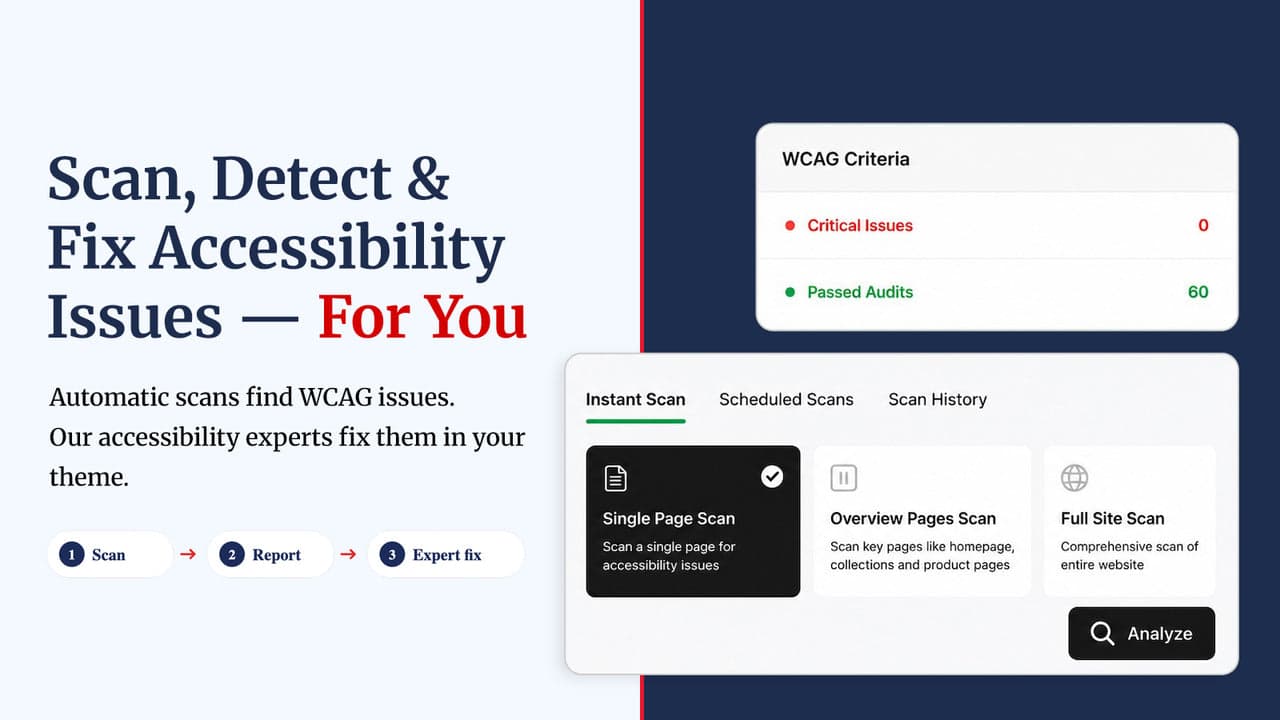
The second job is code-level remediation platforms — platforms that scan store HTML and modify the underlying code to fix accessibility barriers at source rather than overlay them with a widget. Isonomy is the leader in this layer on Shopify. The strength is genuine WCAG compliance position rather than overlay-only mitigation. The trade-off: smaller install base, higher pricing, and less mature ecosystem than widget incumbents.
The third job is alt text generators — apps that auto-generate alt text on product images for screen reader users. Several specialized apps cover this job (AltText.ai, ALT Text Pro, AltGen). Most major widget overlay apps include some alt text functionality, but dedicated alt text apps cover this single function more deeply. This is a complementary layer rather than a standalone accessibility solution.
This post ranks 8 apps across the three jobs based on verified April 2026 Shopify App Store data and what each one actually solves.
Accessibility apps stack with broader site-quality and SEO tools. See our guides on best Shopify SEO apps for the broader site-quality layer (alt text generation supports both SEO and accessibility), best Shopify page builder apps for stores building pages with accessibility-first templates, and essential legal apps for the broader legal compliance layer beyond accessibility.
| App | Rating | Free Plan | Paid From | Layer | Best For |
|---|---|---|---|---|---|
| Accessibility Spark ADA & WCAG | ⭐ 4.9 (1,200+) | Yes | $11.99/mo | Widget overlay | Most-reviewed widget, certification included |
| Isonomy Web Accessibility | ⭐ 4.9 (250+) | Yes | $19/mo | Code-level remediation | Genuine WCAG 2.2 AA compliance, code fixes |
| Accessibility Assistant | ⭐ 4.9 (700+) | Yes | $9.99/mo | Widget overlay | Multi-language widget with 100+ languages |
| AccessPro Widget | ⭐ 5.0 (200+) | Yes | $11.99/mo | Widget overlay | AI alt text generation included with widget |
| UserWay AI Widget | ⭐ 4.5 (130+) | Yes | $49/mo | Widget overlay | Enterprise widget, 53+ languages, monitoring |
| Accessibly | ⭐ 4.7 (300+) | No (trial) | $25/mo | Widget overlay | Established widget, multi-language |
| EA Accessibility | ⭐ 4.9 (200+) | Yes (free plan) | $9.99/mo | Widget overlay | Strongest free tier with widget overlay |
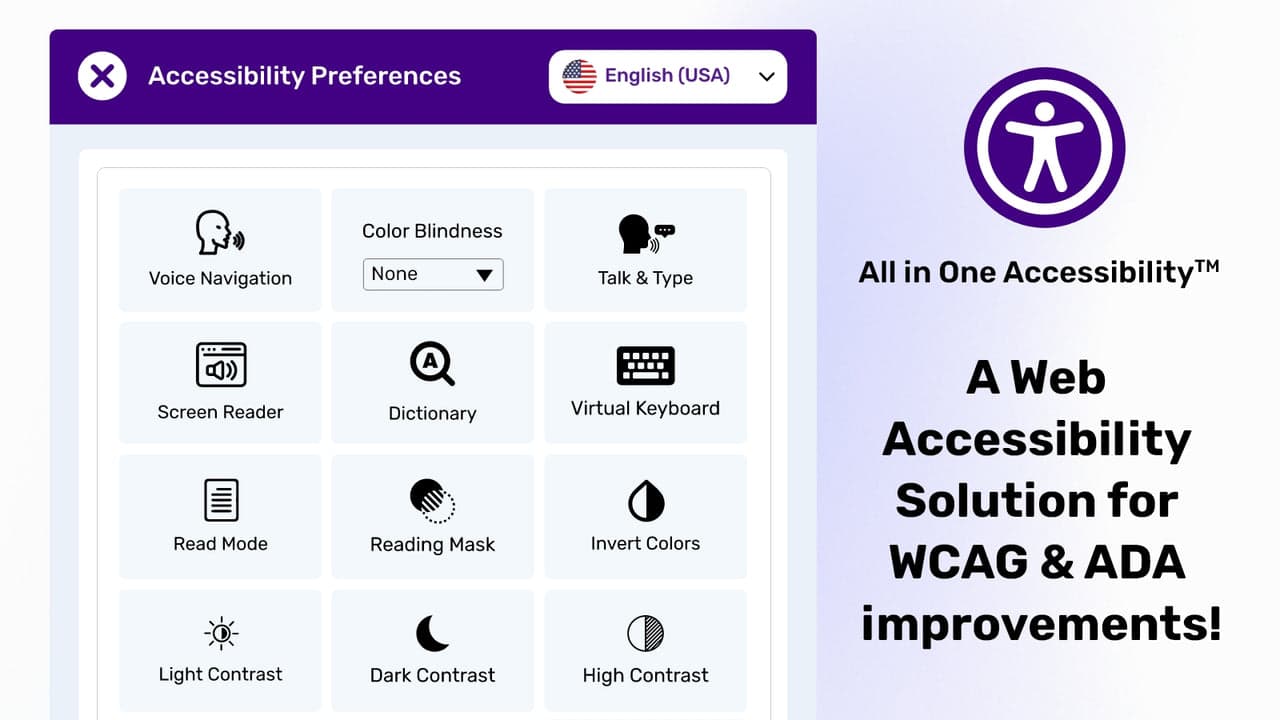
| Accessibility Enabler | ⭐ 4.7 (150+) | Yes | $8.99/mo | Widget overlay | Budget pick, 105 languages, certificate |
The widget overlay is the most common Shopify accessibility install — a small icon on the storefront that opens a toolbar with contrast modes, font sizing, cursor enlargement, screen reader optimization, and keyboard navigation. The strength is fast install (under an hour), low monthly cost (typically $9–$25/month), and meaningful improvement on common visual accessibility barriers. The trade-off is real and worth understanding before installing: widget overlays do not modify underlying HTML, so structural accessibility issues (improper heading hierarchy, missing form labels, low color contrast in design tokens) remain even after the widget is installed. For full WCAG 2.1 AA compliance, the widget is a starting layer rather than a complete solution.
Best for: most Shopify stores wanting AI-powered widget overlay accessibility plus accessibility certification and compliance statement — the most-reviewed dedicated accessibility app on the Shopify App Store.
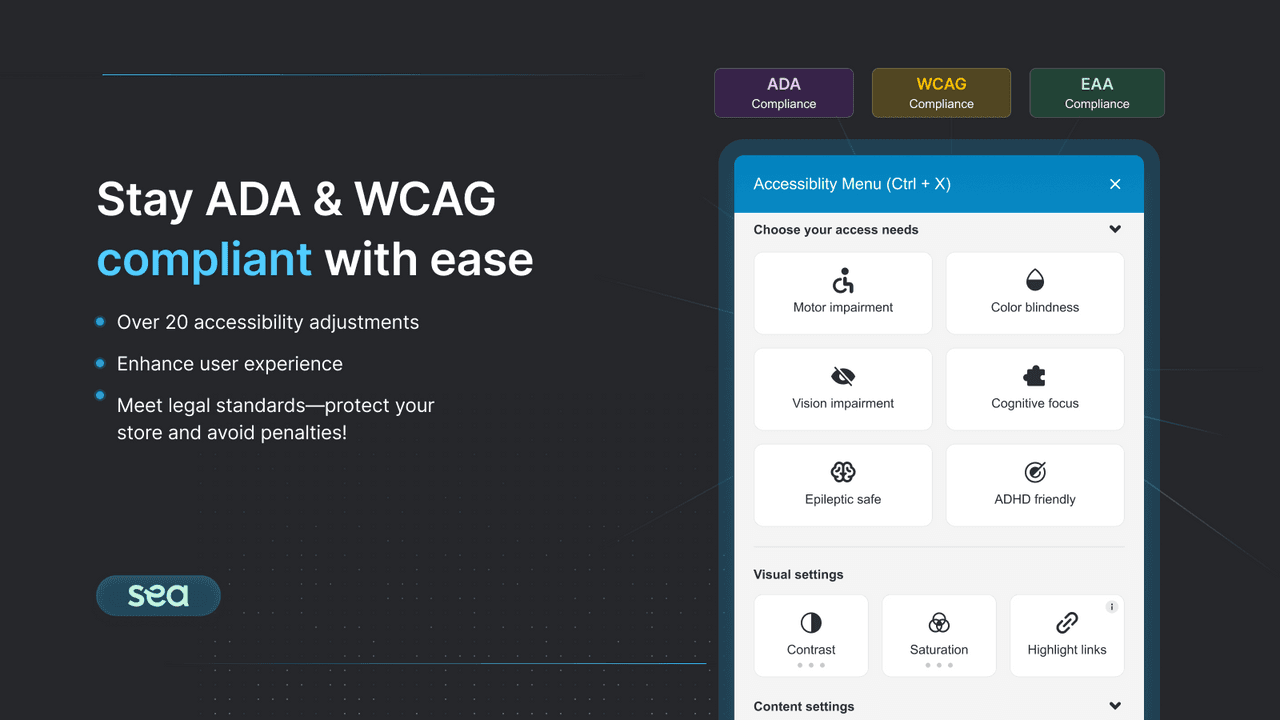
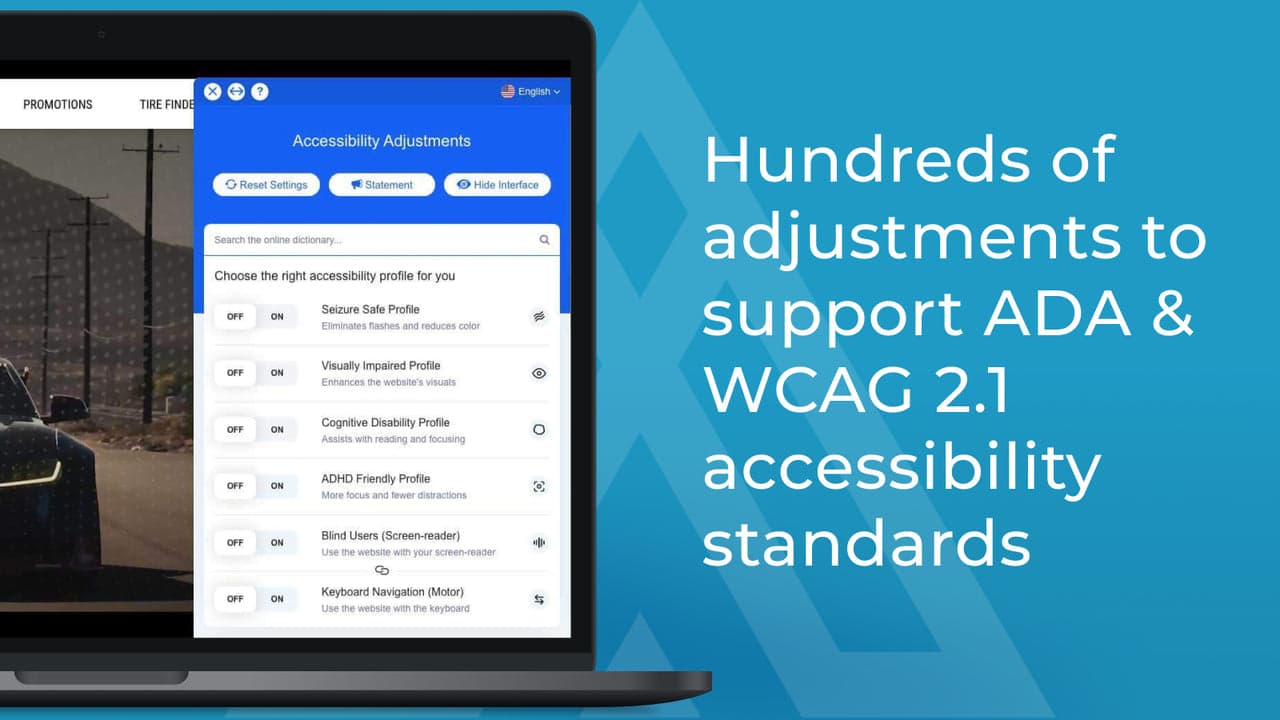
Accessibility Spark holds 4.9 stars across 1,200+ reviews on the Shopify App Store and carries the Built for Shopify badge. The positioning is comprehensive AI-powered widget accessibility with explicit compliance documentation: WCAG 2.2, WCAG 2.1, ATAG 2.0, EN 301 549 (EAA), ADA, Section 508, UK Equality Act, and AODA. The widget includes screen reader adjustments via image recognition, automated alt text suggestions, and accessibility profiles for common disability types (epilepsy-safe profile, vision-impaired profile, ADHD-friendly profile, cognitive disability profile).
The compliance documentation layer is the standout differentiator. Accessibility Spark provides an Accessibility Certification and Statement of Compliance covering WCAG, ADA, and EAA standards, plus daily compliance monitoring that scans for site changes that might break accessibility and monthly audit reports. For stores facing legal exposure, the documentation trail is meaningful when responding to demand letters or proving good-faith remediation efforts.
Where it falls short: widget pricing is mid-tier rather than budget. Some merchant reviews flag slow customer support response time during peak periods, though the support team is responsive when reached. The fundamental widget-overlay limitation applies — Accessibility Spark provides excellent overlay coverage but does not modify underlying HTML, so structural accessibility issues require separate code-level remediation.
Pricing: Free plan available. Paid from $11.99/month with full feature access. 7-day free trial on paid tiers.
Best for: international Shopify stores wanting a widget overlay with 100+ language support, AI-based alt text generation, and customizable widget design at a budget tier under $10/month.
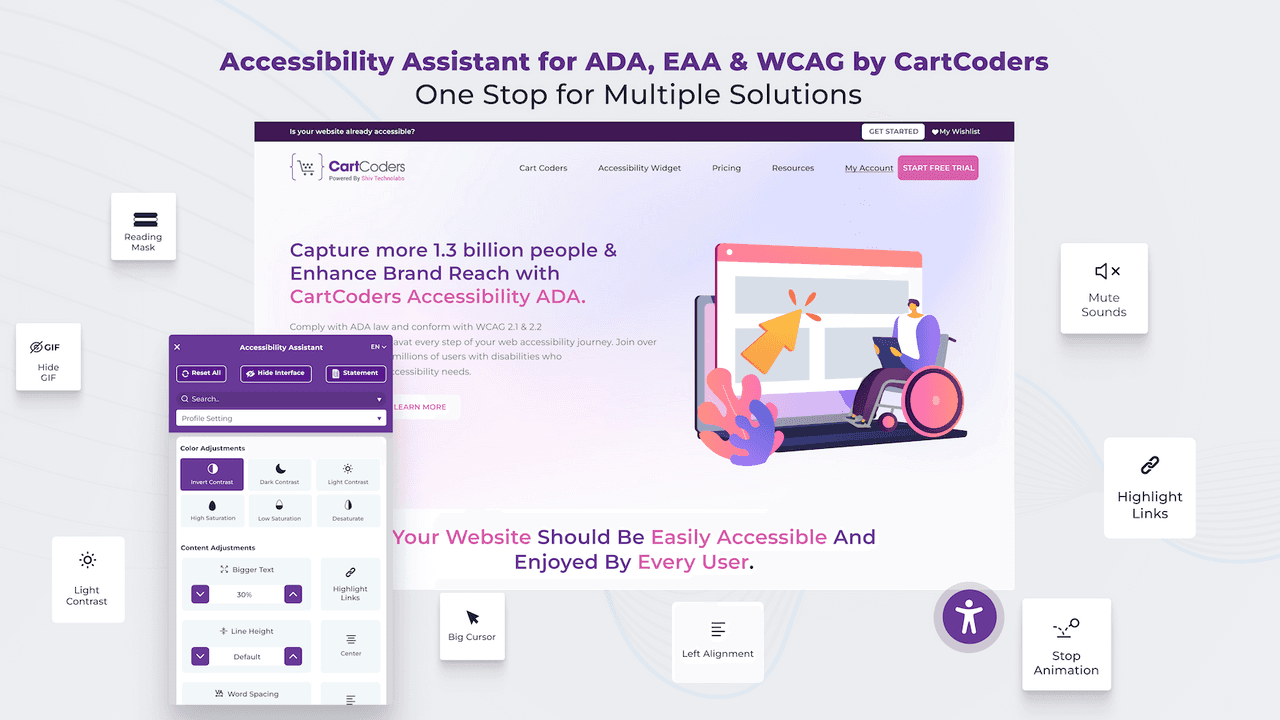
Accessibility Assistant holds 4.9 stars across 700+ reviews. The positioning is multi-language widget overlay with strong customization — the widget supports automatic translation across 100+ languages, includes accessibility profiles, AI-generated alt text for product images, keyboard navigation, text-to-speech, contrast tools, and large cursor controls. Widget design is fully customizable in colors and icons to match your brand.
Pricing starts at $9.99/month with a free plan available, which puts Accessibility Assistant in the lower-mid pricing tier of this layer. Compliance coverage includes ADA, WCAG 2.1/2.2 AA, EAA, AODA, and BFSG. The 21-language widget interface coverage (English, German, Italian, Dutch, French, Spanish, Polish, Swedish, Danish, Czech, Finnish, Portuguese variants, Romanian, Turkish, Chinese, Japanese, Korean, Thai, and Norwegian) is competitive with UserWay's 53-language coverage at significantly lower price.
Where it falls short: review base (700+) is smaller than Accessibility Spark (1,200+) so social proof at install decision is lower. The compliance certification process is less formalized than Accessibility Spark's certification and statement workflow, which matters for stores actively defending against demand letters.
Pricing: Free plan available. Paid from $9.99/month.
Best for: Shopify stores wanting an AI-powered widget overlay combined with bulk AI alt text generation for product images at a single subscription — strong all-rounder for stores with large product catalogs.
AccessPro Widget holds 5.0 stars across 200+ reviews. The differentiator is the bundled AI alt text generation that runs on product images alongside the widget overlay — most other widget apps charge extra for alt text generation or do not include it at all. AI-generated alt text supports bulk processing across the entire product catalog, which is meaningful for stores with hundreds or thousands of SKUs where manual alt text would take weeks of editorial work.
Compliance coverage includes ADA, AODA, EAA, BFSG, and WCAG. Multi-language support across 27 languages. Includes an accessibility statement template (fully customizable) and analytics on widget engagement, which is useful for documenting good-faith accessibility efforts in legal contexts.
Where it falls short: review base (200+) is smaller than Accessibility Spark or Accessibility Assistant. Some merchant reviews flag aggressive review-prompt popups during onboarding that interfered with initial setup, though the team responded and adjusted the flow. Like all widget overlays, AccessPro does not fix underlying HTML — the widget supplements but does not replace structural accessibility work.
Pricing: Free plan available. Paid from $11.99/month.
Best for: enterprise Shopify Plus brands wanting AI-powered widget accessibility with 53+ languages, live monitoring, and compliance documentation — the most established accessibility brand in the broader web accessibility market.
UserWay AI Widget holds 4.5 stars across 130+ Shopify App Store reviews and is the most established accessibility platform in the broader web market — the company serves accessibility customers far beyond Shopify, with significant enterprise penetration. The Shopify app provides AI-driven widget accessibility with live monitoring, severe-violation alerts, and 53+ language support.
Pricing on the Shopify App Store starts at $49/month, which is the highest entry point in this list. The pricing reflects UserWay's enterprise positioning and broader feature depth. Live monitoring with real-time violation detection and recommended remediations is more sophisticated than what most widget-only apps provide. For Shopify Plus brands wanting accessibility coverage from an established enterprise vendor with deeper platform tooling, UserWay is the natural pick.
Where it falls short: pricing is meaningfully higher than alternatives delivering comparable widget functionality. The 4.5-star Shopify App Store rating is lower than Accessibility Spark, Accessibility Assistant, and AccessPro. Some merchant reviews flag pricing changes and feature shifts after the company's recent corporate transitions. The widget-overlay limitations apply to UserWay as they do to every overlay.
Pricing: Free plan available. Paid from $49/month.
Best for: Shopify stores wanting an established widget overlay with multi-language support, comprehensive accessibility toolbar, and a track record on the Shopify App Store dating back several years.
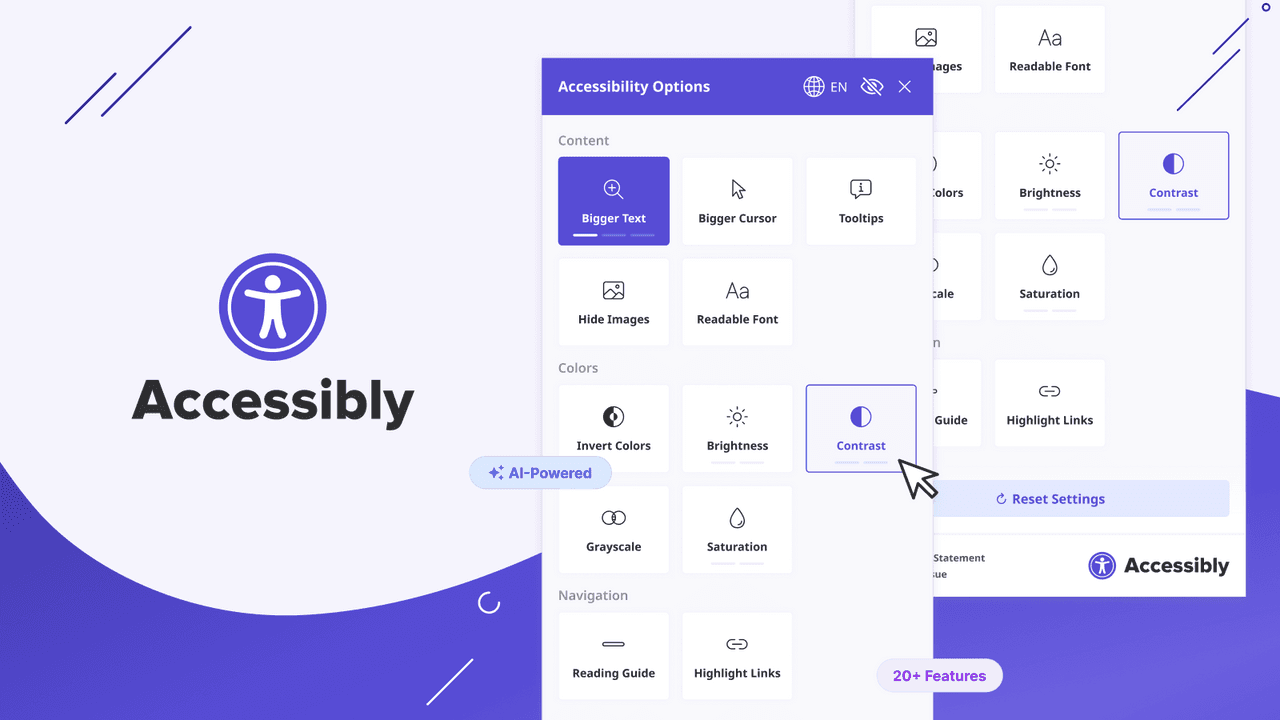
Accessibly holds 4.7 stars across 300+ reviews and is one of the longest-running widget accessibility apps on the Shopify App Store. The widget toolbar covers text resizing, contrast adjustments, keyboard navigation, multi-language support, and the standard accessibility profile selector. The user interface and integration approach are mature, having gone through multiple iterations based on merchant feedback over the years.
Pricing starts at $25/month after the free trial, which is mid-tier in this layer. Compliance coverage includes ADA, EAA, and WCAG. The app does not currently have a free plan, so merchants must commit to a paid tier after the trial.
Where it falls short: pricing is higher than Accessibility Assistant or EA Accessibility for comparable widget functionality. Review momentum has slowed in recent quarters compared to Accessibility Spark, suggesting the app is mature rather than gaining new merchant share. Some merchant reviews note feature gaps versus newer alternatives that include AI alt text generation or code-level remediation.
Pricing: No free plan. Paid from $25/month. Free trial available.
Best for: budget-conscious Shopify stores wanting a complete widget overlay with automated WCAG scanning and the strongest free tier in the category.
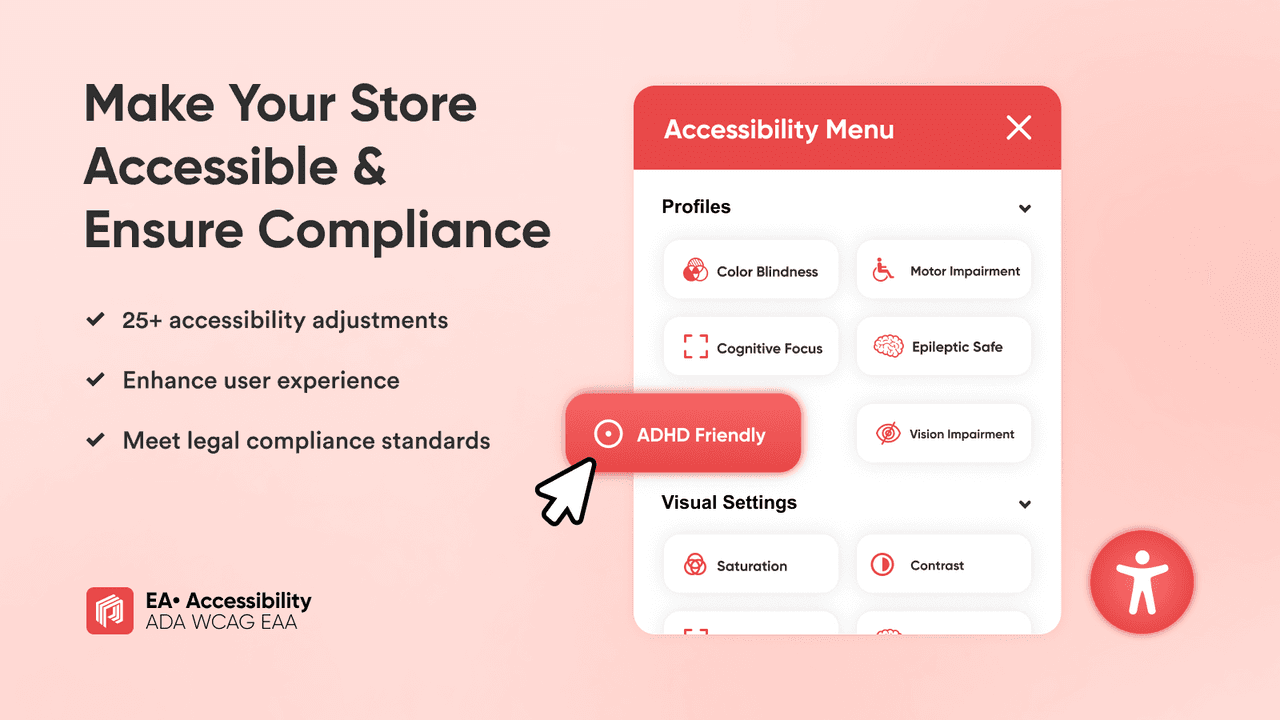
EA Accessibility holds 4.9 stars across 200+ reviews. The differentiator is the genuinely useful free plan that covers widget overlay, automated WCAG scanning, screen reader optimization, keyboard navigation support, and basic ADA compliance tools at zero monthly cost. Most competitors offer free plans with significant feature limitations; EA Accessibility's free tier is more competitive with paid widget plans elsewhere.
The widget overlay covers contrast modes (high contrast, dark contrast, light contrast, monochrome), font sizing, cursor enlargement, reading line guides, link highlighting, animation pausing, and screen reader optimization. The automated scan identifies common WCAG 2.1 AA violations including missing alt text, insufficient color contrast, missing form labels, and navigation issues. A dashboard shows compliance score with specific recommendations for improvement.
Where it falls short: review base (200+) is smaller than Accessibility Spark or Accessibility Assistant. Compliance documentation and certification workflows are less formalized than Accessibility Spark's certification process. The brand recognition is lower than UserWay or Accessibly when stores need to cite the accessibility vendor in legal contexts.
Pricing: Free plan available. Paid from $9.99/month.
Best for: budget-conscious Shopify stores wanting widget overlay accessibility with 105 language support, accessibility certificate, and the lowest paid tier in this layer.
Accessibility Enabler holds 4.7 stars across 150+ reviews. The positioning is budget widget overlay with mobile-and-desktop optimized design, 105-language support, customizable UI for color and position, and an accessibility certificate plus statement provided as part of the subscription. The widget covers 30+ accessibility settings spanning visual impairments, screen-reader adjustments, and keyboard navigation.
Pricing starts at $8.99/month, which is the lowest paid tier in this widget layer. Compatibility with all Shopify themes is explicitly tested and documented, which is useful for merchants on heavily customized themes where some accessibility apps create rendering conflicts.
Where it falls short: review count (150+) is smaller than the major alternatives. Compliance documentation depth is lighter than Accessibility Spark's certification workflow. Brand recognition is lower than UserWay or Accessibly in legal contexts where established vendor names carry weight.
Pricing: Free plan available. Paid from $8.99/month.
This layer is where accessibility compliance gets serious. The widget overlay layer adds a toolbar that visitors can click to adjust their browsing experience, but underlying HTML accessibility issues remain — missing form labels, improper heading hierarchy, low color contrast in design tokens, missing ARIA attributes. Code-level remediation platforms scan and modify the underlying HTML to fix these issues at source. The trade-off is smaller install base, higher pricing, and less mature ecosystem. One platform represents this layer in this guide.
Best for: Shopify stores wanting genuine WCAG 2.2 AA compliance through code-level fixes rather than widget overlay mitigation — the strongest pick when the priority is real accessibility rather than legal-protection theater.
Isonomy holds 4.9 stars across 250+ reviews. The positioning is explicitly differentiated from widget overlays: "Unlike overlay tools that mask issues, we proactively fix accessibility barriers at the source ensuring robust compliance with WCAG 2.2 Level AA, ADA, AODA, EAA, and BFSG without slowing your store." This is the substantive difference between Layer 1 widget overlays and Layer 2 code-level remediation.
The platform delivers built-in accessibility tools, AI-powered insights, real-time analytics on accessibility metrics, and actual code-level remediation rather than visual overlay. Free tier available with reasonable usage limits. Paid plans start at $19/month and scale based on monthly visitor count and feature depth.
Where it falls short: smaller install base than widget overlay incumbents (250+ reviews vs Accessibility Spark's 1,200+). Some merchants have flagged pricing model complexity around visitor-count tiers and post-acquisition pricing changes. The category is less mature than widget overlays — fewer documentation references, fewer Shopify-specific case studies, less established legal-defense track record despite the stronger compliance position.
Pricing: Free plan available. Paid from $19/month.
Worth saying explicitly: the disability community and accessibility specialists have well-documented criticism of widget overlay solutions. Overlays do not actually fix underlying HTML accessibility issues — they add a separate user-controlled layer that visitors must discover and activate. For users with disabilities who already have screen readers, keyboard navigation aids, and OS-level accessibility tools configured, an additional widget layer is at best redundant and at worst introduces conflicts with the user's existing assistive technology setup.
Some ADA lawsuits in 2024–2025 specifically named overlay-only solutions as failing to deliver compliance. The legal position is evolving: an overlay alone may not satisfy ADA Title III public accommodation requirements if the underlying site has structural accessibility issues. Code-level remediation (Isonomy) addresses this by modifying the underlying HTML rather than overlaying it.
For most Shopify stores at low legal exposure (small revenue, no documented complaints), a widget overlay is a reasonable starting layer that demonstrates good-faith effort and improves accessibility for many visitor types. For stores with active demand letters, larger revenue, or stores in industries where ADA enforcement is particularly aggressive (e-commerce platforms targeting US disability users), the code-level remediation platform is the stronger long-term position despite higher cost and smaller ecosystem footprint.
For most Shopify stores wanting widget overlay accessibility plus compliance documentation: Accessibility Spark ADA & WCAG. 4.9 stars across 1,200+ reviews, $11.99/month entry, accessibility certification and statement included, daily compliance monitoring.
For genuine WCAG 2.2 AA compliance through code-level fixes: Isonomy Web Accessibility. 4.9 stars, code-level remediation rather than overlay, $19/month entry, the strongest long-term compliance position on Shopify.
For multi-language widget at budget pricing: Accessibility Assistant. 4.9 stars, $9.99/month, 100+ languages, AI alt text generation included.
For widget plus bulk AI alt text generation in one app: AccessPro Widget. 5.0 stars, $11.99/month, AI alt text on entire catalog, accessibility statement template.
For enterprise Shopify Plus with established accessibility vendor: UserWay AI Widget. 4.5 stars, $49/month, 53+ languages, live violation monitoring.
For established widget with multi-language support: Accessibly. 4.7 stars, $25/month, mature platform, multi-language toolbar.
For strongest free widget overlay tier: EA Accessibility. 4.9 stars, generous free plan, automated WCAG scanning included, $9.99/month entry.
For lowest-cost widget overlay with 105 language support: Accessibility Enabler. 4.7 stars, $8.99/month entry, mobile and desktop optimized.
For most Shopify stores under $500K/month with low documented legal exposure, the honest stack recommendation is one widget overlay app from Layer 1. Install Accessibility Spark or Accessibility Assistant on a free or entry tier to add the accessibility toolbar, generate alt text on product images, and produce a compliance statement document. Skip Layer 2 (Isonomy) unless you have active legal exposure or your store generates revenue in jurisdictions with aggressive ADA enforcement (US specifically). The most common mistake is installing UserWay at $49/month when Accessibility Assistant at $9.99/month covers comparable widget functionality — the brand premium is meaningful only when the compliance documentation specifically benefits from the UserWay name in legal contexts.
This ranking is based on four criteria applied to every Shopify accessibility app tested in 2026. First, Shopify App Store rating and verified review volume as of April 30, 2026 — the strongest signal of long-term merchant satisfaction at scale. Second, fit-to-job for which of the three layers each app actually solves (widget overlay, code-level remediation, or alt text generator) rather than treating overlay-only solutions as equivalent to code-level platforms. Third, compliance documentation depth — accessibility certification, statement of compliance, daily monitoring, audit reports — which matters substantively for stores responding to demand letters or defending in legal contexts. Fourth, pricing structure and total cost of ownership at realistic merchant scale, including the legal-protection trade-off between widget overlays (lower compliance position) and code-level platforms (stronger compliance position at higher cost).
Every pricing figure in this post was verified directly from each app's live Shopify App Store listing on April 30, 2026. Accessibility app pricing structures change frequently — confirm current pricing on the official listing before installing. Ratings and review counts reflect the Shopify App Store at the time of our last update. This post is not legal advice; for active legal exposure or demand letters, consult qualified accessibility counsel before relying on any specific app for compliance defense.
A Shopify accessibility app handles one or more of three jobs. Widget overlay apps add a small icon to your storefront that visitors can click to adjust contrast, font size, cursor style, and screen reader behavior. Code-level remediation platforms scan and modify the underlying HTML to fix structural accessibility issues at source. Alt text generators auto-generate descriptive text on product images for screen reader users. Most accessibility apps focus on the widget overlay job; code-level remediation is a distinct and more substantive category.
Depends on the layer and legal exposure. For most stores wanting widget overlay accessibility with compliance documentation: Accessibility Spark ADA & WCAG (4.9 stars, 1,200+ reviews, $11.99/month). For genuine WCAG 2.2 AA compliance through code-level fixes rather than overlay: Isonomy Web Accessibility (4.9 stars, $19/month, the strongest long-term compliance position). For budget overlay at $9.99/month with 100+ languages: Accessibility Assistant.
For low-exposure stores, yes — a widget overlay demonstrates good-faith accessibility effort and improves the visual accessibility experience for many visitor types. For stores with active legal exposure, no — widget overlays do not modify underlying HTML, so structural accessibility issues remain. Some recent ADA lawsuits have specifically named overlay-only solutions as failing to deliver substantive compliance. Code-level remediation platforms (Isonomy) address this by fixing accessibility issues in the underlying code rather than overlaying them.
WCAG (Web Content Accessibility Guidelines) is the technical standard most US courts reference in ADA web accessibility lawsuits. WCAG 2.1 Level AA covers color contrast, keyboard navigation, screen reader compatibility, text alternatives for images, navigable structure, and several other compliance categories. Most accessibility apps target WCAG 2.1 AA as their compliance baseline. WCAG 2.2 (the newer version) adds additional success criteria around focus visibility and cognitive accessibility.
Probably yes, even with an accessible theme. Shopify themes vary in accessibility quality, and even themes designed with accessibility in mind require ongoing attention to alt text, content structure, and color contrast as the store evolves. An accessibility app provides an additional layer that catches accessibility issues created by content updates, app installations, or theme customizations after launch. Shopify's own accessibility statement explicitly notes that merchants are responsible for ongoing accessibility of their stores.
Widget overlay apps add a small JavaScript bundle that loads asynchronously, so impact on core page speed is minimal for Built for Shopify-certified apps including Accessibility Spark, Accessibility Assistant, Isonomy, and EA Accessibility. Code-level remediation platforms (Isonomy) explicitly market "without slowing your store" because the remediation runs server-side rather than as additional client-side scripts. Always test page speed before and after install with Google PageSpeed Insights to confirm impact on your specific theme.
Over 4,000 ADA web accessibility lawsuits were filed against US ecommerce stores in 2025 across all platforms (Shopify, Magento, custom builds, and others). Lawsuit volume has grown year-over-year as plaintiff law firms have systematized digital accessibility claims. Shopify-specific exposure depends on revenue, US visitor volume, and whether the store sells products covered under specific ADA Title III categories. Stores with revenue over $500K/year selling consumer products in the US are at meaningfully higher risk than smaller stores or stores selling outside the US.
An accessibility widget adds a separate toolbar that visitors must click to activate (contrast adjustments, font sizing, cursor changes). Underlying HTML accessibility issues remain — the widget does not fix them, it just lets visitors apply a different visual experience over the same accessibility-broken HTML. Code-level remediation platforms (Isonomy) scan the underlying HTML and modify it to fix accessibility issues at source — missing form labels, improper heading hierarchy, missing ARIA attributes. Code-level fixes are stronger compliance position; widgets are faster install at lower cost.
Most accessibility widget apps include AI-generated alt text as part of the subscription (Accessibility Assistant, AccessPro Widget, Accessibility Spark). For stores using a code-level remediation platform without alt text generation, a dedicated alt text app may be additive. For most stores, one accessibility app with alt text included is sufficient — separate alt text apps are useful primarily when the existing accessibility app's alt text quality is poor or when the catalog has thousands of images requiring batch processing.
Technically yes, but the labor cost is higher than the app subscription cost for most stores. Manual accessibility work involves: writing alt text on every product image (typically 30 seconds per image), auditing color contrast across the theme (1–3 hours of design work), testing keyboard navigation and screen reader compatibility (2–4 hours), and ongoing remediation as content changes. For a 500-product store, manual alt text alone is 4+ hours of editorial work. Apps automate the mechanical layer at $10–20/month, which is meaningfully cheaper than the equivalent manual time investment.
A VPAT (Voluntary Product Accessibility Template) is a document that describes a product's compliance with accessibility standards (WCAG 2.1, Section 508). VPATs are typically required for B2B sales to government, education, or enterprise buyers who have accessibility procurement requirements. Most consumer-facing Shopify stores do not need a VPAT. Stores selling B2B into government or education channels may benefit from accessibility platform vendors (UserWay, Isonomy) that provide VPAT-style documentation as part of their service.
We update these lists as new tools launch and existing ones improve. If you are a developer building a Shopify accessibility, ADA compliance, or WCAG remediation app and want your app considered for inclusion, submit it here — tell us what your app does, who it is for, and include a link to your Shopify App Store listing. We review every submission.