Last updated: May 2026 · Pricing and ratings verified from live Shopify App Store listings on May 4, 2026 · Reviewed by the Libautech team — builders of Bundles & Upsell and 8 other Built for Shopify apps used by 5,000+ merchants across 50+ countries.
Shopify gives you sales data. Your accountant needs profit data. The gap between those two things is what every accounting app on the App Store is trying to fill, and most do it badly. Before installing anything, sort out which of the four real jobs actually need solving — because the wrong app for the wrong job is worse than no app at all when the IRS or a local tax office comes asking, and the cleanup cost of bad accounting data far exceeds the subscription savings of skipping the right tool.
The first job is bookkeeping sync. Every Shopify order, refund, fee, and payout needs to land in the accounting software in a structured way — not as a single lump sum at the end of the month. The mechanics are: the app pulls each order, splits it into revenue, sales tax, shipping, fees, and gateway charges, and posts each line as a journal entry to QuickBooks or Xero. Best fit for any store doing more than 50 orders a month, where manual entry stops being feasible. The volume threshold matters because below 50 orders, manual reconciliation is faster than configuring the sync mappings; above 200, manual entry creates errors that compound at year-end.
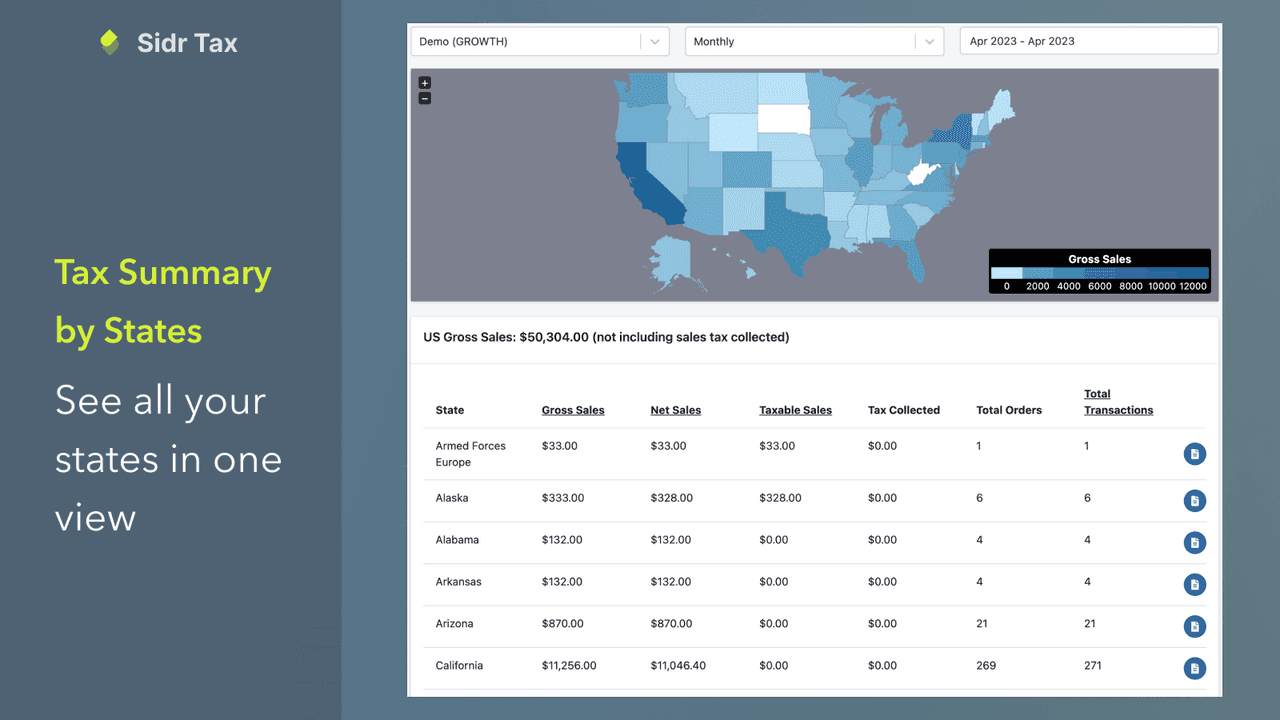
The second job is sales tax compliance. In the US that means knowing your nexus, calculating the right rate by destination, and filing returns in dozens of states. In the EU that means VAT, OSS, IOSS, and reverse charge rules. The mechanics are: the app calculates the correct tax at checkout based on shipping address and product type, then files returns automatically or generates the data needed to file. Best fit for cross-border stores, US multi-state sellers, and EU stores selling B2C above thresholds. Stores selling only in their home state with under $100K revenue can usually get by with Shopify's native tax tools and a quarterly review with their accountant.
The third job is multi-currency and FX reconciliation. If a store sells in EUR, charges customers in EUR, settles in USD, and pays a supplier in CNY, that is three different exchange rates touching one order. The accountant needs all three captured cleanly. The mechanics are: the app records the actual rate used at each step and posts FX gain or loss entries automatically. Best fit for stores using Shopify Markets or selling in multiple currencies through Payments. Stores selling in only one currency can skip this entirely — there is nothing to reconcile.
The fourth job is inventory cost accounting. Shopify tracks units sold but not the landed cost of each unit — the supplier price plus shipping, duties, and inbound freight. Without that, gross margin is wrong. The mechanics are: the app tracks cost layers per SKU, applies them on each sale (FIFO, average, or specific identification), and posts a COGS journal entry alongside the revenue entry. Best fit for any store carrying physical inventory, especially importers. Print-on-demand and pure dropshipping stores have less urgency here because the cost is roughly the supplier invoice and there are no inventory layers to track.
The ranking weighs five dimensions: data accuracy (does the app post journal entries that an accountant will accept without rework), accountant familiarity (does the existing accountant network already know the tool), pricing fit (does the cost scale with order volume rather than punishing growth), audit readiness (is the audit trail clean enough to defend a state tax authority inquiry), and merchant reviews on the live Shopify App Store as of May 2026. Apps that solve a niche accounting problem exceptionally well rank higher in their job category than apps with broader feature sets but weaker depth in any single area. The native Shopify tools (Shopify Tax, Shopify Markets, native cost-per-item tracking) rank first within their scope because the cheapest correct answer beats the most feature-rich paid alternative when the use case is small.
Rating: 3.6/5 · Pricing: Free · Best for: Stores already on QuickBooks Online · Job solved: Order, customer, product, and payout sync from Shopify into QuickBooks Online
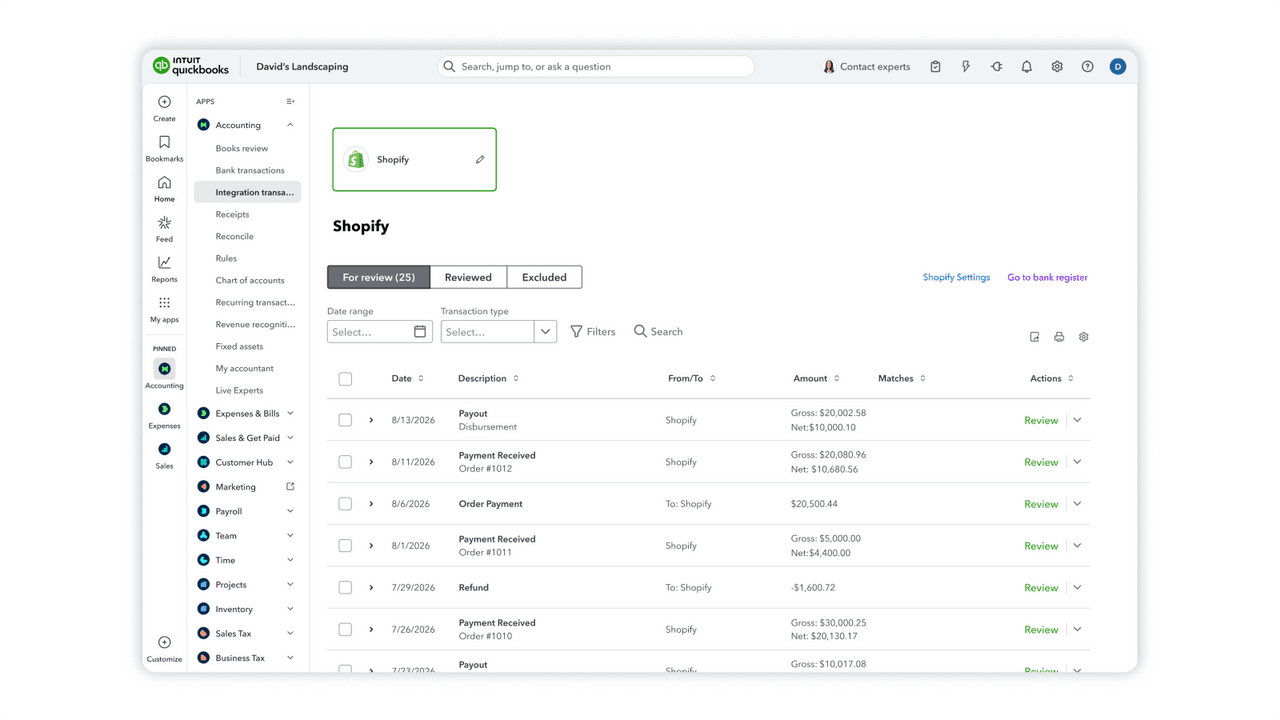
Intuit's official QuickBooks app is the default answer for QBO users. It pulls orders, customers, products, and payouts into QuickBooks and maps them to the chart of accounts. The 3.6 rating reflects setup pain rather than ongoing reliability — once it is mapped correctly, it runs. The mapping work is real though, and most merchants get it right on the second try after their bookkeeper points out the first round of errors. The most common setup mistake is mapping Shopify gateway fees to a generic expense account rather than a payment-processing-fees account, which makes the P&L harder to read and inflates the apparent operating expense line.
For US stores doing US revenue under $5M, this plus a clean chart of accounts is usually all that is needed. Skip it only if the accountant has specifically requested a different sync tool. The app handles refunds, partial refunds, store credit, and gift cards correctly once the mapping is set up, which is more than can be said for most third-party alternatives that try to compete on the same job. The trade-off is that QuickBooks Online itself starts at $30 per month for the cheapest plan, and most Shopify stores will need at least the Plus tier ($90/month) to handle multi-currency or class tracking — so the free app sits inside a paid software stack.
Rating: 4.5/5 · Pricing: Free · Best for: Stores on Xero, especially UK, Australia, and New Zealand · Job solved: Order and payout sync from Shopify into Xero with cleaner default mappings than QuickBooks
Xero's official app is cleaner than QuickBooks' and the higher rating shows it. Setup is more guided, the default mappings are sensible, and the multi-currency handling is better out of the box. For stores in the UK, Australia, New Zealand, or any market where Xero has the larger accountant network, this is the right tool. Xero's bank reconciliation interface is also significantly faster than QuickBooks' for monthly close, which compounds across the year into hours saved by the bookkeeper.
The one limitation: Xero batches by payout, not by order. That is fine for high-volume stores but can frustrate merchants who want each order line in their books. If that is a concern, look at A2X, which sits between Xero and Shopify and gives both per-order detail and clean payout reconciliation. The combination is the most common stack for serious Xero-using Shopify merchants. Xero itself starts at around $15-29 per month depending on tier and country, which is comparable to QuickBooks Online but with a cleaner UI for users who came from spreadsheets rather than QuickBooks Desktop.
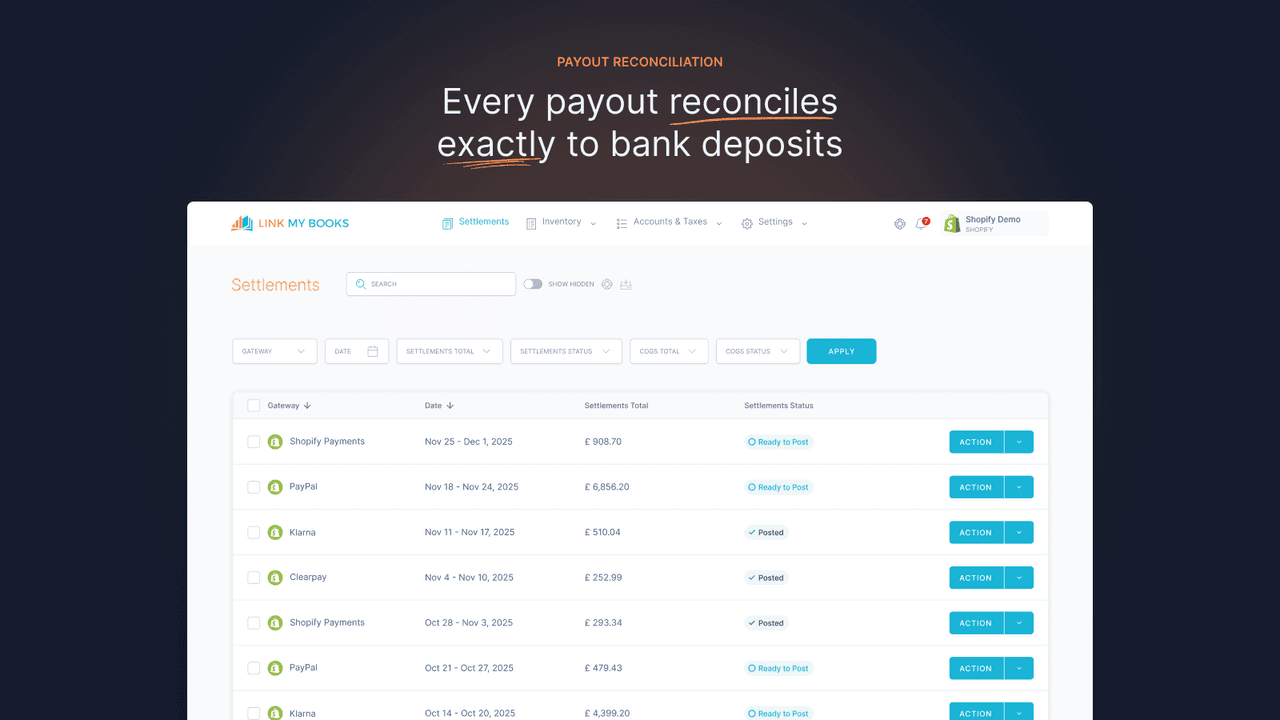
Rating: 4.9/5 · Pricing: From $19/mo · Best for: Stores wanting clean reconciliation by payout that matches the bank deposit · Job solved: Payout-level summarization that produces a single journal entry per Shopify deposit, matching the bank statement exactly
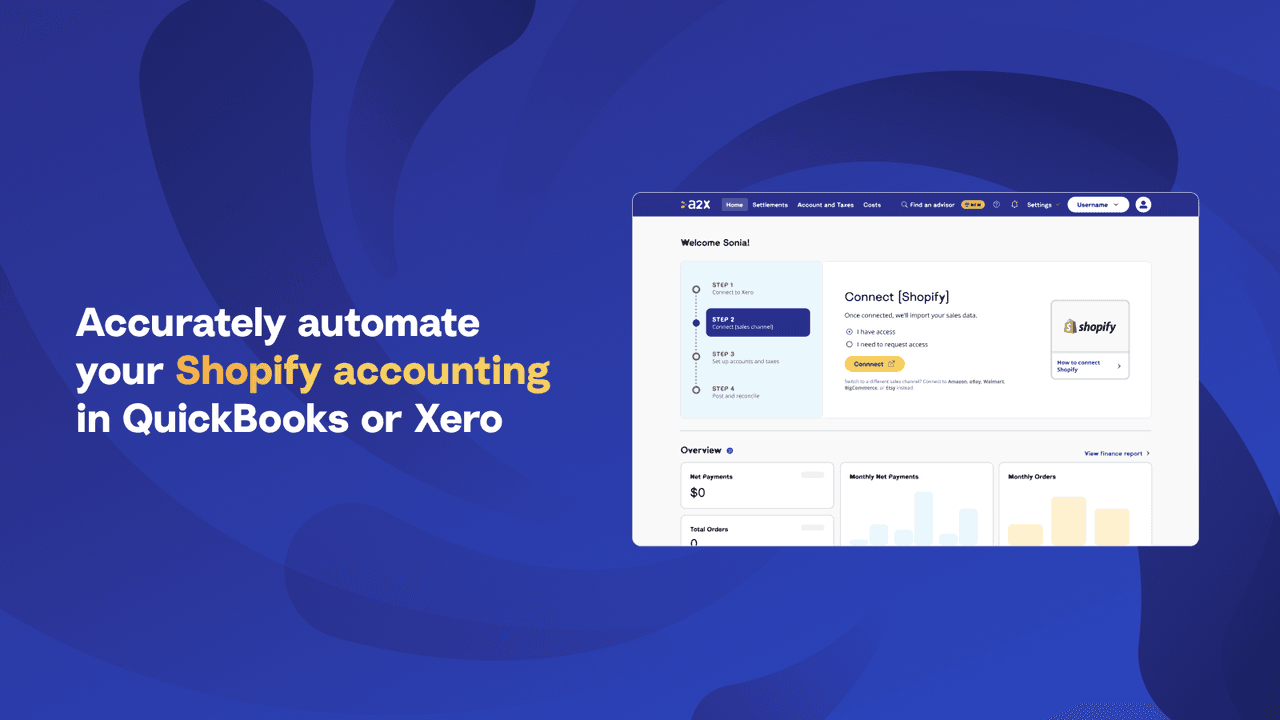
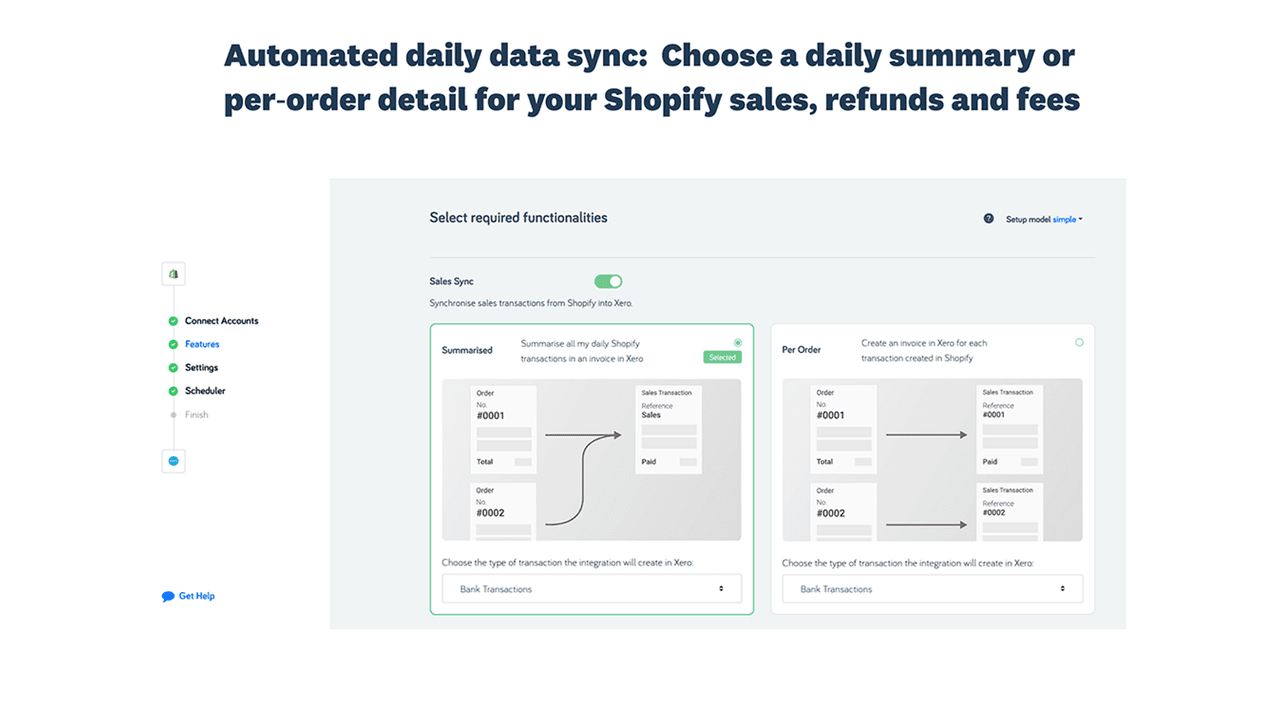
A2X is the merchant favorite for one specific reason: it summarizes each Shopify payout into a single journal entry that exactly matches the bank deposit. The accountant reconciles in seconds rather than chasing a thousand individual orders. It works with both QuickBooks and Xero, supports multi-currency, and handles refunds and fees correctly. The 4.9 rating reflects exactly that focused product strategy — A2X does one thing exceptionally well rather than trying to be a full accounting platform, and the merchants who use it consistently rate it as the cleanest reconciliation tool on the App Store.
Most accountants for Shopify stores explicitly recommend it. If the accountant has not, ask why. The $19/month is paid back in saved bookkeeping hours within the first month for most stores doing more than 200 orders. The payback math is simple: a bookkeeper at $50 per hour spending three extra hours per month on Shopify reconciliation costs $150, which is more than seven months of A2X. Above 500 orders per month, the payback is under two weeks. The app also handles Shopify Markets correctly with multi-currency payouts, which is a place where direct QuickBooks and Xero connectors can post messy entries that take hours to clean up.
Rating: 3.5/5 · Pricing: From $50/mo · Best for: US multi-state sellers above $500K revenue with nexus in five-plus states · Job solved: US sales tax calculation, nexus tracking, and automated filing across all US jurisdictions
Avalara is the enterprise default for US sales tax. It calculates the right rate at checkout for every US jurisdiction, tracks nexus, and either files returns directly or generates the filing data. The pricing is significantly higher than alternatives and the rating reflects the install complexity, but for any store with nexus in five or more states it pays for itself in audit defense alone. The product taxability database is the deepest in the category, which matters for stores selling categories with state-specific rules (clothing, food, software, digital goods).
Skip Avalara if the store is below the economic nexus thresholds in most states — Shopify Tax (built in) handles single-state and small multi-state sellers fine. The decision threshold is roughly: under $500K total US revenue, use Shopify Tax; $500K to $5M with simple product mix, use TaxJar; above $5M or with complex taxability rules, Avalara. The rating is depressed by stores that installed Avalara when they did not need it, hit the install complexity, and rated 1-2 stars. For stores at the right scale, the rating from peers is closer to 4.5/5 and the install pain is forgotten by month two.
Rating: 4.6/5 · Pricing: From $19/mo · Best for: US sellers wanting automated filing without enterprise complexity · Job solved: US sales tax calculation, reporting, and AutoFile across mid-market scale
TaxJar (now part of Stripe) is the friendlier mid-market option. Calculation, reporting, and AutoFile are all in one tool. The user experience is meaningfully better than Avalara and the pricing is more accessible for stores doing $500K to $5M. The AutoFile feature handles the mechanical work of submitting returns to each state on schedule — the merchant reviews the data, approves, and TaxJar files. The time saved versus filing manually in even three states justifies the subscription within the first quarter.
The decision between TaxJar and Avalara comes down to scale and product taxability complexity. Under $5M with standard product mix (apparel, accessories, general merchandise), TaxJar. Over $5M with complex product taxability rules (food, software, mixed taxable and exempt categories), Avalara. Both beat manually filing in even three states, and the cost of one missed filing in a single state — late fees, penalties, plus the bookkeeper time to clean up — usually exceeds the annual cost of either tool. For stores selling internationally, TaxJar handles US tax only; EU VAT requires a separate tool like Quaderno or the Shopify Tax EU module.
Rating: Built into Shopify · Pricing: Free with Shopify Payments · Best for: Most multi-currency stores · Job solved: Native multi-currency display, charging, and settlement with FX recorded automatically
Before installing a currency app, verify what is already available in Shopify Markets and Shopify Payments. With both turned on, customers can be charged in their local currency, settled to the merchant's home currency at the daily rate, and have FX recorded automatically. For most stores selling internationally, this plus a bookkeeping sync app handles the entire flow. The setup is genuinely free with Shopify Payments, and the FX rates Shopify uses are competitive with what third-party currency apps would charge through their own conversion fees.
The honest truth is that the Shopify Markets path has eaten most of what currency conversion apps used to solve. The remaining gaps are presentation (how prices display before checkout — rounding, formatting, currency switcher position) and reconciliation edge cases for stores with high refund volumes across currencies. The Libautech Currency Converter app fills the presentation gap for stores that want a polished currency switcher without disrupting the native checkout flow. For pure accounting purposes, Shopify Markets plus a bookkeeping sync (A2X, QuickBooks, or Xero) is sufficient — adding a third-party currency app on top usually creates duplicate FX entries that the accountant has to reconcile.
Rating: 4.9/5 · Pricing: From $249.99/mo · Best for: Inventory-heavy stores wanting demand forecasting plus COGS · Job solved: Landed cost tracking, demand forecasting, purchase order generation, and COGS journal entries
Inventory Planner is the high-end answer for inventory cost accounting. It tracks landed cost per SKU, forecasts demand, generates purchase orders, and feeds COGS data back to the accounting software. The price puts it out of reach for stores under $50K MRR, but for those above, the demand forecasting alone usually pays for it. The COGS feature alone is the most expensive way to solve that single job, but Inventory Planner customers typically buy it for the forecasting and get the COGS sync as a bonus rather than the primary reason for the subscription.
Use Inventory Planner when stockouts and overstocks both cost serious money. If inventory is small and stable, this is overkill — a free spreadsheet maintained monthly does the job for stores with under 200 SKUs and predictable demand. The 4.9 rating reflects the depth of forecasting features rather than just the COGS sync; the merchants who rate it highest are typically using it for purchase planning, with the accounting integration as a downstream benefit. For stores that just need the COGS journal entry without the forecasting layer, QuickBooks Bridge or a custom Zapier integration is the cheaper path.
Rating: 5.0/5 · Pricing: Free plan, paid from $15/mo · Best for: Stores wanting basic COGS sync to QuickBooks without forecasting overhead · Job solved: Posting a COGS journal entry to QuickBooks for each Shopify order based on the cost-per-item field
For merchants who just want each Shopify order to post a COGS journal entry to QuickBooks based on the cost-per-item field already in Shopify, QuickBooks Bridge is the lean answer. It is not forecasting, it is not landed cost tracking, it is just COGS sync done correctly. The 5.0 rating reflects exactly that: it does the one thing it claims, reliably. The free plan handles small stores; the $15 tier covers most mid-market stores under $1M revenue.
If the cost-per-item field in Shopify is already filled in correctly and the accountant just wants COGS posted automatically, this is the cheapest path to clean books. The trade-off is that the app relies on the merchant having entered correct cost-per-item values — if those values are wrong (missing inbound freight, missing duties, supplier price changes not reflected), the COGS journal entries will be wrong even though they post on schedule. The fix is to do a quarterly cost-per-item audit alongside the monthly close, which most stores neglect and then discover at year-end when the accountant flags margin discrepancies.
| App | Job | Rating | Pricing | Best For |
|---|---|---|---|---|
| QuickBooks Online by Intuit | Bookkeeping sync to QBO | 3.6/5 | Free | QBO users, US-focused |
| Xero by Xero | Bookkeeping sync to Xero | 4.5/5 | Free | Xero users, UK/AU/NZ |
| A2X for Shopify | Payout-level reconciliation | 4.9/5 | From $19/mo | Stores wanting clean payout match |
| Avalara AvaTax | US sales tax calculation | 3.5/5 | From $50/mo | Multi-state sellers $5M+ |
| TaxJar | US sales tax + filing | 4.6/5 | From $19/mo | $500K-$5M US sellers |
| Shopify Markets (Native) | Multi-currency + FX | Native | Free with Shopify Payments | Most multi-currency stores |
| Inventory Planner by Sage | COGS + demand forecasting | 4.9/5 | From $249.99/mo | Inventory-heavy stores $50K+ MRR |
| QuickBooks Bridge by Parex | Basic COGS sync | 5.0/5 | Free, paid from $15/mo | QBO users wanting lean COGS |
The right combination depends on store revenue, geography, inventory model, and accountant preferences rather than on which apps look best on screenshots. A small US-only store under $500K revenue selling on Shopify Payments without inventory pressure should run QuickBooks Online or Xero direct plus Shopify Tax. That is two free apps (one is built into Shopify) and the bookkeeping is clean enough for an accountant to file from. The total monthly cost outside the accounting software itself is zero.
A mid-market store at $500K to $5M with multi-state US tax exposure and physical inventory should run A2X (clean payout reconciliation) plus TaxJar (automated filing) plus QuickBooks Bridge (COGS sync). That is roughly $50 per month in apps that pay back in saved bookkeeping hours and prevented filing errors within the first month. The bookkeeper time saved on monthly close, plus the audit defense from clean tax records, justifies the subscription cost without any other ROI calculation.
An enterprise store at $5M-plus with complex international tax exposure and serious inventory turnover should run A2X for reconciliation, Avalara for tax (with international add-on if EU exposure), and Inventory Planner for COGS plus demand forecasting. That is roughly $300-plus per month in apps, but at that revenue scale, the alternative is a fractional CFO doing the work manually at $5,000-plus per month. The math justifies the tooling at every level above $5M, and the operational discipline of clean monthly close becomes a prerequisite for raising capital or selling the business.
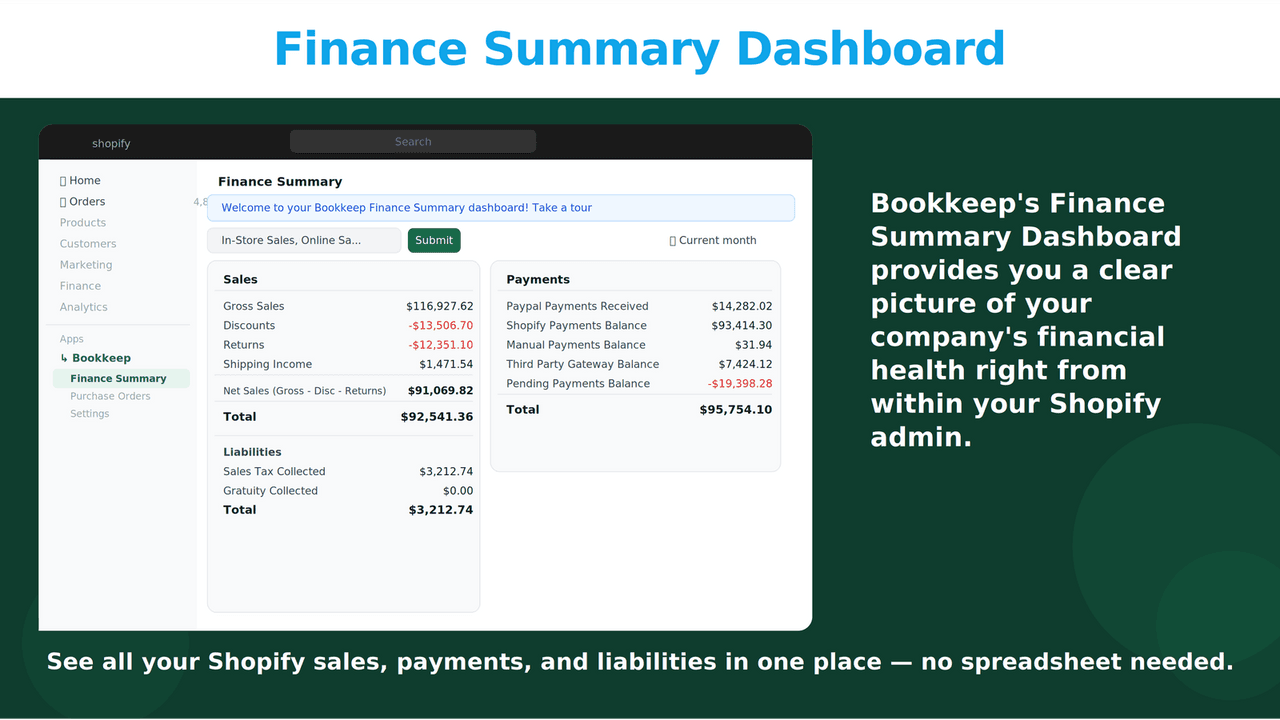
Shopify's native accounting capabilities have expanded substantially over the last three years. Shopify Tax handles US sales tax calculation, nexus tracking, and basic reporting for stores under most state thresholds. Shopify Markets and Shopify Payments handle multi-currency display, charging, and settlement with FX recorded automatically. The native cost-per-item field on each product feeds COGS calculations into Shopify reports without any third-party app. Shopify's Reports section produces a profit and loss summary, sales by channel, and finance summary that covers most of what a small store needs for monthly review.
What native Shopify still does not handle well: deep journal entries posted to external accounting software (the official QuickBooks and Xero apps fill this gap), automated tax filing across multiple US states (TaxJar or Avalara needed), complex inventory cost layers and demand forecasting (Inventory Planner needed), and EU VAT compliance with OSS and IOSS (Quaderno or the Shopify Tax EU module needed). Before installing a paid accounting app, audit whether Shopify's native reports plus a manual quarterly close with the accountant would suffice for the current scale — most small stores never genuinely need a paid accounting app beyond their core QuickBooks or Xero subscription.
Accounting tools clean up the back office, but the front of the store still has to convert visitors into customers. Clean books only matter if there are sales to book. The accounting stack and the conversion stack solve different problems and rarely conflict — accounting apps post journal entries based on completed transactions, while conversion apps influence what those transactions look like before they happen. Both belong in a healthy Shopify operation, and the cost of either stack is small compared to the revenue impact of getting both right.
Libautech's Sticky Add to Cart keeps the buy button visible while customers read product copy, which means more transactions exist for the accounting apps to book in the first place. Bundles & Upsell increases the average order value of every transaction those accounting apps will eventually book — a 15-20% AOV lift on existing traffic compounds across the year into meaningful revenue without any incremental ad spend. Announcement Bar runs store-wide messaging that pulls visitors to add-to-cart in the first place, particularly during sales periods when the tax tools and bookkeeping sync get extra exercise. All three are available on the $9.99 per month Package plan — the kind of unit economics that makes accountants happy when they review the conversion app spend against the incremental revenue.
The most expensive mistake in this category is mapping the chart of accounts incorrectly on initial setup. A merchant maps Shopify gateway fees to a generic "Operating Expenses" account rather than a dedicated "Payment Processing Fees" account, and twelve months later the P&L makes the operating cost line look much higher than it actually is. The fix is a manual journal entry across every month of the year to reclassify the entries, which a bookkeeper can do but at meaningful cost. The prevention is to review the first month's mappings line by line with the accountant before trusting the sync to run on autopilot — the half-hour review prevents twelve months of cleanup.
The second common mistake is not reconciling Shopify payouts to the bank deposit. Stores assume the sync app posts everything correctly, never check, and discover at year-end that the bank deposits do not match the Shopify revenue numbers. The discrepancy is usually small (refunds, chargebacks, gateway adjustments) but the cleanup is painful. The fix is to do a monthly payout-to-bank reconciliation as part of the regular close, which takes five minutes with A2X and significantly longer without it.
The third is ignoring inventory cost accounting until tax season. Stores file the year's books with cost-per-item fields that have not been updated since the previous spring, and the COGS line on the P&L is wrong by 10-20%. The accountant flags it, and the fix is a tedious year-end inventory cost adjustment. The prevention is a quarterly cost-per-item audit alongside the monthly close, which most stores neglect and then regret.
The single highest-leverage benefit of clean accounting tooling is audit readiness. A state tax authority opens an audit, requests three years of sales-by-jurisdiction data, and the merchant either has the data exported in 15 minutes (because TaxJar or Avalara has been running cleanly) or spends three weeks reconstructing it from raw Shopify exports and bank statements. The cost of that reconstruction — bookkeeper hours plus the merchant's own time plus the accountant's hourly fees — typically exceeds the lifetime cost of the tax tooling that would have prevented it.
The same logic applies to income tax filing. A clean monthly close produced by A2X plus QuickBooks Online plus an inventory cost tool means tax season is a one-week sprint to file rather than a six-week scramble to reconstruct the year. The accountant's billable hours during tax season drop substantially when the books are already clean, which means the merchant pays the accountant a smaller bill. Across multiple years, the tax-prep savings from clean tooling often exceed the subscription cost of the tooling itself by a factor of two or three.
Do I need an accounting app if I am under 50 orders per month? Probably not. Manual entry into QuickBooks Online or Xero takes 10-15 minutes per week at that volume, and the cost of an automated sync plus the setup time is not justified. The threshold to install a sync app is around 100 orders per month or whenever the manual entry starts to skip occasional months — at that point the cleanup cost of catching up makes the automation worth it.
What is the difference between A2X and the official QuickBooks app? The official QuickBooks app posts each order as a separate journal entry, which is detailed but creates a flood of entries that bank reconciliation cannot match cleanly. A2X summarizes each Shopify payout into a single journal entry that exactly matches the bank deposit, which makes reconciliation trivial. Both can run together — many stores use the QuickBooks app for product-level detail and A2X for payout reconciliation, and they do not conflict because A2X only touches the bank-side entries.
Should I use Shopify Tax or upgrade to TaxJar? Shopify Tax is sufficient for stores with US revenue under $500K and nexus in three or fewer states. Above that, TaxJar's AutoFile feature saves enough bookkeeper time to justify the $19 per month, and the data accuracy under audit is better. The decision threshold is "are you currently filing in three or more states manually each month?" — if yes, switch to TaxJar.
Can I run multiple accounting apps at the same time? Yes, but with caution. The official QuickBooks or Xero app plus A2X is the most common combination and rarely conflicts because they touch different entries. Adding a third sync tool (a different reconciliation app, a duplicate currency converter) usually creates duplicate journal entries that the accountant has to delete during monthly close. Pick one bookkeeping sync, add specialized tools (tax, inventory, FX) only where the specialized job is genuinely outside the primary tool's scope.
Is Inventory Planner worth $249.99/mo? For stores with $50K-plus MRR carrying physical inventory across more than 100 SKUs with variable demand, yes. The demand forecasting alone usually pays for it through prevented stockouts and reduced overstock. For stores under $50K MRR or with stable demand on under 100 SKUs, a free spreadsheet maintained monthly is sufficient. Inventory Planner is overkill for small inventory operations and underkill for nothing — it is genuinely the right answer for the segment it targets.
What about EU VAT compliance? EU VAT (especially OSS and IOSS for cross-border B2C) is its own problem. The Shopify Tax EU module handles the calculation and basic reporting; Quaderno is the most popular third-party tool for OSS filing automation. For stores selling B2C across multiple EU member states, Quaderno or a local accountant familiar with OSS is essential — the rules changed in 2021 and the penalties for non-compliance scale quickly above the €10,000 distance-selling threshold.
How often should I review my accounting setup? Quarterly. The first month's mapping review with the accountant is the most important — that catches the chart-of-accounts errors before they compound. After that, a quarterly review confirms the sync is still posting correctly, the cost-per-item fields are up to date, and the tax filings are current. An annual review at year-end is too late to catch errors cleanly, and a monthly review is more often than most small stores need.
Accounting apps are the most expensive category to get wrong because mistakes compound silently for months until tax season. The discipline is to install only what is needed, map the chart of accounts properly the first time, and review the first month's output line by line with the accountant before trusting it on autopilot. Cheap and right beats expensive and wrong every quarter — and the merchants who treat their accounting stack as infrastructure rather than emergency response are the ones who file taxes calmly in March rather than scrambling at midnight on April 14. The goal is not the most sophisticated tooling, it is the cleanest data, and the simplest stack that produces clean data wins.