What Is a One-Click Upsell on Shopify? (2026 Guide)
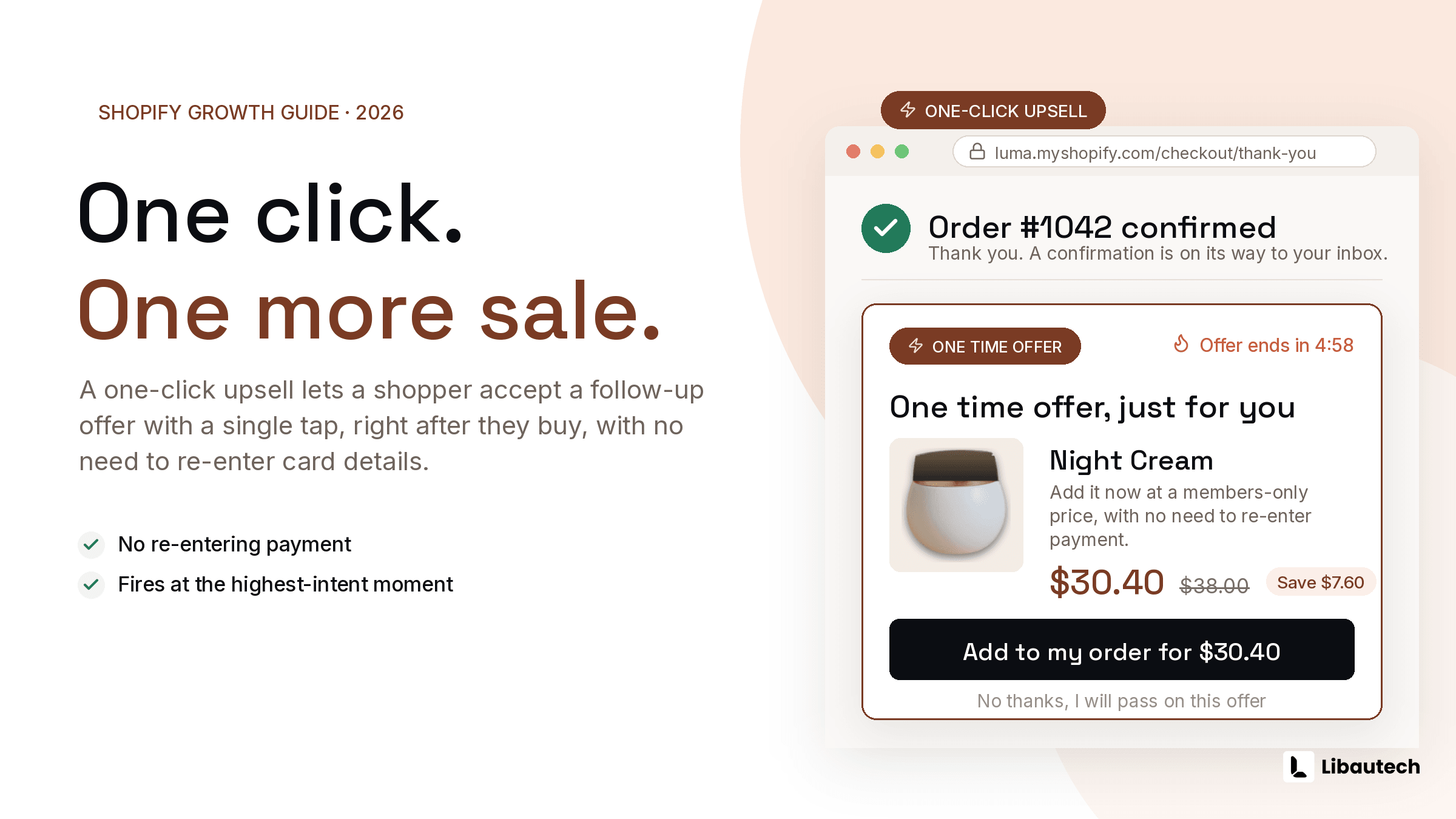
A one-click upsell on Shopify is an offer a customer can accept with a single click, without re-entering payment or shipping details, because the offer either joins the existing cart before payment or attaches to the just-completed order after payment. The most common form is the post-purchase one-click upsell, shown between the payment step and the thank-you page, where accepting adds the item to the order the customer already paid for.
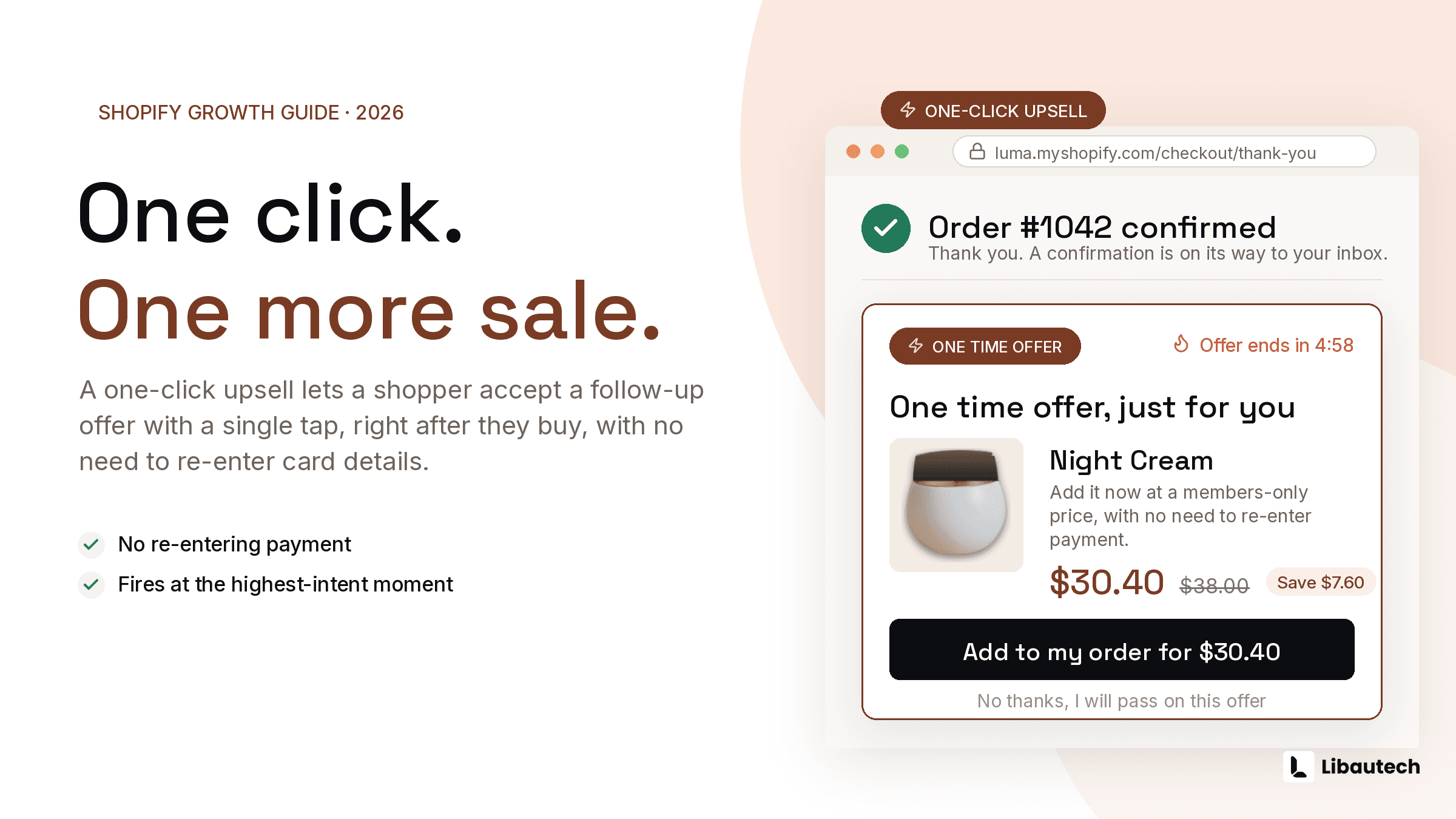
The single click is not a design detail. It is the entire mechanic: every additional step between "yes" and "done" cuts acceptance, and payment re-entry cuts it to nearly zero.
TLDR: Key Takeaways
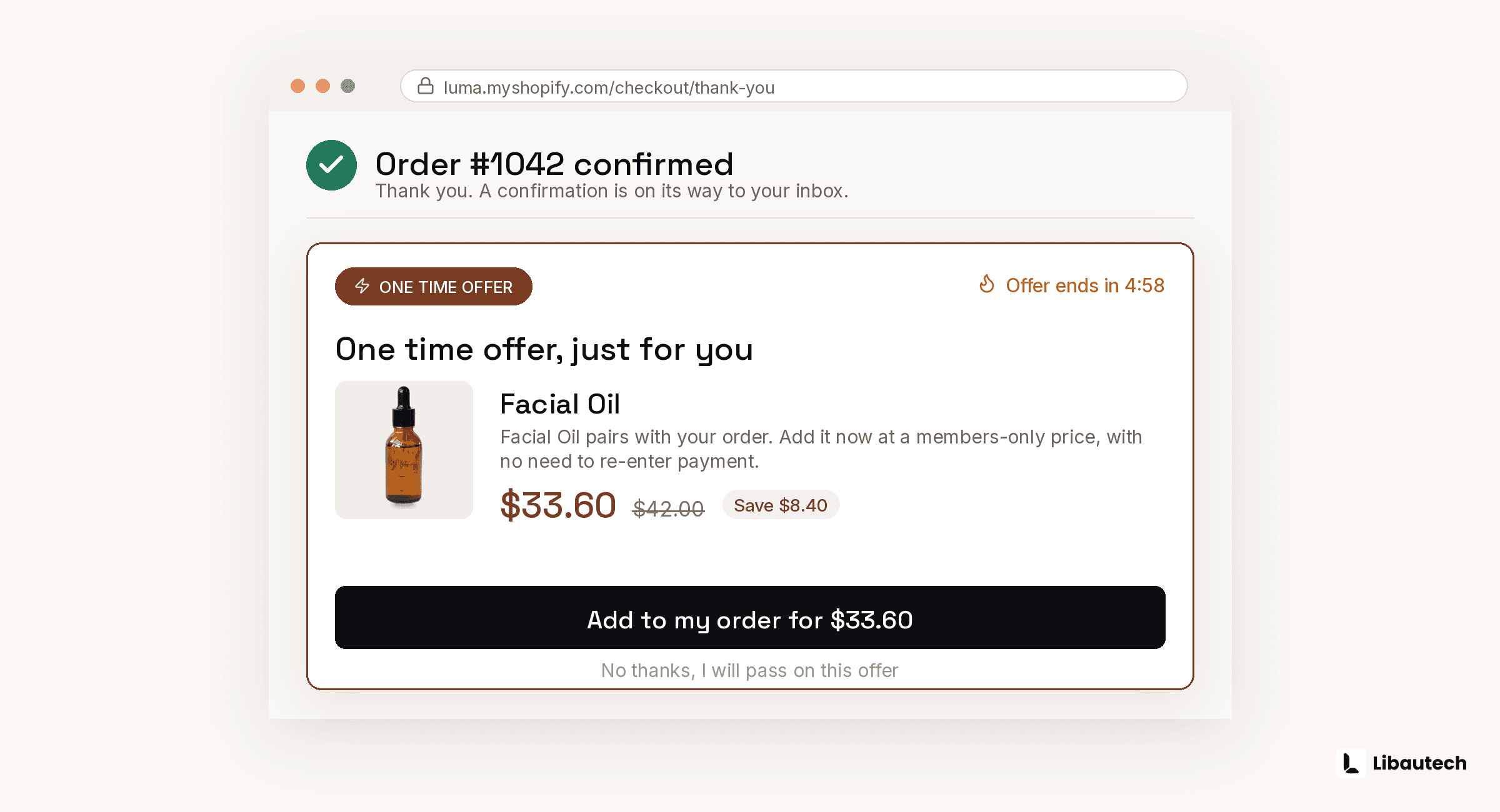
- One-click means no payment re-entry. Pre-purchase versions add to the existing cart; post-purchase versions attach to the completed order via Shopify Checkout Extensibility.
- Post-purchase is where one-click matters most: the order is already captured, so the offer carries zero risk to the original conversion, and it works on every Shopify plan.
- Setup takes about 10 minutes with an app; Shopify has no native one-click post-purchase offer builder.
- Healthy acceptance rates run 3 to 10 percent for relevant post-purchase offers; near zero usually means wrong product, not wrong mechanic.
How Does a One-Click Upsell Work Technically?
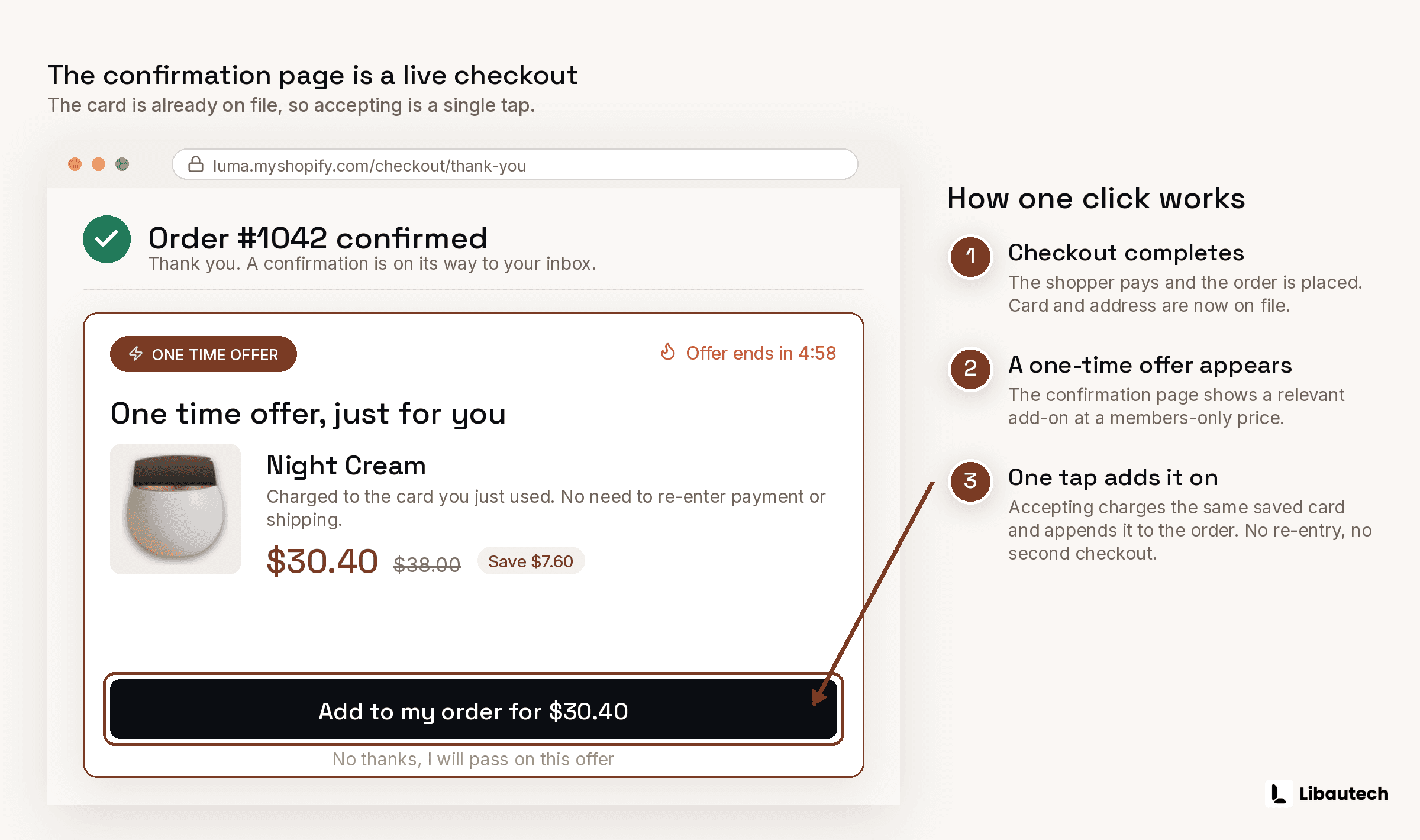
Pre-purchase, the click adds a product (with its discount) to the current cart via the app's offer block, so the shopper pays once for everything at checkout.
Post-purchase, Shopify's Checkout Extensibility keeps the payment authorization open for a short window after the initial charge. When the customer clicks accept, the app adds the item to the same order and Shopify captures the additional amount against the stored authorization. No second checkout, no card re-entry, and if the customer ignores the offer, the original order completes untouched. The legacy script-based post-purchase API was retired during the 2024 to 2025 migration; any app you install today should be running natively on Checkout Extensibility.
Where Can One-Click Upsells Appear on Shopify?
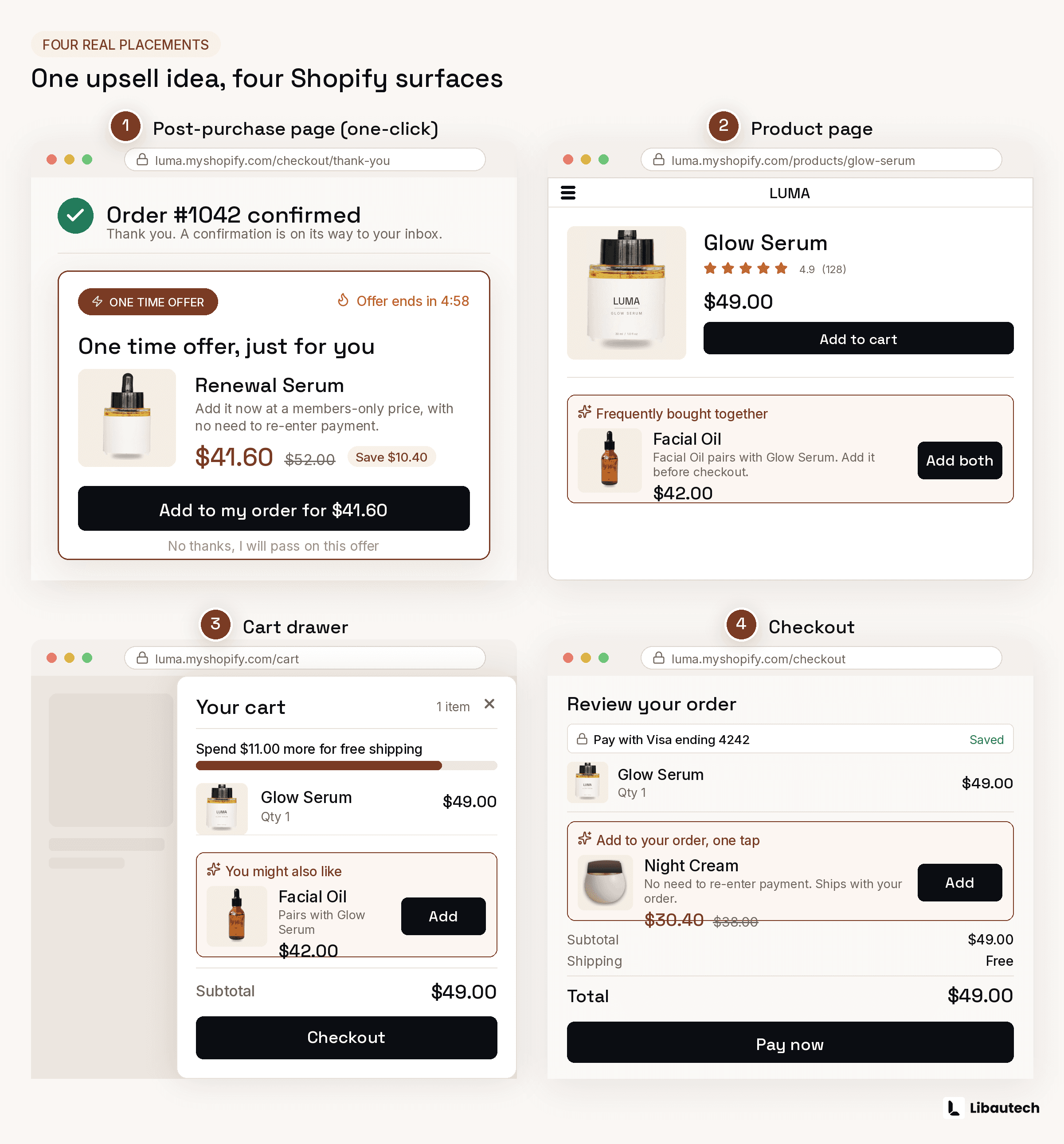
| Placement | One-click mechanism | Plan required |
|---|---|---|
| Product page | Adds companion to cart with offer discount | Any |
| Cart popup or drawer | Adds item on the add to cart trigger | Any |
| Checkout | Adds line item inside checkout | Shopify Plus |
| Post-purchase (after payment) | Attaches to the completed order, no re-entry | Any |
| Thank-you page | Varies by app; true one-click needs extensibility support | Any |
The post-purchase slot is the one people usually mean by "one-click upsell", and it is the highest-value slot to fill first because it cannot hurt the sale that already happened.
How Do You Set Up a One-Click Post-Purchase Upsell?
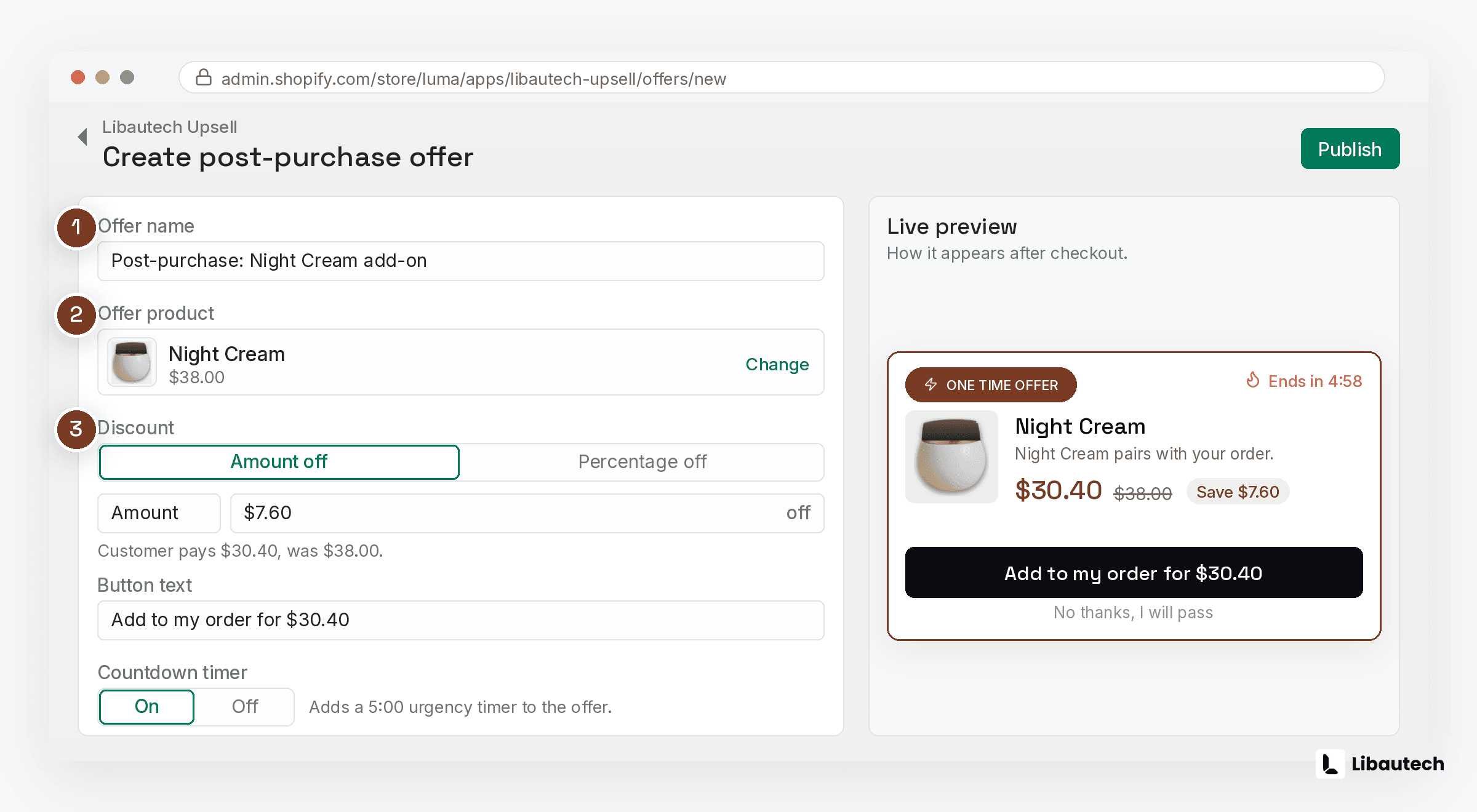
- Install a post-purchase app built on Checkout Extensibility. Libautech AI Post Purchase is free and configures itself: Claude AI reads each order and selects 1 upsell from your approved catalog. If you prefer manual funnel control, Libautech Bundles & Upsell includes post-purchase offers alongside its pre-purchase placements.
- Approve the catalog or build the offer: pick which products may be offered and any discount.
- Enable the post-purchase extension in Settings, then Checkout, where Shopify lists installed post-purchase apps.
- Place a real test order and confirm the offer appears after payment, accepts in 1 click, and lands on the same order in your admin.
- Watch acceptance rate weekly. Swap the offered product before touching anything else if acceptance sits under 2 percent.
What Makes a One-Click Offer Convert?
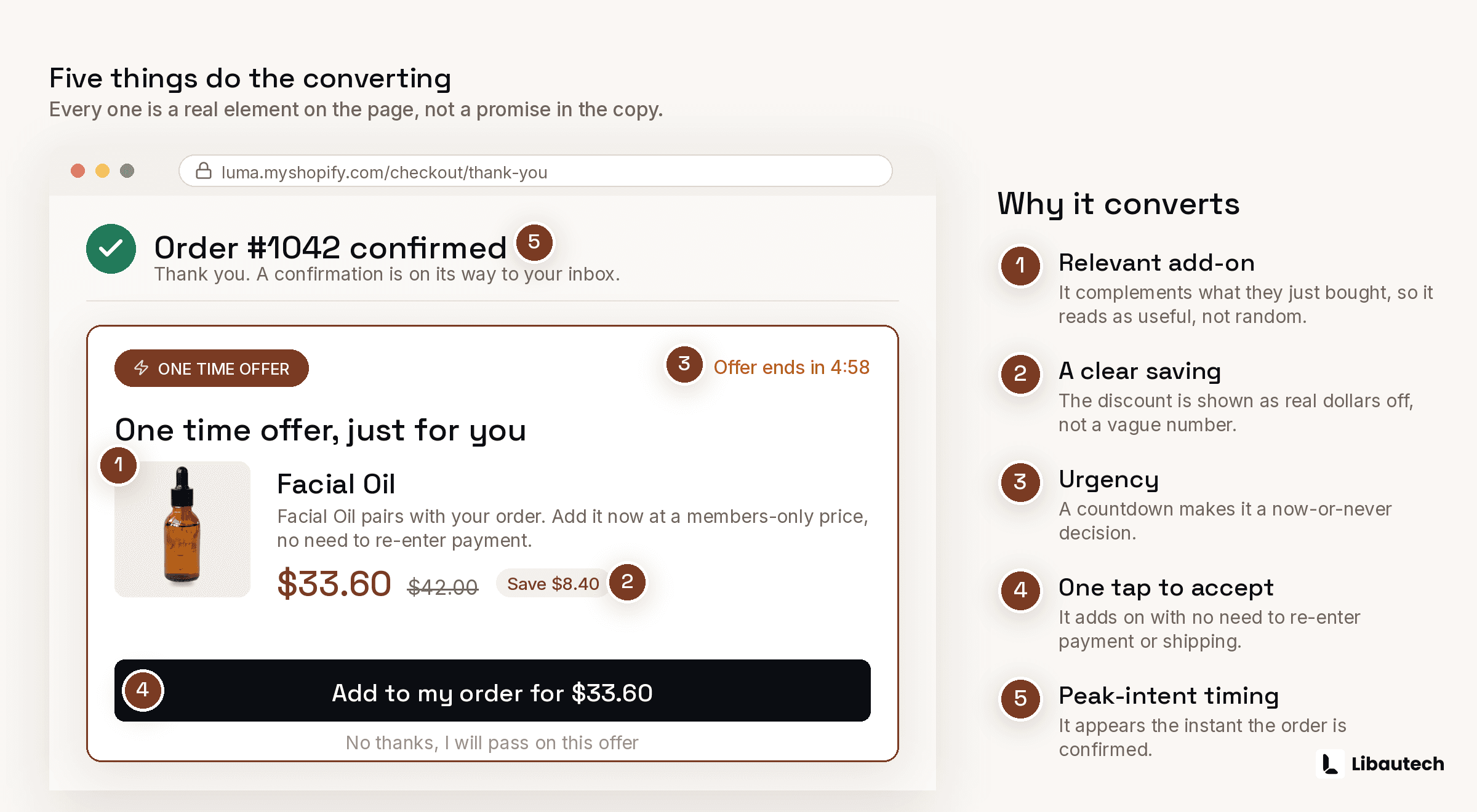
Relevance beats discount depth: the accepted post-purchase offers are overwhelmingly consumable refills, accessories to the purchased item, and "add a second at 20 percent off" repeats. Keep it to exactly 1 offer, optionally with 1 downsell if declined. Price it below the impulse line, typically 25 to 50 percent of the order value. And never offer what just went out of stock; the app should check live inventory.