How to Add a Sticky Add to Cart Bar on Shopify (2026)
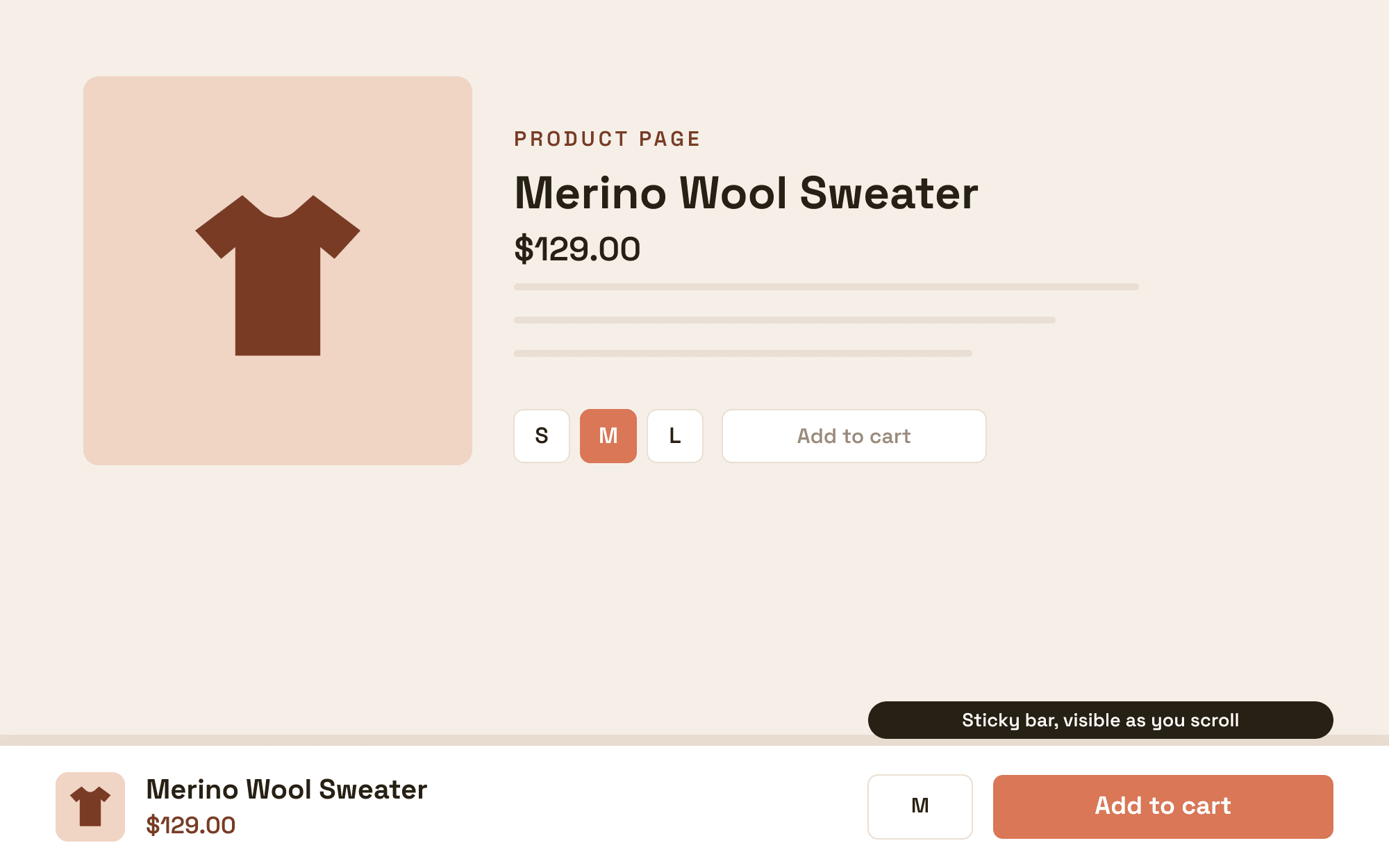
To add a sticky add to cart bar on Shopify, install a sticky add to cart app, enable the bar in its settings, match the styling to your theme, and publish; the app route takes about 10 minutes and needs no code. The alternative is adding the bar to your theme with custom Liquid, CSS, and JavaScript, which works but must be rebuilt when you change themes. Some newer themes include a basic sticky buy button natively, so check your theme settings before installing anything.
The sticky bar solves a mobile problem: on long product pages, the add to cart button scrolls away exactly while the shopper reads themselves into buying, and the purchase then requires scrolling back up. Keeping the button pinned removes that friction at the moment it matters.
TLDR: Key Takeaways
- Check your theme first: some Online Store 2.0 themes ship a native sticky buy button under theme settings, product pages.
- App route: 10 minutes, variant and quantity support in the bar, works across theme changes. Libautech Sticky Add to Cart is our app in this category [VERIFY exact listing URL before publishing].
- The bar earns its place on mobile, where most Shopify traffic lives and where product pages run longest.
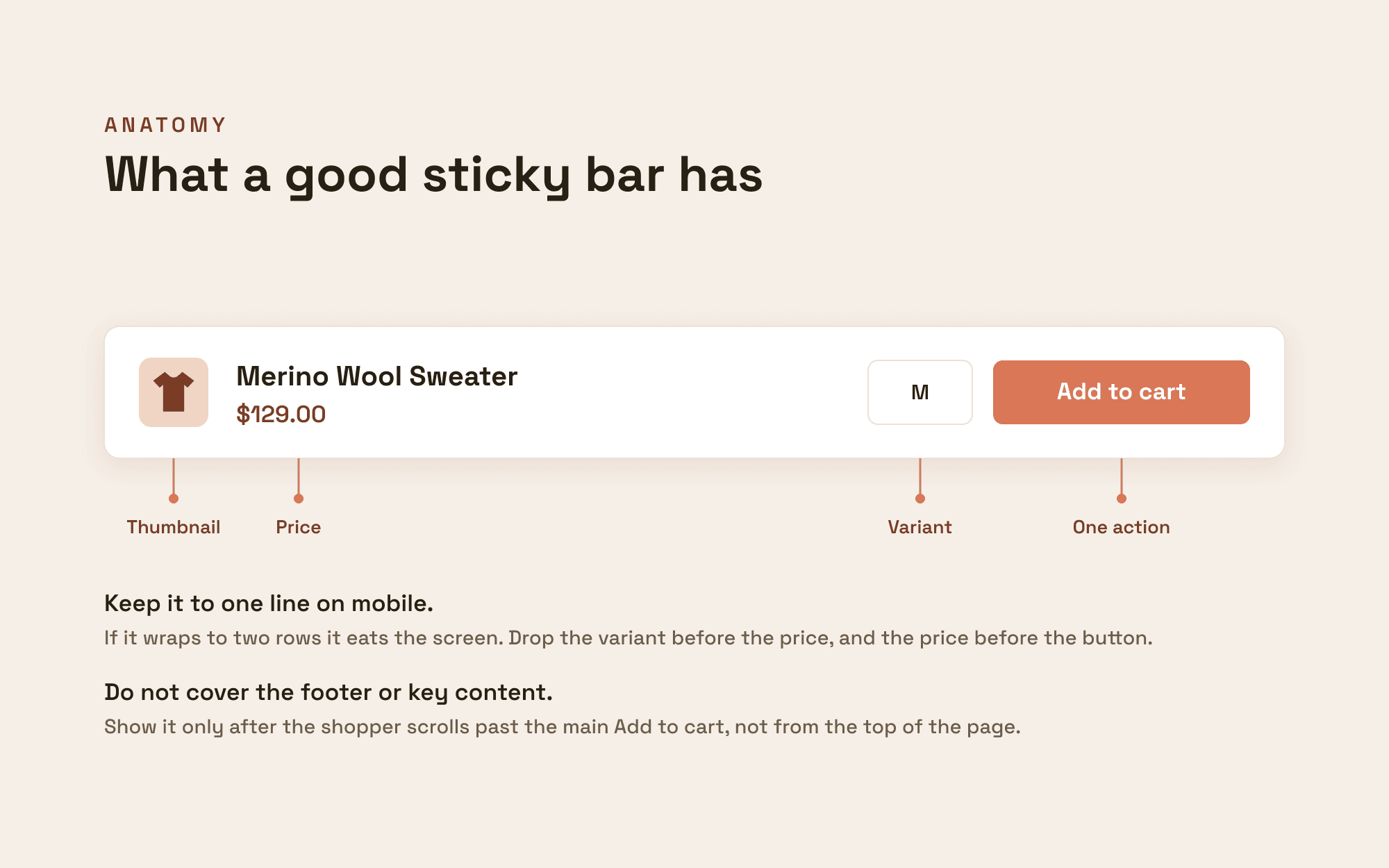
- Design rules: thin bar, product name plus price plus button, variant selector if your products have options, and never covering other floating elements like chat.
Does Your Theme Already Have One?
Open your theme editor, go to a product page, and look for a "sticky add to cart" or "sticky buy button" toggle in the product information section settings. Several modern themes include a basic version. Native versions are usually minimal: no variant switching in the bar, no quantity, no design control beyond the theme's palette. If the toggle exists and minimal is enough, enable it and you are done at zero cost; if you need variant selection, styling, or display rules, an app does that.
How Do You Add a Sticky Bar with an App?
- Install a sticky add to cart app from the App Store. Libautech Sticky Add to Cart adds the bar as a theme app block with variant and quantity support [VERIFY listing URL].
- Enable the bar and choose when it appears: typically when the original add to cart button scrolls out of view, which reads smoother than always-on.
- Configure contents: product image, name, price, variant selector for products with options, quantity, and the button.
- Match styling to your theme: the bar should look like your theme designed it, using your buy button's color and your body font.
- Choose position (bottom of screen on mobile is standard) and check stacking against chat widgets or cookie banners.
- Test on a real phone: scroll a long product page, confirm the bar appears, switch a variant in the bar, add to cart, and confirm the cart drawer or popup behaves normally.
Sticky Bar Design Rules That Protect Conversion
Keep it thin: the bar is a shortcut, not a second product page; a tall bar eats mobile viewport. Show the price in the bar, since hiding it makes the tap feel riskier. Include the variant selector if products have options; a bar that adds the wrong size generates returns, not revenue. Trigger on scroll-past rather than page load, so shoppers above the fold never see a duplicate button. And test the stack: a sticky bar overlapping a chat bubble or a cart drawer handle produces mis-taps that read as bugs.
Does a Sticky Add to Cart Bar Actually Increase Conversions?
The mechanism is friction removal on mobile, and it is most visible on stores with long product pages: detailed descriptions, reviews, size guides. Stores with short pages see less effect because the original button rarely leaves view. The honest way to know is your own data: enable the bar, compare mobile add-to-cart rate and conversion over 2 weeks against the prior period, and keep it if the delta is real. Pairing matters too: the sticky bar increases add-to-cart events, and a cart offer at that moment (a drawer or popup upsell) converts the extra adds into larger orders, which is why the 2 features sit next to each other in most stacks.