Amazon Brand Referral Bonus on Shopify (2026 Guide)
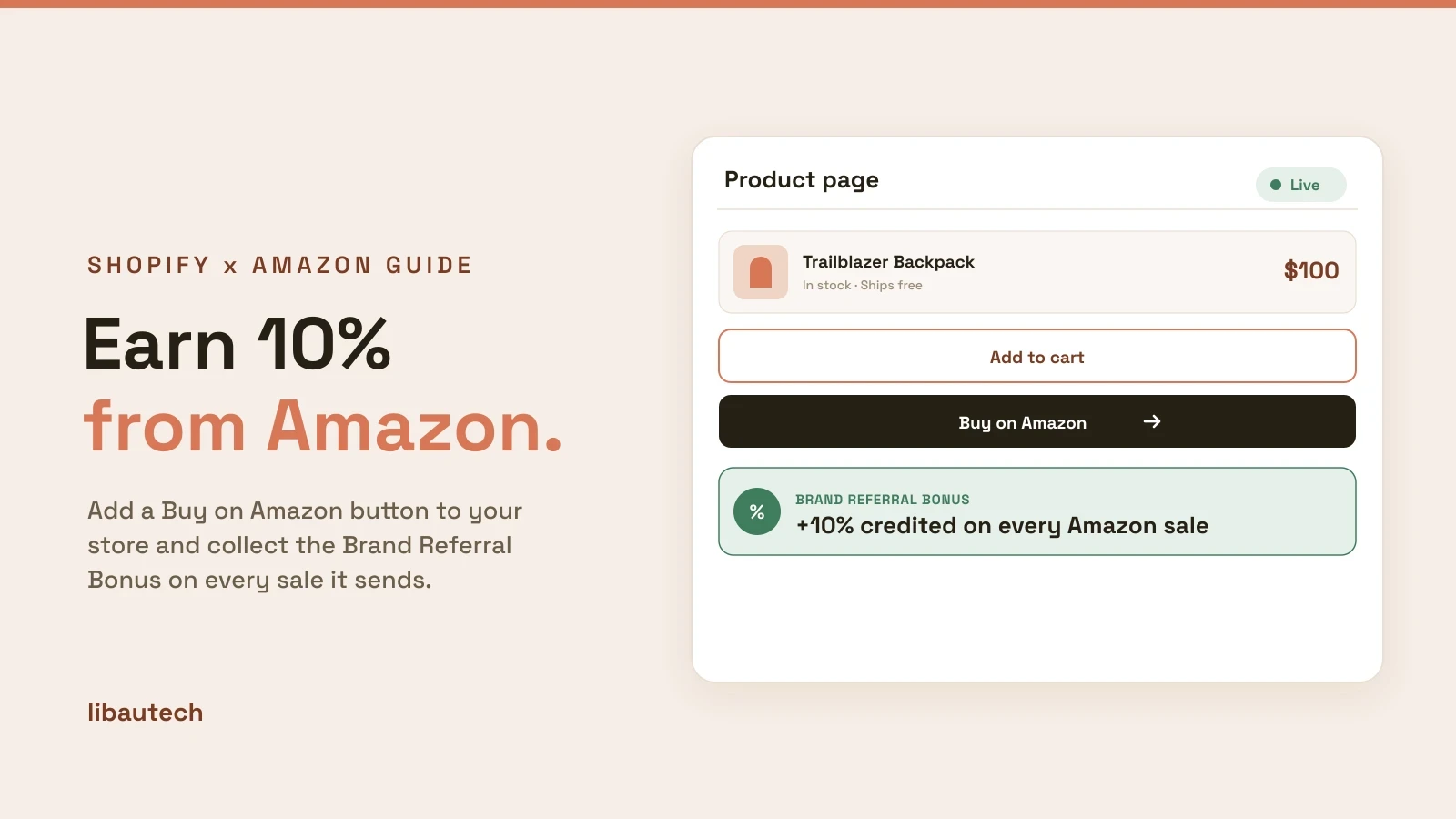
If you sell the same products on Amazon and on your own Shopify store, Amazon will pay you a bonus averaging 10% of the sale price every time your store sends a customer to Amazon and they buy. Most sellers have never turned this on. This guide covers exactly how the Brand Referral Bonus works, how to set it up with a Shopify store as your traffic source, and what to do instead if you do not own a brand.
What is the Amazon Brand Referral Bonus?
The Brand Referral Bonus is Amazon's program that rewards sellers for driving external traffic to their Amazon listings. When a customer clicks a tagged link from a non-Amazon source, such as your Shopify store, social media, email, or Google ads, and completes a purchase, Amazon credits you a bonus that averages 10% of the qualifying sale price.
The bonus is not paid as cash. It accumulates as credits that offset the referral fees on your future Amazon sales. In practice this works out the same: lower fees, higher net margin.
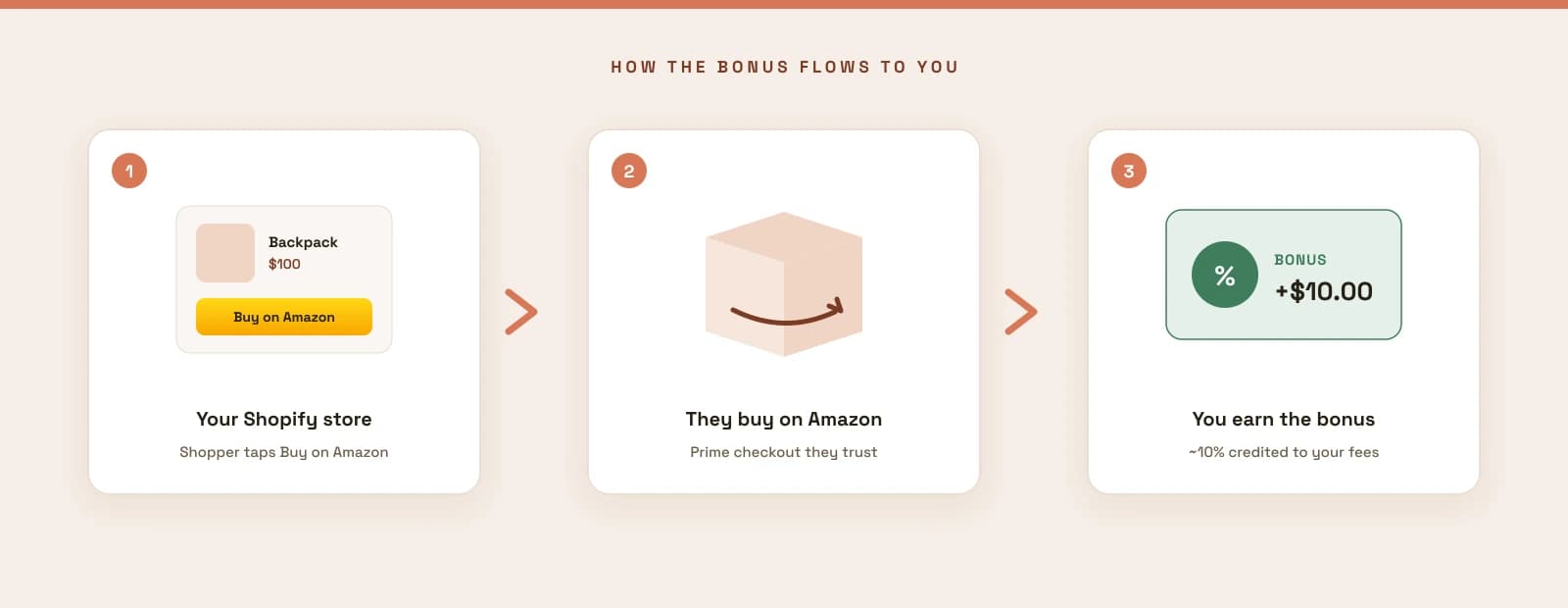
A simple example. You sell a $100 backpack on Amazon with a 15% referral fee, so you normally keep $85. If the sale came through a tagged link from your Shopify store, you might earn a 10% bonus credit, which offsets $10 in referral fees on a later sale. Your effective take goes from $85 to $95 on that unit of external traffic.
Brand Referral Bonus rates by category
The bonus rate depends on the product category and sale price. Examples from Amazon's published rates:
| Category | Estimated bonus rate |
|---|---|
| Clothing and accessories | 11% |
| Furniture | 10% up to $200, 7% above $200 |
| Most other categories | Around 10% on average |
The full rate card is on the Brand Referral Bonus help page in Seller Central. Bonuses are adjusted for returns and cancellations, and credits post after a waiting period of about two months.
Who is eligible
Three requirements:
- You sell in Amazon's US store on a Professional selling plan
- Your brand is enrolled in Amazon Brand Registry, which requires an active or pending trademark
- You use Amazon Attribution tags on your external links
No trademark? Skip to the Amazon Associates section below. You can still earn commissions on Amazon sales from your Shopify store without owning a brand.
Why a Shopify store is the ideal traffic source
Most guides tell you to run Facebook or Google ads to Amazon. That works, but you are paying for every click. A Shopify store flips the economics:
- Your product pages already rank in Google and get cited by ChatGPT, Claude, and Perplexity. That traffic is free.
- Visitors on your product page are already high intent. Amazon reports that sellers see conversion rates 3 to 4 times higher, in some cases 10 times higher, when shoppers arrive on Amazon through an external link compared to cold traffic.
- Some shoppers simply will not buy from an unfamiliar store. They trust Amazon checkout, Prime shipping, and Amazon returns. Give them an Amazon option and you capture a sale you would have lost entirely.
The play: keep your Shopify store as the primary channel, and add an Amazon purchase option on each product page. Customers who prefer Amazon click through, buy there, and you collect the referral bonus. Customers who trust your store buy direct at full margin. You win both ways.
Step by step: set up the Brand Referral Bonus with Shopify
Step 1: Enroll in the program
In Seller Central, go to the Brand Referral Bonus page and enroll your brand. You need Brand Registry active first. If you have a trademark pending, Amazon's IP Accelerator can speed up Brand Registry approval.
Step 2: Create Amazon Attribution tags
Sign up for an Amazon Ads account and open Amazon Attribution. Create an ad group for your Shopify store traffic and generate a unique Attribution tag for each destination URL. The destination can be a specific product detail page or your Amazon storefront.
One rule matters: each tag should be unique per placement. If you link 20 products from your Shopify store to 20 ASINs, create 20 tags. This is what gives you per-product reporting later.
Step 3: Add the tagged Amazon links to your Shopify product pages
This is where most sellers stall. Manually editing theme code to place an Amazon link on every product page is fragile and slow, and a plain text link converts poorly.
The clean way is Amazon Buy Button by Libautech. You paste the Amazon link for each product, and the app renders a native Buy on Amazon button directly on that product page. When a customer clicks, they land on your Amazon listing through your tagged link, and every purchase they complete earns you the Brand Referral Bonus. No theme code, works per product, and the button is styled to match your store.
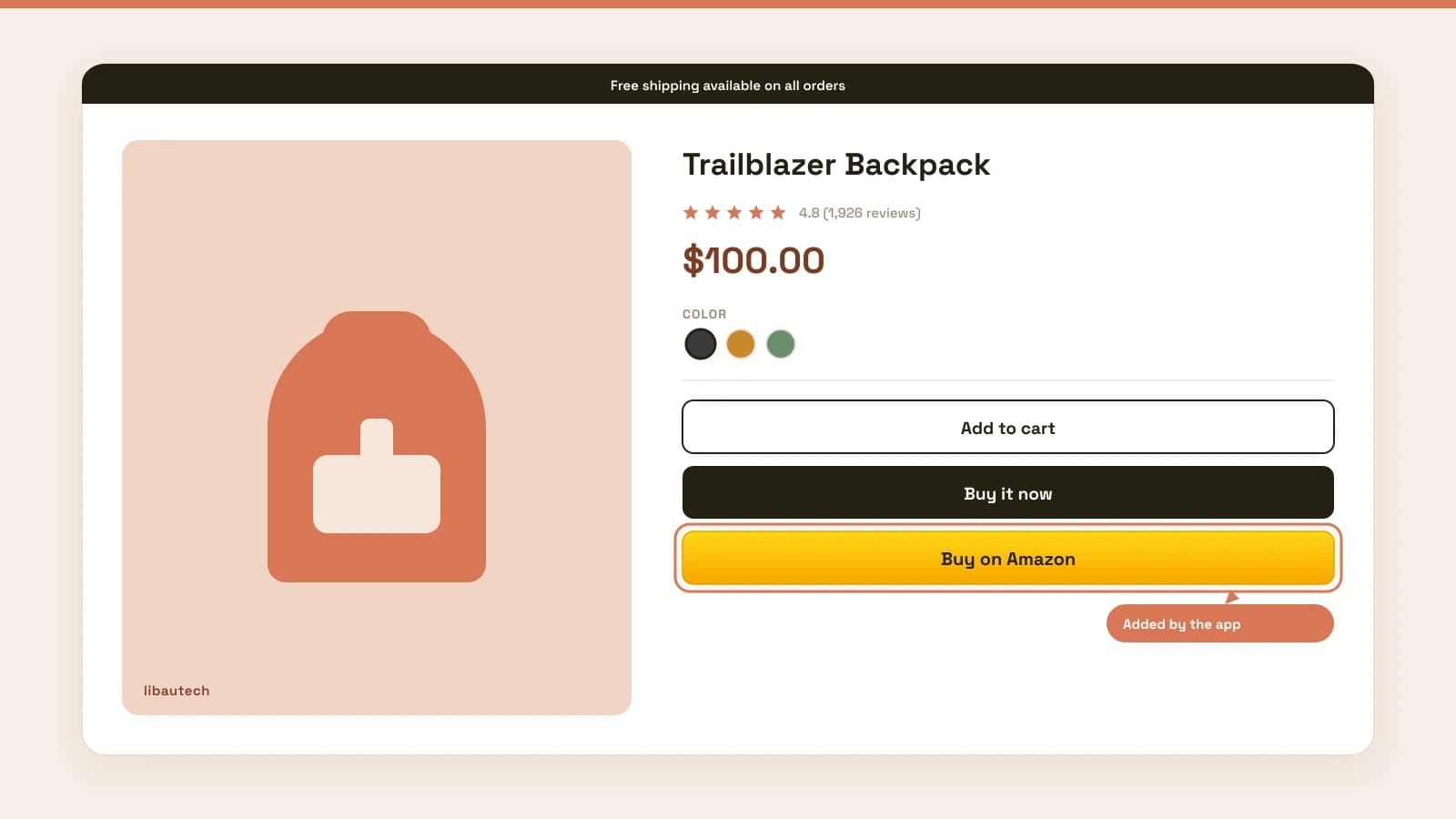
Setup takes a few minutes: install the app, open a product, paste the Attribution-tagged Amazon URL, done. Repeat for each product you also sell on Amazon.
Step 4: Track results and collect credits
Amazon Attribution reports clicks, detail page views, and sales per tag. Bonuses accumulate in Seller Central and start offsetting referral fees after the roughly two month settlement window. Watch which products drive the most Amazon conversions and push those pages harder in SEO and content.
Don't have a store yet? Start one for $1
If you sell on Amazon but do not have your own store, this whole strategy is a reason to build one. Your own store gives you an asset Amazon cannot take away, free organic traffic, and now a bonus on the Amazon sales it generates. You can open a Shopify store for $1 and have product pages live the same day. That is our affiliate link, so we may earn a commission at no extra cost to you.
Alternative: Amazon Associates for non-brand owners
If you do not own a trademarked brand, you cannot use the Brand Referral Bonus. The alternative is Amazon Associates, Amazon's affiliate program. It works from any website, including a Shopify store, and pays a commission of roughly 1% to 10% depending on category.
Two things make Associates interesting even though rates look lower:
You earn on everything, not just your product. When someone clicks your affiliate link, you earn commission on any qualifying item they buy in the window, not only the product you linked. If a visitor clicks through to a $25 item and also adds a $1,200 laptop, both count.
Cookie timing. The Amazon Associates cookie lasts 24 hours from the click. Any purchase completed within that window is credited to you. There is one important extension: if the customer adds an item to their cart within the first 24 hours, that specific item stays attributable for up to 90 days, even if they check out weeks later. Items added to the cart after the 24 hour window do not count. Commissions are confirmed when the item ships, so cancellations before shipping are deducted.
The same Amazon Buy Button app works here too. Instead of an Attribution-tagged link, you paste your Associates affiliate link on each product page. Same button, same click-through flow, commission instead of bonus.
Brand Referral Bonus vs Amazon Associates
| Brand Referral Bonus | Amazon Associates | |
|---|---|---|
| Who it's for | Brand owners selling their own products on Amazon | Anyone with a website |
| Requirements | US Professional plan, Brand Registry, trademark | Approved Associates account |
| Payout | Average 10% as referral fee credits | 1% to 10% commission by category, paid out |
| Earns on | Your own qualifying products | Anything the customer buys in the window |
| Attribution window | Per Amazon Attribution reporting | 24 hours, extended up to 90 days for items carted within 24 hours |
| Link type | Amazon Attribution tag | Associates affiliate link |