
Best Shopify Volume Discount & Quantity Break Apps (2026)
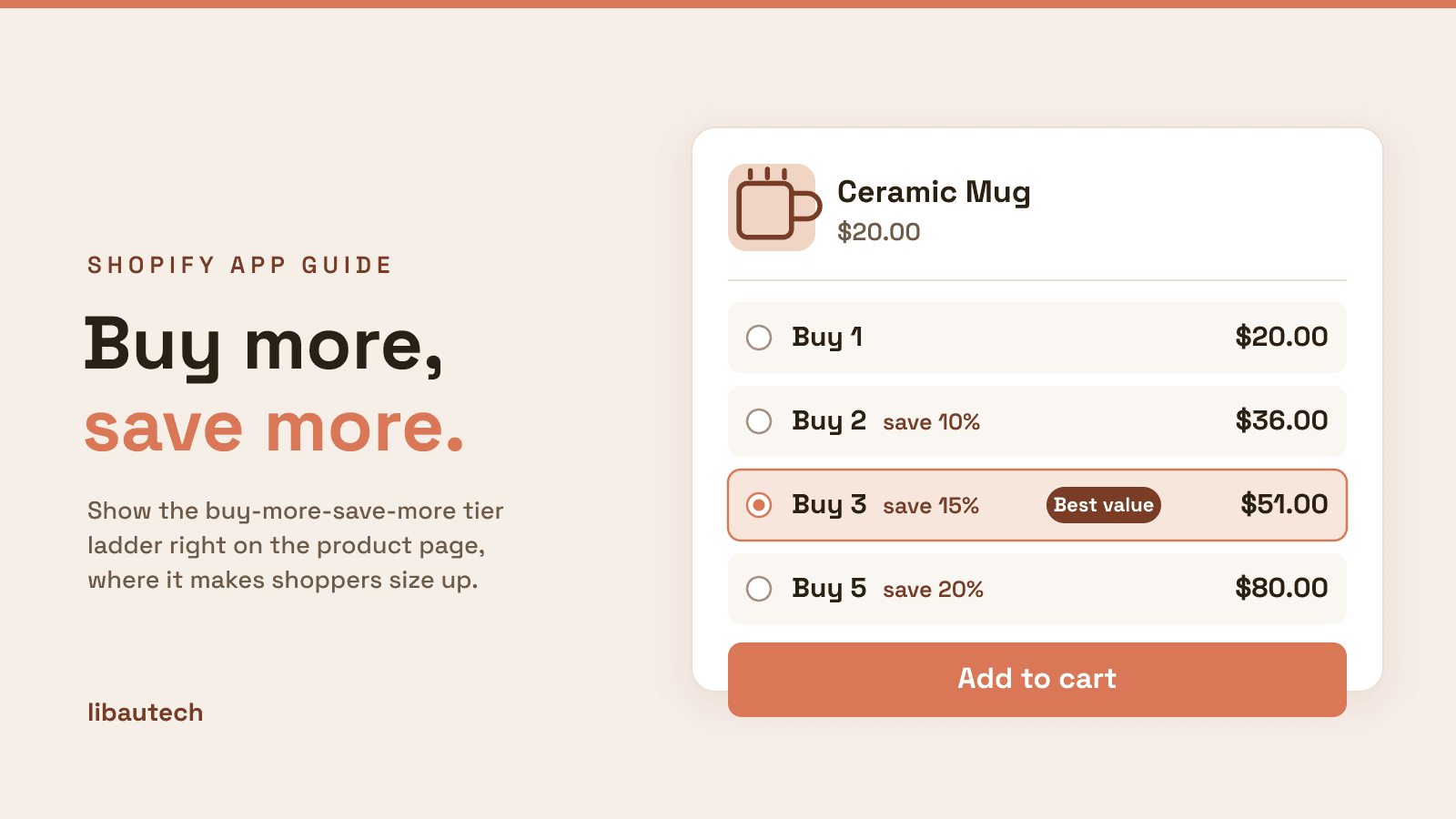
The best apps to offer volume discounts and quantity breaks on Shopify in 2026 are Libautech Bundles & Upsell for stores that want quantity breaks plus room to add more offer types, Moon Bundles for a free start with the widest feature set, Dealeasy for gift tiers, and Simple Bundles & Kits for inventory-accurate multipacks. Shopify's native discounts can express the pricing rule for free, but cannot show the tier ladder on the product page, which is the part that makes shoppers size up.
Key takeaways
- A quantity break and a volume discount are the same thing from two angles: a "buy more, save more" price rule, shown as a tier selector on the product page.
- All four apps here are Built for Shopify and apply the discount through Shopify Functions, so the differences are offer breadth, pricing at scale, and fit, not basic quality.
- The strongest all-round pick is Libautech Bundles & Upsell, from $9.99 a month. In the interest of full disclosure, we make it, so the section below names a different app whenever it fits your case better.
- To start at no cost, Moon Bundles and Dealeasy both have real free tiers. Choose Simple Bundles & Kits when multipacks must stay inventory-accurate through a 3PL.
- A quantity break only pays off if the extra units net more than the discount gives away. Use the calculator further down to check yours before you launch it.
On this page
- Volume discount vs quantity break
- Who needs one, and why
- How we ranked, and our disclosure
- The 5 best apps compared
- Best app for each situation
- Shopify Functions and theme compatibility
- How to set up a quantity break that converts
- Common mistakes to avoid
- How to switch apps without losing offers
- Calculator: preview your pricing
What Is the Difference Between a Volume Discount and a Quantity Break?
They describe the same mechanic from two angles. A volume discount is the pricing rule: buy 2, get 10 percent off; buy 3, get 15 percent off. A quantity break is how that rule is shown to the shopper: a tier table on the product page that lets them pick the quantity and see the saving before they add to cart. The rule sets the price. The tier table is what actually lifts the order, because a shopper who can see that three units cost less each is the one who sizes up. That on-page tier table is the single feature that separates a real quantity break app from a plain discount.
Who Needs a Volume Discount or Quantity Break App, and Why?
Quantity breaks are the highest-leverage offer type for anything customers buy in multiples or reorder on a cycle. They lift average order value on the products people already want, without discounting the whole store. Here is who gets the most from one, and why.
| Store type | Why a quantity break works |
|---|---|
| Consumables and refills coffee, supplements, pet food, skincare | Customers reorder anyway. A "buy 3, save 15%" pulls the next reorder into this order and raises units per checkout. |
| Apparel and accessory basics tees, socks, underwear | Low decision cost per unit, so a second or third is an easy yes for a small saving. |
| Stores chasing higher AOV | Tiered pricing raises average order value on products people already buy, with no sitewide markdown. |
| Slow movers and overstock | Selling in multiples clears stock faster than a deep sitewide sale, and protects your headline price. |
| Wholesale-lite and bulk buyers | Quantity tiers mimic wholesale price breaks without standing up a separate B2B channel. |
Who can skip it: stores selling one-off, high-ticket items that customers buy singly, and any store whose margin cannot absorb a discount at all. The calculator further down will tell you the second case in seconds, before you give away a cent.
How We Ranked These Apps, and a Word on Bias
The disclosure first. We make Libautech Bundles & Upsell, one of the apps on this list, so we have a commercial interest in it ranking well. We handle that in two ways. First, our own figures are held to the same check as everyone else's: the rating, price and features you see are read from our live App Store listing, not our marketing. Second, we name a different app whenever it is the better fit, and the best app for each situation section below does exactly that. If price is the only thing you are choosing on, we are not the cheapest, and the calculator on this page will show you.
How we scored. Every app was assessed on five things that decide whether a quantity break earns its keep:
- On-page tier table. Does it show the buy-more-save-more ladder on the product page, or only apply the discount silently at checkout? This is the feature that lifts orders.
- Offer breadth. Does it also cover the adjacent offers most stores end up wanting (bundles, gifts, cart and post-purchase upsells), or is it quantity breaks alone?
- Price at a growing store's volume. Not the headline price, but what it costs as your orders and revenue climb, which we price in the calculator and on our bundle price comparison.
- Rating and review depth. A high rating across hundreds or thousands of reviews is a stronger signal than a perfect score across a handful.
- Performance and integration. Whether it installs as an Online Store 2.0 theme app block and carries the Built for Shopify badge, both of which protect page speed.
What this is not. We have not run all five apps side by side on one store, and we will not pretend we have. Our depth here comes from building in this category and from each app's live App Store listing and documentation, verified on the date shown below the table. Where a claim could not be verified, we left it out.
The 5 Best Volume Discount and Quantity Break Apps Compared
| App | Tier table on product page | Also covers | Pricing | Rating | Built for Shopify |
|---|---|---|---|---|---|
| Libautech Bundles & Upsell | Yes | Add-ons, FBT, cart, checkout, post-purchase | From $9.99/mo, 7-day trial | 4.9 (35) | Yes |
| Moon Bundles | Yes | Cart drawer, free gifts, BOGO, subscriptions, post-purchase | Free plan, paid from $14.99/mo | 5.0 (590) | Yes |
| Dealeasy | Yes | Free gift tiers, tiered pricing | Free to install | 4.9 (584) | Yes |
| Simple Bundles & Kits | Via bundle products | Multipacks, subscriptions, 3PL inventory sync | Free plan, from $24/mo | 4.8 (737) | Yes |
| Shopify native discounts | No | Basic buy X get Y rules | Free | Not applicable | Built in |
Ratings, review counts and prices read from each app's live Shopify App Store listing on August 6, 2026. Confirm current numbers on the listing before you install, since app pricing and reviews change.
1. Libautech Bundles & Upsell
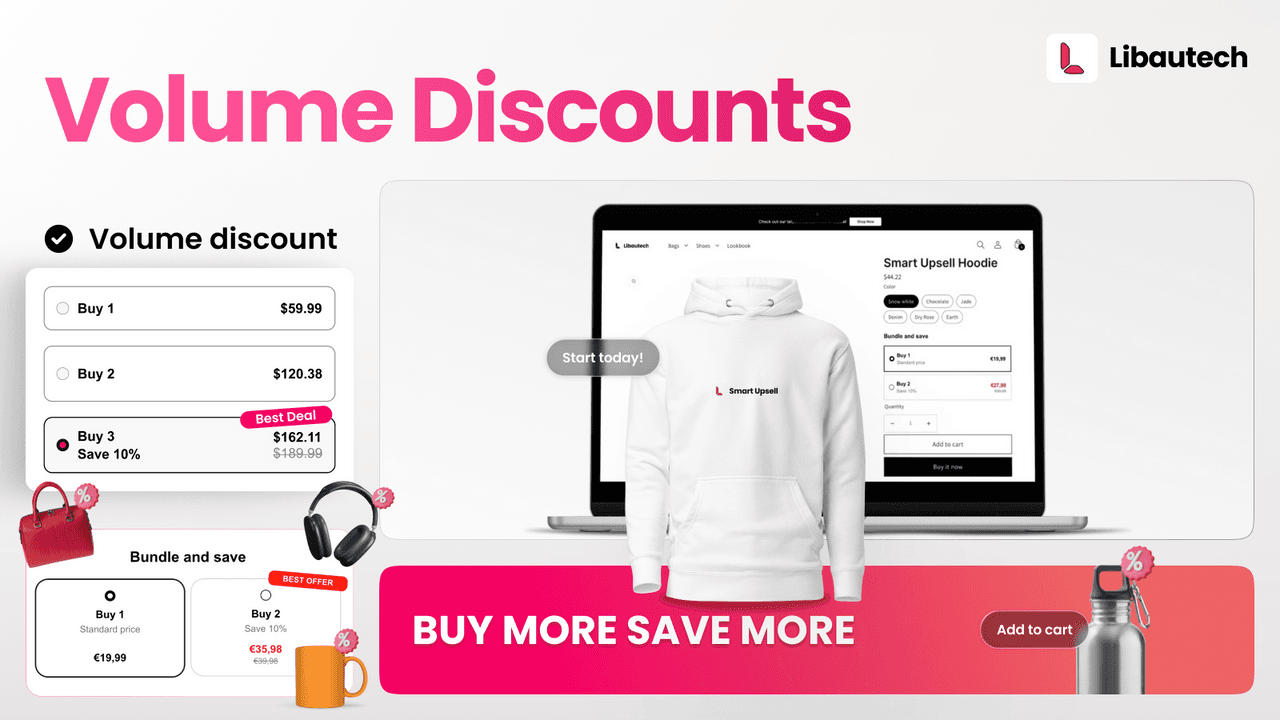
Bundles & Upsell renders quantity break tiers and volume bundle offers directly on the product page as Online Store 2.0 theme app blocks, with the discount applied automatically at checkout. It runs Buy 1 plus up to three discount tiers, and it is Built for Shopify certified.
Strengths: the on-page tier table plus seven other offer types (add-ons, frequently bought together, cart, checkout and post-purchase) on one subscription, with each offer's revenue tracked separately. One app replaces three.
Watch-outs: it is the newest here and has the smallest review base, 35, so it has less long-run data behind it than Moon or Dealeasy. There is a 7-day trial rather than a permanent free plan.
Best for: stores that want quantity breaks now and know they will layer more offer types within the next quarter.
2. Moon Bundles
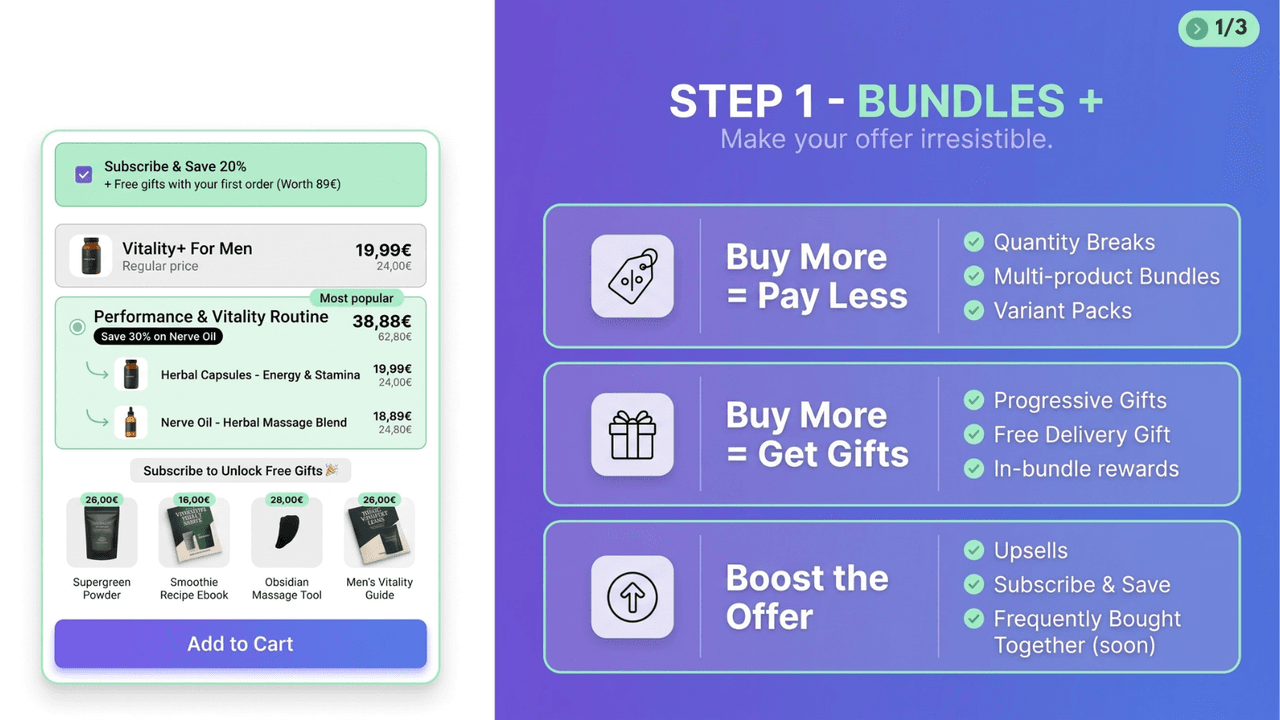
Moon Bundles pairs quantity breaks and mix-and-match bundles with a cart drawer, free gifts, BOGO deals, subscriptions and post-purchase upsells, and holds a 5.0 rating across 590 reviews.
Strengths: the highest rating and one of the deepest review bases here, a genuinely free plan with the full feature set, subscription support, and Built for Shopify certification. It is the broadest free option.
Watch-outs: the monthly cost is revenue-tiered, so it steps up as bundle revenue grows. Price it at your volume before committing.
Best for: smaller stores that want to start free with the widest feature set, accepting that the cost climbs as bundle revenue does.
3. Dealeasy
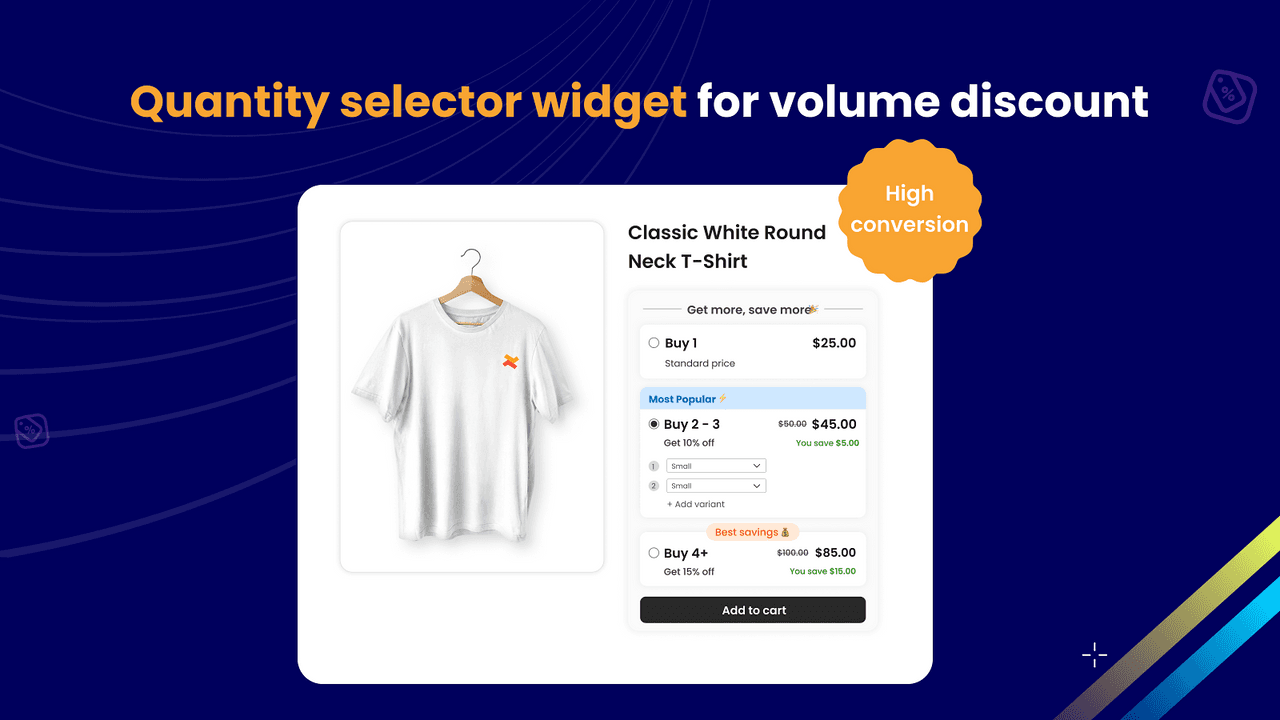
Dealeasy combines tiered pricing with free gift tiers, for example "spend $50, get a free sample; spend $100, get a full-size gift", is free to install, and holds a 4.9 rating across 584 reviews.
Strengths: free to install with no monthly fee at entry, the free-gift tier mechanic that most quantity break apps skip, Built for Shopify certification, and a deep, steady review base.
Watch-outs: narrower than the all-in-one apps. If you also want cart, checkout and post-purchase offers, you would add a second app.
Best for: beauty, food and supplement stores where a spend-based free gift fits the brand.
4. Simple Bundles & Kits
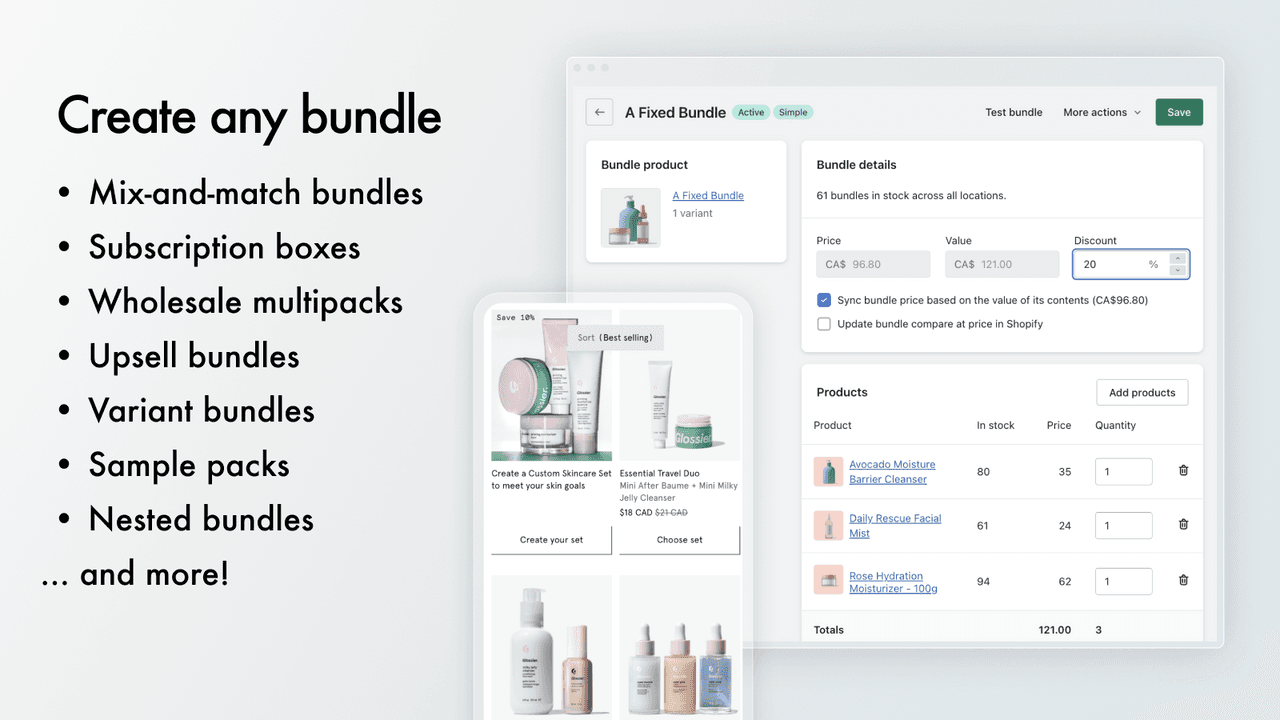
Simple Bundles approaches volume from the operations side: it builds multipacks as real bundle products whose component SKUs sync to inventory, 3PL and fulfillment. It holds a 4.8 rating across 737 reviews, the deepest review base on this list.
Strengths: inventory-accurate multipacks and kits, real SKU sync to external fulfillment, subscription support, and the most reviews of any app here.
Watch-outs: the "tier table" is expressed through bundle products rather than a classic on-page quantity selector, so the storefront experience differs. At $24 a month it is the priciest paid entry here.
Best for: stores with 3PL or ERP fulfillment where inventory accuracy outranks storefront widgets.
5. Shopify native discounts
Shopify's built-in discount system can express "buy X quantity, get Y percent off" rules at zero cost. What it cannot do is show the tier ladder on the product page, so shoppers never see the prompt to size up.
Strengths: free, native, and nothing extra to install or maintain.
Watch-outs: no on-page tier table, so it captures shoppers who already intended to buy more but rarely creates the bigger order.
Best for: validating demand before adding any app.
Best App for Each Situation
The overall ranking is a starting point. In practice the right app depends on your store, so here are the picks by situation, and where the honest answer is not our app, we say so.
Best for Shopify Plus: the quantity break mechanic is identical on Plus, but Plus unlocks checkout upsells and stronger B2B tools. Among these, Libautech Bundles & Upsell and Moon Bundles both extend to checkout and post-purchase offers, so a Plus store gets more of the surface out of one app.
Best free quantity break app: Dealeasy (free to install) and Moon Bundles (free plan with the full feature set). Both are Built for Shopify, so free does not mean flimsy here.
Best for subscriptions: Moon Bundles or Simple Bundles & Kits. Both list subscription support, so your quantity break can sit alongside a subscribe-and-save option rather than fighting it.
Best for B2B and wholesale: on Plus, pair Shopify's native B2B pricing with a quantity break app. Among these, Simple Bundles suits wholesale multipacks that must stay inventory-accurate, while Dealeasy or Moon Bundles handle tiered wholesale-style pricing on the storefront.
Best for high-volume catalogs: you want tiers you can apply by collection rather than product by product, and discounts that run through Shopify Functions so they scale without slowing checkout. All four apps here use Functions; before committing on a large catalog, confirm each one's bulk and collection-level controls, since that is where setup time is won or lost.
Which quantity break app is right for you?
Pick what matters most and we will point you to the best fit. Often it is not ours, and we say so.
Shopify Functions and Theme Compatibility
How an app applies the discount decides whether it is fast, whether it stacks predictably, and whether it survives a theme change. Two things matter.
Shopify Functions. All four apps on this list apply their discounts through Shopify Functions, Shopify's native discounting engine, rather than old-style scripts or draft orders. That means the discount is calculated by Shopify itself, applies at checkout reliably, and stacks according to your store's discount combination settings, so you control whether a quantity break can combine with a code or a sale.
Theme app blocks. The on-page tier table is rendered as an Online Store 2.0 theme app extension, an app block you drop into the product template from the theme editor. Because it is a block rather than an injected script, it loads with the page instead of blocking it, and it survives a theme switch because the offer lives in the app, not hard-coded into the theme. The Built for Shopify badge, which all four apps carry, requires meeting Shopify's bar on exactly this: performance, design and integration.
How Do You Set Up a Quantity Break That Converts?
Three rules from watching merchant data:
- Make tier 2 the obvious pick. A 10 to 15 percent step between tier 1 and tier 2 moves most of the volume. If the jump is too small, no one sizes up; too big, and you give away margin.
- Cap the ladder at three or four tiers. Buy 1, buy 2, buy 3, and a ceiling. More rungs than that add decision friction without adding orders.
- Show the per-unit saving, not just the percent. "$8 each instead of $10" reads faster than "20% off" and makes the bigger tier feel concrete.
Then check the economics before you publish, because a discount that looks generous on the page can quietly lose you money on the parcel.
Common Mistakes With Volume Discounts
- Discounting below your landed cost. The deepest tier can dip under unit cost plus shipping without you noticing. The calculator below flags exactly this.
- Too many tiers. Five or six rungs read as a spreadsheet, not an offer. Three or four convert better.
- A first step that is too shallow. "Buy 2, save 3%" gives no reason to size up. Make tier 2 worth acting on.
- Ignoring discount stacking. If a quantity break can combine with a sitewide code, a big sale can compound into a loss. Set your combination rules before a promotion, not during it.
- Running it on the wrong products. Quantity breaks work on consumables and basics, not one-off high-ticket items. Target the products people actually buy in multiples.
How to Switch Apps Without Losing Your Offers
Moving from one quantity break app to another is low-risk if you sequence it. Install the new app and build your tiers on a handful of products first, but do not publish them yet. Keep the old app live while you confirm the new tiers render correctly and the discount applies at checkout. Then publish the new offers and, in the same session, disable the old app's offers so two discounts cannot stack by accident. Only uninstall the old app once you have watched a day of live orders on the new one. Because these apps apply discounts through Shopify Functions rather than editing your theme, removing one does not leave broken code behind, but always check the product template in the theme editor for a leftover app block after you uninstall.
Preview Your Quantity Break Pricing
Set your product price and discount tiers below to see what each quantity would cost a shopper and the price they pay per unit. That per-unit price is what makes a bigger pack feel like a deal, and the number to watch against your own costs.
| Quantity | They pay | Per unit | They save |
|---|---|---|---|
| Buy 1 | $20.00 | $20.00 | base price |
| Buy 2save 10% | $36.00 | $18.00 | $4.00 |
| Buy 3save 15% | $51.00 | $17.00 | $9.00 |
| Buy 5save 20% | $80.00 | $16.00 | $20.00 |
The per-unit price is what the discount really costs you. If it drops below your unit cost plus shipping, that tier loses money. You can build these exact tiers in Bundles & Upsell without touching code.
Think your app belongs on this list?
We review submissions against the same criteria we rank on and add the ones that qualify. If you build a Shopify app in this category, send it in.