
8 Best Shopify Geolocation Apps (2026)
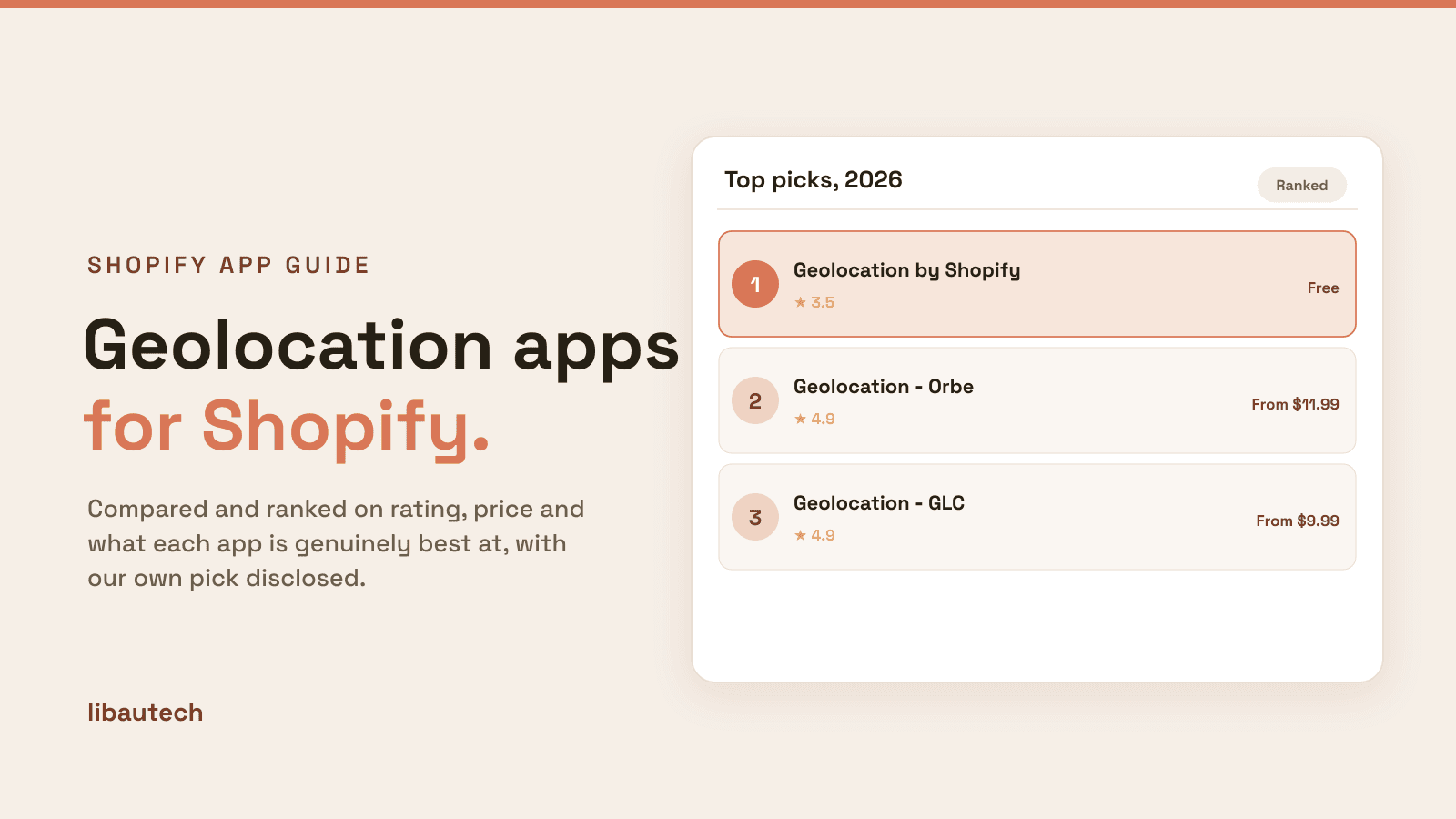
Last updated: April 2026 · Pricing and ratings verified from live Shopify App Store listings on April 30, 2026. Reviewed by the Libautech team — builders of Built for Shopify apps used by 5,000+ merchants across 50+ countries.
Key Takeaways
- Shopify geolocation apps split into three distinct jobs that competitor blogs treat as one. Geolocation popup and store recommendation apps (Geolocation by Shopify, Orbe, GLC) detect visitor location via IP and display popups suggesting local store, currency, or language. Multi-currency and language switching apps (Shopify Markets native, Currency Converter Plus, Libautech Currency Converter) auto-switch currency and language by region. Geo-redirect and geo-blocking apps (Geolocation Redirects Geo:Pro, Easy Geolocation Redirects) automatically redirect visitors to country-specific stores or block specific regions for regulatory compliance.
- Shopify Markets is the native solution for international selling since 2022. Free on Basic+ plans, handles geolocation, multi-currency (130+ currencies), multi-language (20+ languages), market-specific pricing rules, regional domain routing (.de, .fr, .uk subdomains), and localized checkout. Third-party geolocation apps add value primarily for popup welcome experiences and stores not yet on Shopify Markets. Many international expansion needs are now native.
- Geolocation popups deliver 5-10% conversion lift on international traffic specifically. The mechanic: visitors arriving at the wrong regional store (US visitor on UK store) see a popup suggesting their local version with their currency. The 5-10% lift comes from reduced bounce rate when international visitors land on appropriate pricing immediately rather than calculating exchange rates manually. For stores with significant international traffic (20%+ of sessions), this single feature can be worth thousands monthly.
- Geo-redirects and geo-blocking earn their cost specifically for regulatory compliance. Stores selling alcohol, tobacco, supplements, or restricted products face country-specific regulations — geo-blocking prevents customers from regulated countries from completing checkout. Stores with multiple regional stores (US, EU, UK, AU) use geo-redirects to route customers to compliant regional storefronts. For stores without these compliance needs, geo-redirects can hurt SEO and conversion.
- Pricing varies dramatically across layers. Geolocation popup apps run free-19/mo. Multi-currency apps run free (Shopify Markets native, Libautech Currency Converter free) to $14.99/mo. Geo-redirect and geo-blocking apps run $9.99-29/mo. The right pick costs less than $20/mo for most stores once Shopify Markets handles the foundational layer for free.
- The biggest geolocation mistake is using IP-based country detection without country selection fallback. IP detection has 80-95% accuracy depending on detection service, and edge cases (VPN users, mobile carriers routed through different countries, travelers) get incorrectly routed. Always provide a manual country selector alongside IP-based detection so customers can override incorrect detection without bouncing.
Who Needs a Geolocation App, and Why?
A geolocation app detects where a visitor is and adapts the store to match: suggesting the right country, currency and language, or redirecting them to a local storefront. That removes friction for international shoppers, who convert better when prices and shipping feel local.
You need one if you sell to more than one country, run multiple regional stores, or use Shopify Markets and want to guide buyers to the right one. A single-country store does not need it.
The Three Jobs of Shopify Geolocation Apps
Most roundups of Shopify geolocation apps lump together popup welcomes, currency switching, and geo-redirects as if they're solving the same problem. They are not. A geolocation popup app detects visitor location via IP and displays popup suggesting their local store, currency, or language — customer chooses to switch or continue. A multi-currency switching app auto-converts product prices and handles checkout in customer's local currency — changes pricing display without redirecting. A geo-redirect or geo-blocking app automatically routes visitors to country-specific stores or prevents access from restricted regions — changes destination without customer choice. Different mechanics, different customer experiences, different SEO implications.
The honest framing: Shopify geolocation apps break into three distinct layers based on what they manage. Most stores need at most two layers based on actual international strategy — popups for welcome flows, currency for pricing display. Geo-redirects matter primarily for regulatory compliance or multi-store regional routing where customers shouldn't choose between regions.
The first job is geolocation popup and store recommendation — detect location, suggest appropriate store. The mechanics: app uses IP geolocation service to detect visitor country, displays popup with welcome message in detected language and currency, customer chooses to switch to local store or continue with current. Geolocation by Shopify (free), Orbe, and GLC lead this layer. The right pick for stores with international traffic wanting non-disruptive welcome experiences.
The second job is multi-currency and language switching — auto-switch pricing display and language by region without redirecting. Different mechanics from popups: doesn't redirect, doesn't show popup, simply displays prices in customer's local currency and content in detected language on the same storefront. Shopify Markets (native), Currency Converter Plus, and Libautech Currency Converter lead this layer. The right pick for stores wanting localized display without managing multiple regional storefronts.
The third job is geo-redirect and geo-blocking — automatic redirects to country-specific stores or restrictions blocking specific regions. The mechanics: app detects country via IP, redirects to country-specific URL automatically without customer choice, or blocks specific countries from accessing checkout for regulatory compliance. Geolocation Redirects Geo:Pro and Easy Geolocation Redirects lead this layer. The right pick for stores with regulatory compliance needs or strict regional store separation.
This post ranks 8 apps across the three jobs based on verified April 2026 Shopify App Store data and what each one actually solves.
Geolocation apps stack with broader internationalization tools. See our guides on best Shopify alternative sales channels for the related international marketplace layer, best Shopify shipping rate apps for the related international shipping layer, and best Shopify delivery and pickup apps for the related local fulfillment layer.
Quick Comparison: 8 Best Shopify Geolocation Apps (2026)
| App | Rating | Free Plan | Paid From | Layer | Best For |
|---|---|---|---|---|---|
| Geolocation by Shopify | ⭐ 3.5 (1,200+) | Free | Free | Popup detection | Free Shopify-built popup welcome with country selector |
| Geolocation ‑ Orbe | ⭐ 4.9 (300+) | Yes | $11.99/mo | Popup detection | Customizable welcome popup with branded design |
| Geolocation ‑ GLC | ⭐ 4.9 (300+) | Yes | $9.99/mo | Popup detection | Multi-store routing with cookie management |
| Shopify Markets (Native) | N/A | Free | Free | Multi-currency native | Native multi-currency, language, regional pricing |
| Currency Converter Plus | ⭐ 4.9 (1,800+) | Yes | $9.99/mo | Multi-currency | Most-installed currency converter, broad currency support |
| Libautech Currency Converter | ⭐ 5.0 (50+) | Yes | Free | Multi-currency | Free auto-detect currency switcher, simple setup |
| Geolocation Redirects Geo:Pro | ⭐ 4.7 (300+) | Free trial | $9.99/mo | Geo-redirect | Automatic country redirects with regional pricing |
| Easy Geolocation Redirects | ⭐ 4.6 (200+) | Yes | $5.99/mo | Geo-redirect | Simple country redirects with geo-blocking |
Layer 1: Geolocation Popup and Store Recommendation
This layer is for stores with international traffic wanting non-disruptive welcome experiences that suggest appropriate regional store. The mechanics: app uses IP geolocation service to detect visitor country, displays popup with welcome message in detected language and currency, customer chooses to switch to local store or continue with current store. Three apps lead this layer.
1. Geolocation by Shopify
Best for: every Shopify store wanting free Shopify-built geolocation popup with country and currency selector — the foundational free baseline.
Geolocation by Shopify holds 3.5 stars across 1,200+ reviews. The lower rating reflects merchant frustration with limited customization rather than core functionality issues — the app delivers reliable IP-based country detection with country and currency selector popup at zero cost. The positioning is foundational geolocation infrastructure: IP-based country detection, country selector popup with localized currency suggestions, integration with Shopify Markets for currency switching, integration with Shopify Online Store 2.0 themes.
The Shopify-built positioning matters specifically for cost-efficient deployment. Where third-party geolocation apps run $9.99-19/mo, Shopify's free first-party app handles core popup welcome functionality at zero subscription cost. For stores starting with international expansion, this delivers proof-of-concept testing without subscription commitment.
Core features: IP-based country detection; country and currency selector popup; integration with Shopify Markets; integration with Shopify Online Store 2.0 themes; merchant dashboard with basic geolocation analytics.
Where it falls short: limited popup design customization compared to third-party alternatives. No advanced rule configuration. Best for stores wanting basic welcome popup without subscription rather than stores needing branded experience.
Pricing: Free.
2. Geolocation ‑ Orbe
Best for: Shopify stores wanting customizable branded welcome popup with advanced personalization — the customizable popup pick.
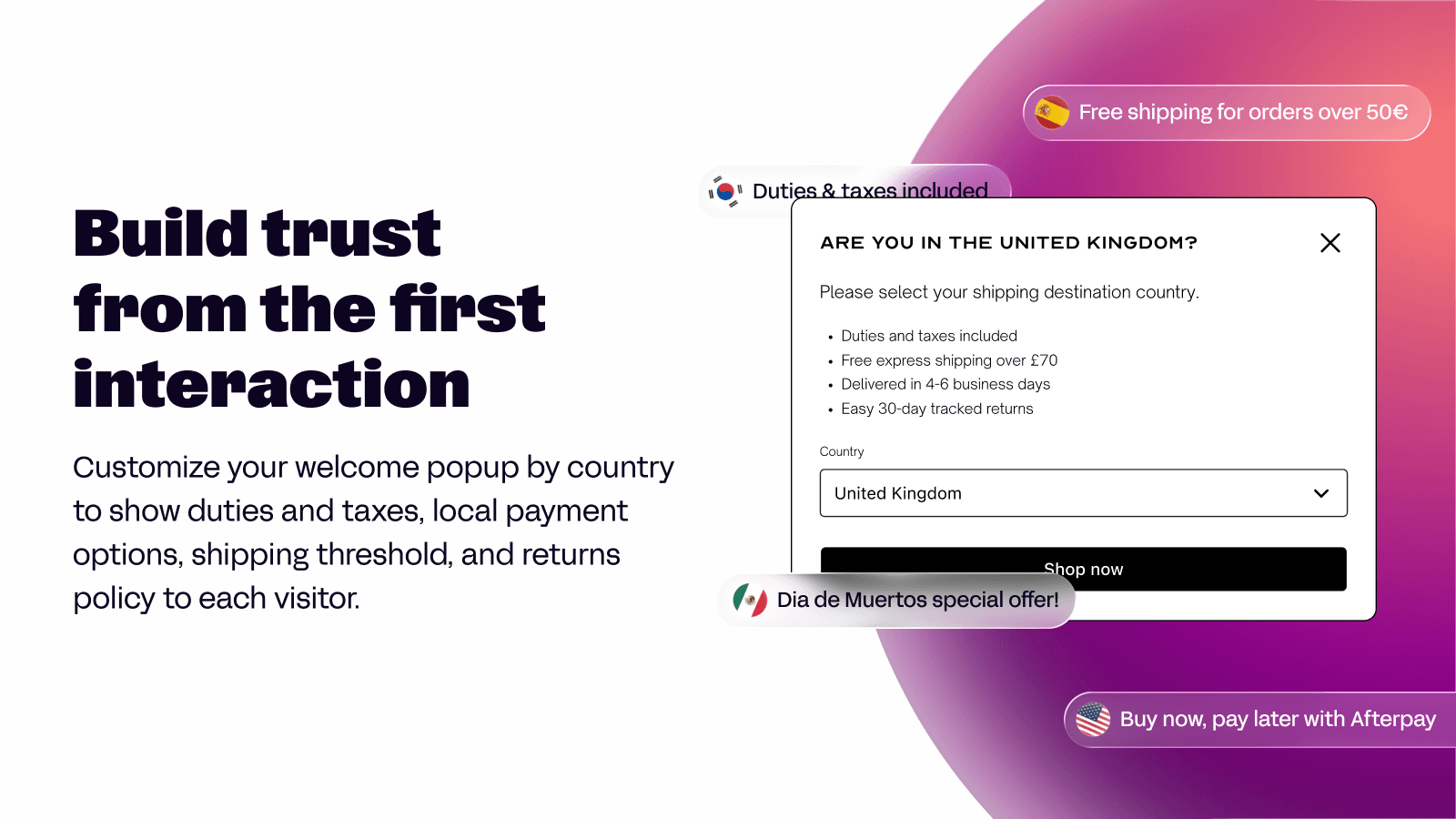
Geolocation ‑ Orbe holds 4.9 stars across 300+ reviews. The differentiating positioning is customizable welcome popup with branded design: visual editor for popup design matching brand aesthetic, multi-language popup support, custom rules for popup display (show only on specific pages, only for specific countries, only on first visit), integration with currency converters, and integration with Shopify Online Store 2.0 themes.
The customization positioning matters specifically for brand-conscious stores. Where Shopify's free Geolocation app delivers generic popup design, Orbe enables popup that matches the merchant's brand aesthetic — useful for premium brands where every customer touchpoint reinforces brand identity rather than feeling like generic Shopify infrastructure.
Core features: visual popup editor; multi-language popup support; custom display rules; currency converter integration; integration with Shopify Online Store 2.0 themes.
Where it falls short: pricing entry point ($11.99/mo) higher than alternatives. Best for brand-led stores prioritizing design customization over absolute lowest cost.
Pricing: Free plan available. Paid plans from $11.99/mo.
3. Geolocation ‑ GLC
Best for: Shopify stores managing multiple regional stores wanting intelligent routing with cookie persistence — the multi-store routing pick.
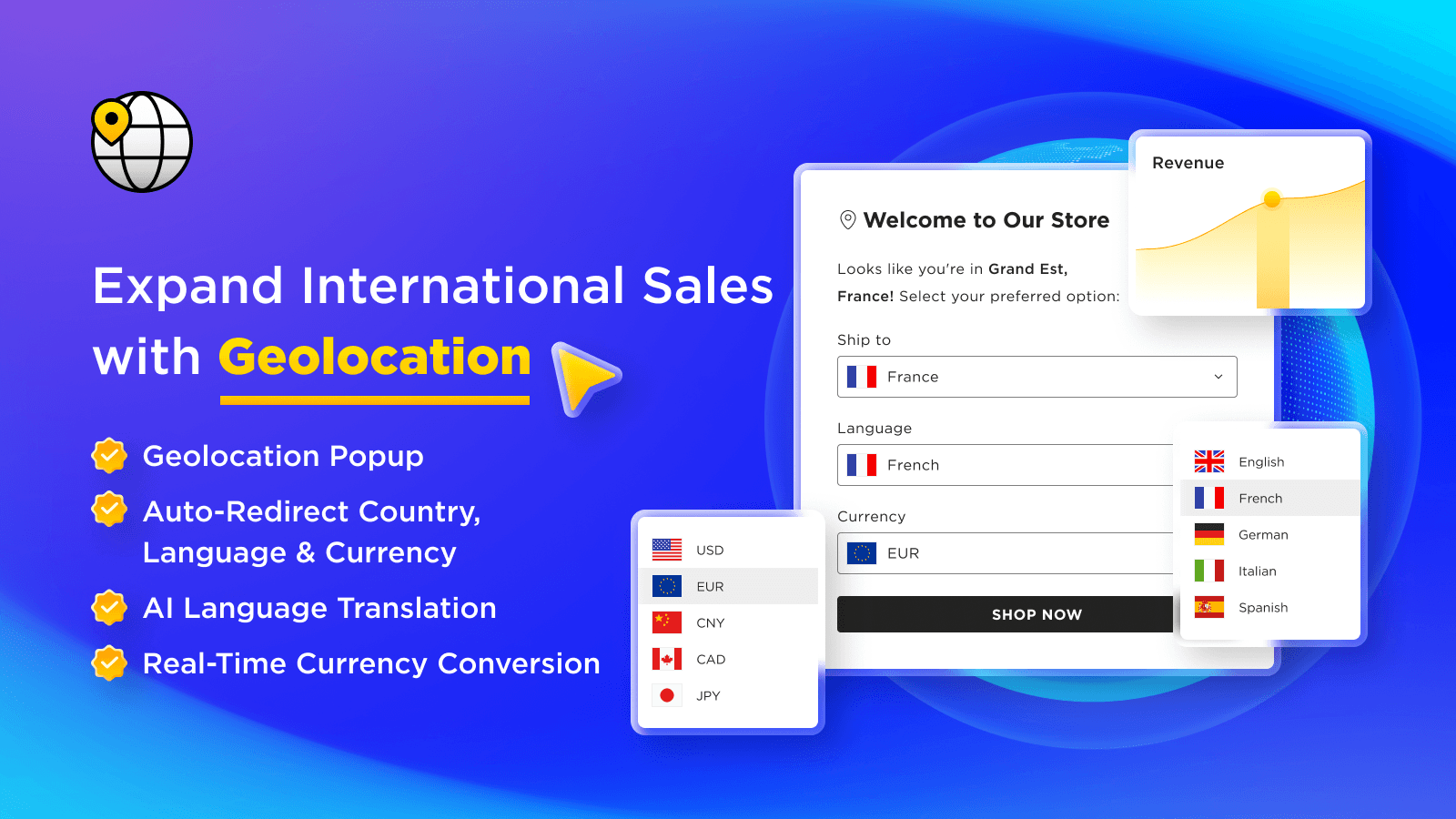
Geolocation ‑ GLC holds 4.9 stars across 300+ reviews. The positioning is intelligent multi-store routing: detect visitor country, suggest appropriate regional store from multi-store setup (US store, UK store, EU store, AU store), cookie-based preference persistence so returning customers skip the popup, language detection alongside country, and integration with Shopify Online Store 2.0 themes.
The multi-store routing matters specifically for stores operating multiple regional storefronts. Where single-store stores benefit from currency conversion within one storefront, multi-store operations need routing logic that sends visitors to the appropriate regional store domain (us.brand.com, uk.brand.com, eu.brand.com). GLC handles this routing infrastructure with merchant-controlled rules.
Core features: multi-store routing logic; cookie-based preference persistence; language detection; country and currency suggestions; integration with Shopify Online Store 2.0 themes.
Where it falls short: focused on multi-store operations — single-store stores get limited additional value beyond Shopify's free Geolocation app. Best for stores running 3+ regional storefronts.
Pricing: Free plan available. Paid plans from $9.99/mo.
The Honest Trade-Off: Shopify Markets Handles Most International Needs
Worth saying explicitly: Shopify Markets is the native solution for international selling since 2022. Modern stores on Basic+ plans get free access to multi-currency (130+ currencies with auto-conversion using daily exchange rates), multi-language (20+ languages with merchant-managed translations), market-specific pricing rules (different prices per region), regional domain routing (.de subdomain for Germany, .fr for France, etc.), localized checkout in customer's currency, and country-specific product catalogs. For most international expansion needs, this native infrastructure handles the foundation that third-party geolocation apps used to provide.
The native limitations are specific. Shopify Markets doesn't show popup welcome experiences — customers experience automatic redirection or currency switching without the popup welcome moment that some brands prefer for international visitors. Shopify Markets pricing is set per-market rather than per-customer, so visitors get the market price regardless of context. Custom geolocation rules (different popup behavior on blog pages versus product pages) require third-party apps.
The signal that geolocation apps earn their cost: store wants branded popup welcome experience for international visitors, store needs custom display rules beyond Shopify Markets defaults, store operates multiple regional storefronts requiring routing logic, store has regulatory compliance needs requiring geo-blocking. The signal that they're premature: store on Shopify Markets handles international currency and language at zero cost, store has limited international traffic where popup overhead doesn't justify subscription.
Layer 2: Multi-Currency and Language Switching
This layer is for stores wanting localized display without managing multiple regional storefronts or popup welcomes. The mechanics: app auto-converts product prices to visitor's local currency using exchange rates, detects visitor language and switches storefront content accordingly, all without redirecting to different regional URLs. Three options lead this layer (Shopify Markets being the native baseline).
4. Shopify Markets (Native)
Best for: every Shopify store on Basic+ plans wanting native multi-currency, multi-language, and market-specific pricing — the foundational native infrastructure.
Shopify Markets is built into Shopify Basic and higher plans, no separate app installation required. The positioning is comprehensive native internationalization: multi-currency display (130+ currencies with auto-conversion using daily exchange rates), multi-language storefront (20+ languages with merchant-managed translations), market-specific pricing rules (different prices per region), regional domain routing (.de, .fr, .uk subdomains), localized checkout in customer's currency, country-specific product catalogs, and integration with Shopify Online Store 2.0 themes.
The native positioning matters specifically for cost-efficient internationalization. Where third-party currency apps run $9.99-29/mo and language apps run $19-49/mo, Shopify Markets delivers both layers natively at zero additional cost — stores already paying for Shopify Basic+ get the international infrastructure included. For most stores, this native handling eliminates the need for separate third-party currency and language apps.
Core features: multi-currency display (130+ currencies); multi-language storefront (20+ languages); market-specific pricing rules; regional domain routing; localized checkout; country-specific product catalogs; integration with Shopify Online Store 2.0 themes.
Where it falls short: setup complexity moderate for stores configuring multiple markets. No popup welcome experience — currency and language switch automatically based on detection. Best for stores comfortable with Shopify-native internationalization rather than wanting branded popup welcomes.
Pricing: Free (built into Shopify Basic and higher plans).
5. Currency Converter Plus
Best for: Shopify stores wanting most-installed currency converter with broad currency support and customizable display — the established currency converter pick.
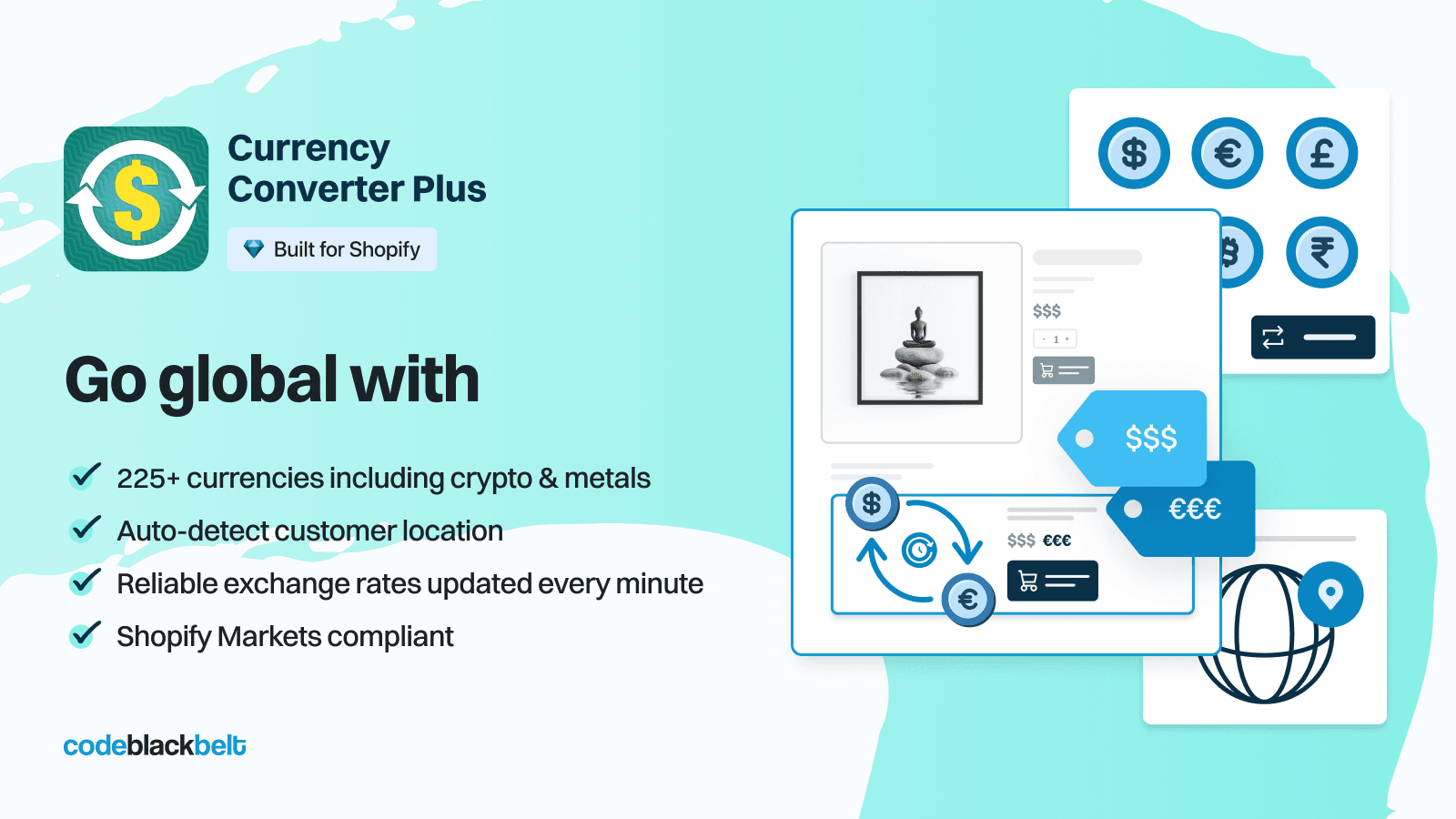
Currency Converter Plus holds 4.9 stars across 1,800+ reviews — the largest review base in this entire post and the most-installed currency converter on Shopify. The positioning is comprehensive currency conversion: 200+ currencies with daily exchange rate updates, automatic visitor currency detection via IP, manual currency selector for customer override, customizable currency display formatting, integration with Shopify Online Store 2.0 themes.
The broad currency support matters specifically for stores selling to customers in regions Shopify Markets doesn't fully support. While Shopify Markets covers 130+ currencies, Currency Converter Plus covers 200+ including some niche currencies and historical exchange rates. For stores with very international customer bases, the additional currency coverage matters at the margin.
Core features: 200+ currencies with daily exchange rate updates; automatic IP-based currency detection; manual currency selector; customizable currency display formatting; integration with Shopify Online Store 2.0 themes.
Where it falls short: features overlap heavily with native Shopify Markets currency handling for most stores. Best for stores not on Shopify Markets or stores selling in currencies beyond Markets coverage.
Pricing: Free plan available. Paid plans from $9.99/mo.
6. Libautech Currency Converter
Best for: Shopify stores wanting free auto-detect currency switcher with simple setup and reliable conversion — the focused free currency converter pick.
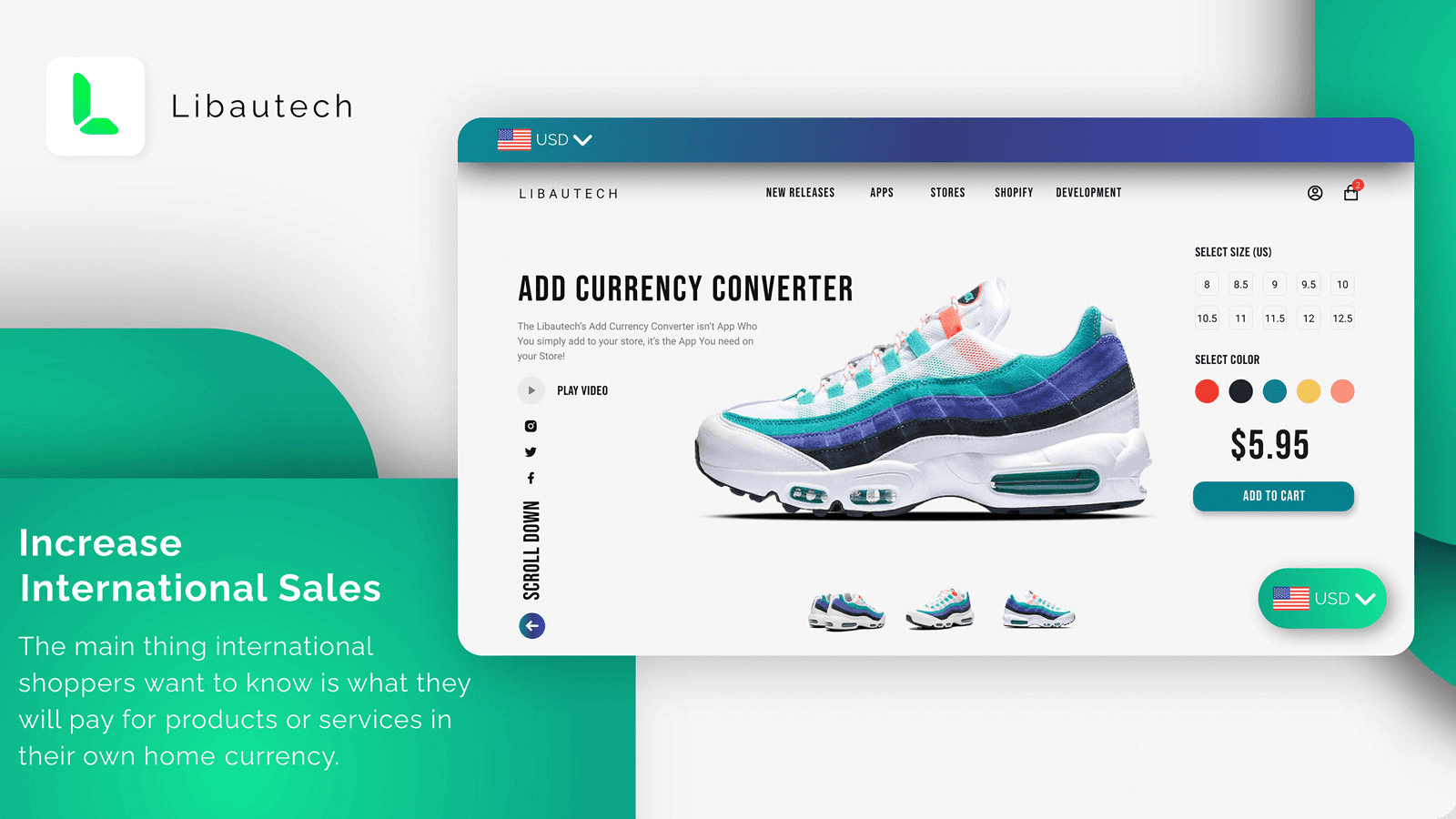
Libautech Currency Converter holds 5.0 stars across 50+ reviews. The positioning is focused free currency conversion: automatic IP-based currency detection, support for major currencies, simple setup with minimal configuration, lightweight implementation that doesn't add page-load overhead, and integration with Shopify Online Store 2.0 themes.
The free positioning matters specifically for stores wanting currency conversion without subscription overhead. Where Currency Converter Plus reserves advanced features for paid tiers and Shopify Markets requires Basic+ plan setup, Libautech Currency Converter delivers core auto-detect currency switching at zero cost on any plan — useful for stores starting with international experimentation or stores on Shopify Lite/POS plans without Markets access.
Disclosure: Libautech (publisher of this post) builds this app. Including it because it genuinely fits the focused free currency converter use case for stores not on Shopify Markets, not as a sales pitch.
Core features: automatic IP-based currency detection; support for major currencies; simple setup; lightweight implementation; integration with Shopify Online Store 2.0 themes.
Where it falls short: smaller installed base than Currency Converter Plus or Shopify Markets. Best for stores wanting free currency conversion rather than enterprise feature depth.
Pricing: Free.
Layer 3: Geo-Redirect and Geo-Blocking
This layer is for stores with regulatory compliance needs or strict regional store separation requiring automatic redirects rather than customer-choice popups. The mechanics: app detects country via IP, redirects to country-specific URL automatically without customer choice, or blocks specific countries from accessing checkout for regulatory compliance. Two apps lead this layer.
7. Geolocation Redirects Geo:Pro
Best for: Shopify stores wanting automatic country redirects with regional pricing rules — the comprehensive geo-redirect pick.
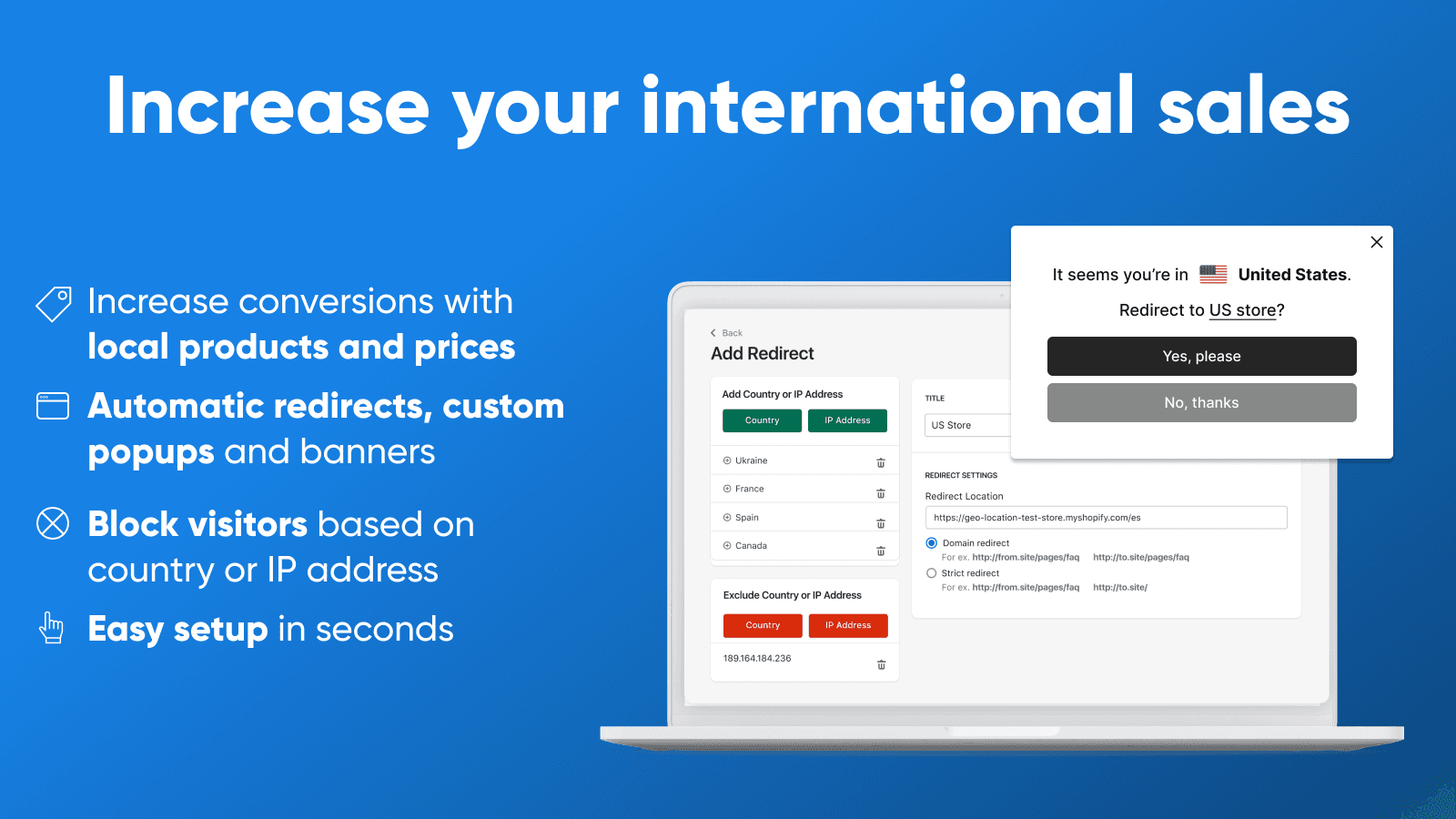
Geolocation Redirects Geo:Pro holds 4.7 stars across 300+ reviews. The positioning is comprehensive automatic geo-redirects: IP-based country detection, automatic redirect to country-specific URL or storefront, regional pricing rules (different prices per region), custom redirect rules with multi-condition targeting, geolocation analytics dashboard, integration with Shopify Online Store 2.0 themes.
The automatic redirect positioning matters specifically for stores wanting strict regional separation without customer choice. Where popup-based apps let customers choose to stay on current store or switch, geo-redirects route visitors automatically based on country — useful for multi-store operations where mixing customers across regions creates operational issues (different inventory, different pricing, different fulfillment).
The honest trade-off: automatic geo-redirects can hurt SEO when implemented incorrectly. Search engines crawling from US data centers may get redirected to US store and never index UK/EU content; customers sharing US store URLs internationally hit redirects that break the shared link. Best practice is geo-suggest popups for SEO-friendly behavior plus geo-redirect for regulatory needs only.
Core features: IP-based country detection; automatic redirect to country-specific URL; regional pricing rules; custom redirect rules; geolocation analytics; integration with Shopify Online Store 2.0 themes.
Where it falls short: SEO implications require careful implementation. Best for stores with regulatory compliance needs rather than stores experimenting with international expansion.
Pricing: Free trial. Paid plans from $9.99/mo.
8. Easy Geolocation Redirects
Best for: Shopify stores wanting simple country redirects with basic geo-blocking — the focused geo-redirect pick at lowest entry pricing.
Easy Geolocation Redirects holds 4.6 stars across 200+ reviews. The differentiating positioning is focused simple geo-redirect functionality at lower entry pricing: country-based URL redirects, basic geo-blocking for restricted countries, simple rule configuration, and integration with Shopify Online Store 2.0 themes.
The simplified positioning matters specifically for stores with basic geo-redirect needs. Where Geo:Pro provides comprehensive analytics and complex rule configuration, Easy Geolocation Redirects covers core country-redirect and basic geo-blocking functionality at meaningfully lower entry pricing — useful for stores wanting straightforward geo-redirect without enterprise feature overhead.
Core features: country-based URL redirects; basic geo-blocking for restricted countries; simple rule configuration; integration with Shopify Online Store 2.0 themes.
Where it falls short: less sophisticated rule configuration than Geo:Pro. Best for stores with simple regional separation needs rather than complex multi-rule scenarios.
Pricing: Free plan available. Paid plans from $5.99/mo.
Which Geolocation App to Choose
For free Shopify-built popup with country selector: Geolocation by Shopify. 3.5 stars, free, the foundational free popup baseline.
For customizable branded welcome popup: Geolocation ‑ Orbe. 4.9 stars, $11.99/mo, the customizable popup pick.
For multi-store routing with cookie persistence: Geolocation ‑ GLC. 4.9 stars, $9.99/mo, the multi-store routing pick.
For native multi-currency, language, and regional pricing (every Shopify Basic+ store): Shopify Markets. Free on Basic+ plans, the foundational native internationalization infrastructure.
For most-installed currency converter with broad currency support: Currency Converter Plus. 4.9 stars, 1,800+ reviews, $9.99/mo, the established currency converter pick.
For free auto-detect currency switcher: Libautech Currency Converter. 5.0 stars, free, the focused free currency converter pick.
For automatic country redirects with regional pricing: Geolocation Redirects Geo:Pro. 4.7 stars, $9.99/mo, the comprehensive geo-redirect pick.
For simple country redirects with geo-blocking: Easy Geolocation Redirects. 4.6 stars, $5.99/mo, the focused geo-redirect pick.
For most Shopify stores in this category, the honest framing is native-first. Stores on Shopify Basic+ plans configure Shopify Markets for foundational multi-currency, multi-language, and regional pricing at zero cost. Stores wanting branded popup welcome experiences add Layer 1 popup apps (Orbe for customization, GLC for multi-store routing). Stores with regulatory compliance needs add Layer 3 geo-redirects (Geo:Pro for comprehensive, Easy Geolocation Redirects for simple). The most common geolocation mistake is using IP-based country detection without country selection fallback — always provide manual country selector alongside IP detection so customers can override incorrect detection.
How We Ranked These Apps
This ranking is based on four criteria applied to every Shopify geolocation app tested in 2026. First, Shopify App Store rating and verified review volume as of April 30, 2026 — the strongest signal of long-term merchant satisfaction at scale. Second, fit-to-job for which of the three layers each app actually solves (popup detection, multi-currency switching, or geo-redirect) rather than treating these as a single category. Third, total cost economics including app pricing, native Shopify Markets coverage, and typical international traffic volumes — a free Shopify-built popup and a $29/mo enterprise geolocation platform handle different scopes, and the math depends on which layer the store actually needs. Fourth, native-vs-third-party fit, since merchant satisfaction depends critically on whether third-party apps add genuine value beyond what Shopify Markets handles natively.
Every pricing and feature figure in this post was verified directly from each app's live Shopify App Store listing on April 30, 2026. App pricing structures change — always confirm current pricing on the official listing before installing. Ratings and review counts reflect the Shopify App Store at the time of our last update.
Frequently Asked Questions
What is a Shopify geolocation app?
A Shopify geolocation app handles one of three distinct jobs. Popup detection apps (Geolocation by Shopify, Orbe, GLC) detect visitor location via IP and display popups suggesting local store, currency, or language. Multi-currency apps (Shopify Markets native, Currency Converter Plus, Libautech Currency Converter) auto-switch currency and language by region. Geo-redirect apps (Geolocation Redirects Geo:Pro, Easy Geolocation Redirects) automatically redirect visitors to country-specific stores or block restricted regions.
What is the best Shopify geolocation app in 2026?
Depends on the layer. For popup detection: Geolocation by Shopify (free) or Orbe (4.9 stars, customizable). For multi-currency: Shopify Markets (native, free) or Currency Converter Plus (4.9 stars, 1,800+ reviews). For geo-redirect: Geolocation Redirects Geo:Pro (comprehensive) or Easy Geolocation Redirects (simple). Pick the layer first based on actual international strategy.
How much do Shopify geolocation apps cost?
Geolocation popup apps run free-19/mo. Multi-currency apps run free (Shopify Markets native, Libautech Currency Converter free) to $14.99/mo. Geo-redirect apps run $9.99-29/mo. The right pick costs less than $20/mo for most stores once Shopify Markets handles the foundational layer for free.
What does Shopify Markets handle natively?
Multi-currency display (130+ currencies with auto-conversion), multi-language storefront (20+ languages), market-specific pricing rules, regional domain routing (.de, .fr, .uk subdomains), localized checkout, and country-specific product catalogs. Free on Shopify Basic and higher plans. Eliminates the need for many third-party geolocation apps for stores wanting standard internationalization.
How much do geolocation popups lift conversion?
5-10% conversion lift on international traffic specifically. The mechanic: visitors arriving at the wrong regional store see a popup suggesting their local version with their currency. Reduced bounce rate from international visitors landing on appropriate pricing immediately rather than calculating exchange rates. For stores with 20%+ international traffic, this can be worth thousands monthly.
What is the difference between geo-redirect and geo-suggest popup?
Different mechanics. Geo-suggest popups detect visitor country and suggest switching to local store — customer chooses to switch or stay. Geo-redirects automatically route visitors to country-specific URLs without customer choice. Popups are SEO-friendly and customer-friendly; redirects suit regulatory compliance and multi-store operations.
Are automatic geo-redirects bad for SEO?
Can be when implemented incorrectly. Search engines crawling from US data centers may get redirected to US store and never index UK/EU content. Customers sharing URLs internationally hit redirects that break shared links. Best practice: geo-suggest popups for SEO-friendly behavior, geo-redirect only for regulatory compliance needs.
How accurate is IP-based country detection?
80-95% accuracy depending on detection service. Edge cases: VPN users (incorrect country detected), mobile carriers routed through different countries, travelers visiting from foreign IPs. Always provide manual country selector alongside IP detection so customers can override incorrect detection without bouncing.
Should I use geo-blocking for restricted products?
Yes for regulatory compliance. Stores selling alcohol, tobacco, supplements, CBD, firearms, or other regulated products use geo-blocking to prevent customers from regulated countries from completing checkout. Reduces legal exposure and meets country-specific regulations. For stores without these compliance needs, geo-blocking can hurt international sales unnecessarily.
Will geolocation apps slow down my Shopify store?
Geolocation popup apps add IP detection script and popup UI — measurable but small page-load impact. Currency converters add exchange rate JavaScript that runs on price displays. Geo-redirects add server-side redirect logic that's invisible to performance metrics. Test page speed before and after install with Google PageSpeed Insights to confirm impact on your specific theme.
Think Your App Belongs on This List?
We update these lists as new tools launch and existing ones improve. If you are a developer building a Shopify geolocation, multi-currency, or geo-redirect app and want your app considered for inclusion, submit it here — tell us what your app does, who it is for, and include a link to your Shopify App Store listing. We review every submission.