
Best Shopify Retail Apps (2026)
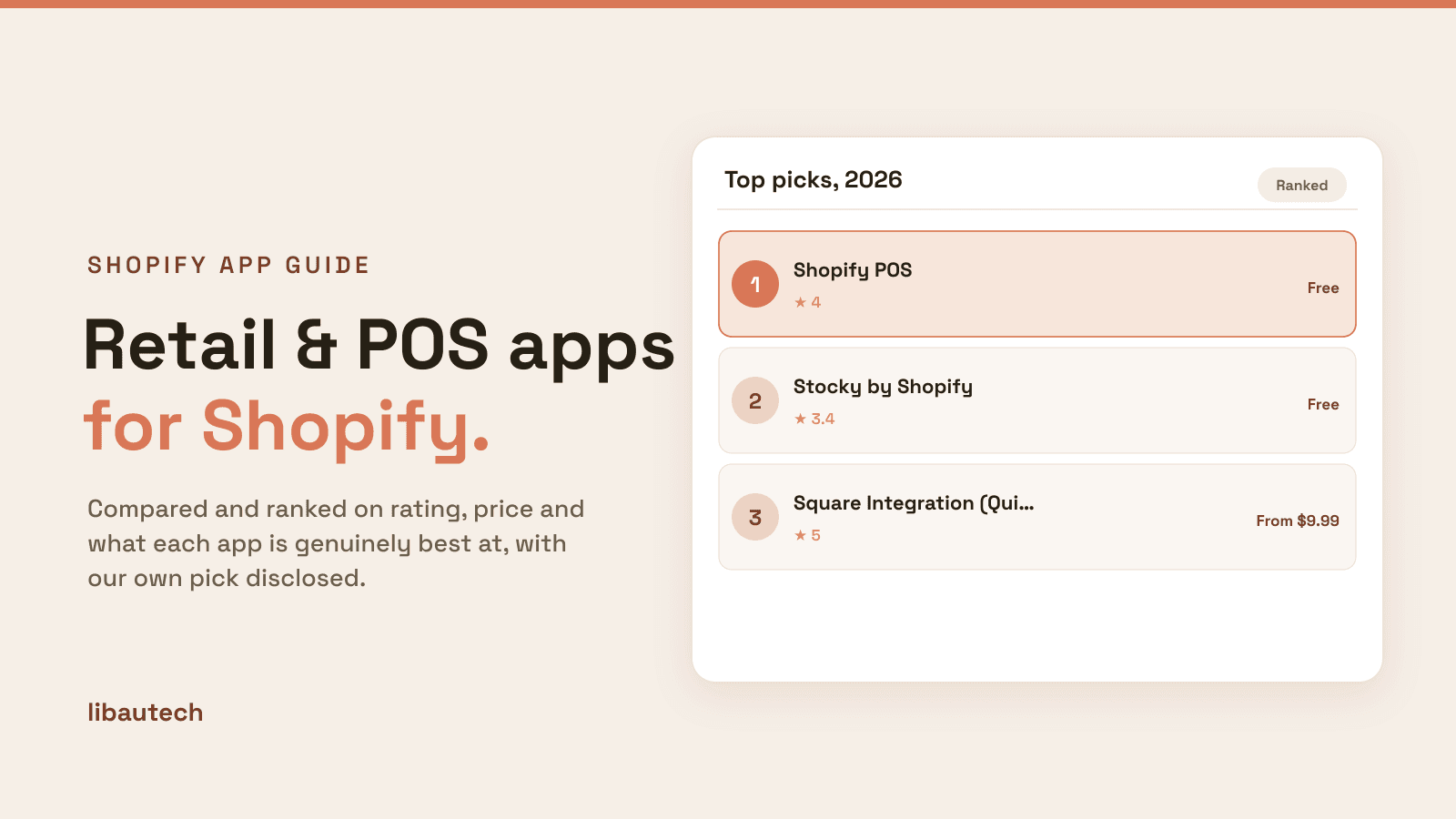
Last updated: May 2026 · Pricing and ratings verified from live Shopify App Store listings on May 4, 2026. Reviewed by the Libautech team — builders of Built for Shopify apps used by 5,000+ merchants across 50+ countries.
Key Takeaways
- Retail apps for Shopify split into four distinct jobs that competitor blogs lump together. Native POS systems (Shopify POS) handle in-person checkout, inventory sync, and customer profiles. Third-party POS integrations (Square, Clover integrations) connect external POS hardware with Shopify catalogs. Inventory and operations apps (Stocky, Cin7) extend POS with forecasting and purchase orders. Retail-specific apps (clienteling, appointment booking, BOPIS pickup) handle specialized workflows. The right stack matches your existing hardware investment and operational complexity.
- Shopify POS is the default for new retail-plus-online operations, with Lite included free on every Shopify plan. Shopify POS Pro adds smart inventory, staff permissions, and unlimited registers at $89/mo per location, which becomes the right pick once stores hit 50+ daily transactions or multi-staff operations. Stores running existing Square or Clover hardware face a different decision — keep external POS and sync with Shopify, or migrate fully to Shopify POS Pro.
- Real-time inventory sync between online and in-person is the single highest-value retail feature. Merchants without sync routinely oversell items in-store while online inventory shows zero, or vice versa, causing customer disappointment and refund processing overhead. Shopify POS handles this natively. Third-party POS integrations introduce 30-second to 5-minute sync windows that work for low-velocity stores but break under flash sales or high-traffic days.
- BOPIS (buy online pickup in-store), curbside pickup, and ship-from-store workflows lift omnichannel revenue 15-30% according to Shopify merchant data, but require apps beyond core POS. Pickup scheduling apps (Bird Pickup, Zapiet Pickup + Delivery) handle time slots, capacity limits, and customer notifications. Stores already covering ~80% of in-store SKUs online see the biggest BOPIS lift; stores with poor catalog parity should fix that first before investing in pickup infrastructure.
- Libautech complements retail operations through three specialized apps on the $14.99/mo Package plan — Sticky Add to Cart (5.0/9, Built for Shopify) for persistent button visibility on online sessions, Bundles & Upsell (5.0/36) for product page and cart upsells that lift AOV in both channels, and Announcement Bar (4.8/26) for store-wide free-shipping progress and BOPIS availability messaging. For omnichannel merchants, the Libautech stack handles the online-conversion side while Shopify POS handles the in-person side.
- The biggest retail mistake is buying enterprise POS features (advanced clienteling, custom workflows, full ERP integration) before validating that the basic loop works. Most stores under $5M annual revenue don't need Cin7 or Lightspeed Retail integration — they need Shopify POS Pro plus disciplined inventory counts. Resist the temptation to over-build the stack until merchant velocity justifies the cost.
| App | Job | Rating | Starting Price | Best For |
|---|---|---|---|---|
| Shopify POS | Native POS | 4.0/4,287 | Free (Lite) | Native omnichannel from one platform |
| Stocky by Shopify | Inventory Operations | 3.4/235 | Free with POS Pro | Purchasing on top of POS Pro |
| Square Integration (QuickSync) | Third-Party POS Sync | 5.0/5,200+ | $9.99/mo | Existing Square hardware |
| Shopify Sync for Clover | Third-Party POS Sync | 4.5/180+ | $19/mo | Existing Clover hardware |
| Cin7 Core (DEAR) | Inventory Operations | 4.4/180+ | $349/mo | $1M+ multi-channel retailers |
| Zapiet Pickup + Delivery | Retail Workflow | 4.9/2,100+ | $29.99/mo | BOPIS and local delivery scheduling |
| Endear | Retail Workflow | 4.9/100+ | $60/user/mo | Service retail clienteling |
| BookThatApp | Retail Workflow | 4.6/350+ | $19.95/mo | Appointment and class booking |
Who Needs a Retail App, and Why?
Retail apps unify your physical and online business: a point of sale for in-store checkout, inventory that syncs across locations and channels, and tools like clienteling that let staff serve customers personally. They keep one stock count and one customer view whether a sale happens in-store or online.
You need these if you sell in a shop, at markets or pop-ups as well as online, or run more than one location. A pure online store does not need POS-focused tools.
The Four Jobs of Shopify Retail Apps
Most roundups of Shopify retail apps treat POS, inventory, and pickup workflows as one category. They are not. A native POS system handles transaction processing, payment hardware, customer lookup, and inventory deduction at the point of sale. A third-party POS integration syncs an external system (Square, Clover, Lightspeed) with Shopify so catalog and inventory stay aligned across two databases. An inventory and operations layer adds purchasing, forecasting, multi-location transfers, and supplier management on top of POS. A retail-workflow app handles specialized jobs — appointment booking, clienteling, pickup scheduling, ship-from-store. Different stages of operational maturity need different apps.
The honest framing: Shopify retail apps break into four distinct layers based on what they manage. Most retailers need at most two layers based on actual operational complexity — a POS system and pickup or appointment workflow. Inventory and clienteling apps matter once stores hit multi-location or high-velocity thresholds where manual operations break down.
The first job is native POS and in-person checkout — process transactions, sync inventory, manage customer profiles. The mechanics: dedicated app runs on iPad or Shopify-supported terminal, accepts card payments via Shopify Payments hardware, deducts inventory in real-time, and saves customer purchase history to the same database as online orders. Best fit for retailers building omnichannel from scratch or migrating off legacy POS systems.
The second job is third-party POS integration — sync external POS systems with Shopify catalog. The mechanics: integration app runs scheduled or webhook-based sync between Square, Clover, or Lightspeed and Shopify, pushing product updates and pulling inventory changes. Best fit for retailers with existing POS hardware investment or multi-channel operations where Shopify is the e-commerce arm of a larger retail business.
The third job is inventory and operations management — extend POS with purchasing, forecasting, and multi-location workflows. The mechanics: dedicated inventory app pulls Shopify product and order data, layers in supplier management, demand forecasting, automated reordering, and warehouse-level transfers. Best fit for retailers with 3+ locations, complex supplier relationships, or seasonal inventory patterns where stockouts compound.
The fourth job is retail workflow specialization — appointment booking, clienteling, BOPIS pickup, ship-from-store. The mechanics: specialized apps add UI flows for booking time slots, capturing customer preferences, scheduling pickups, or routing online orders to nearest store for fulfillment. Best fit for service-driven retail (jewelry, beauty, automotive) or omnichannel retailers running pickup programs.
Native POS Systems
1. Shopify POS
Rating: 4.0/4,287 reviews · Pricing: Lite free on all Shopify plans, Pro $89/mo per location · Best for: Native omnichannel retailers building POS and online from one platform
Shopify POS is the native point-of-sale system from Shopify, with Lite included free on every Shopify plan and Pro available as a paid upgrade. The app runs on iPad, iPhone, and Shopify-compatible Android terminals, accepts payments through Shopify Payments hardware (Tap & Chip Reader, POS Go, POS Terminal), and shares the same product catalog, customer database, and inventory ledger as the online store. For merchants building omnichannel operations from scratch, this single-platform approach eliminates the sync problems that plague third-party POS integrations.
Shopify POS Lite covers single-location stores with basic checkout, customer lookup, and inventory deduction. POS Pro adds smart inventory (low-stock alerts, transfer orders), unlimited registers per location, role-based staff permissions, customer profiles with order history, save cart for later, exchange-friendly returns, and advanced reporting. The Pro upgrade earns its $89/mo price specifically for stores hitting 50+ daily transactions, multi-staff operations, or multi-location footprints where staff permissions and transfer workflows compound. Stores below that threshold typically run Lite indefinitely.
Implementation reality: Shopify POS Lite installs in minutes and works with any iPad or iPhone, but professional retail operations need the Tap & Chip Reader ($49) at minimum and POS Go ($429) or POS Terminal ($349) for streamlined workflows. Total hardware investment for a single-register store runs $400-1,200 depending on terminal choice. Multi-register operations multiply that by registers per location.
2. Stocky by Shopify
Rating: 3.4/235 reviews · Pricing: Free with Shopify POS Pro · Best for: Shopify POS Pro merchants needing inventory management on top of POS
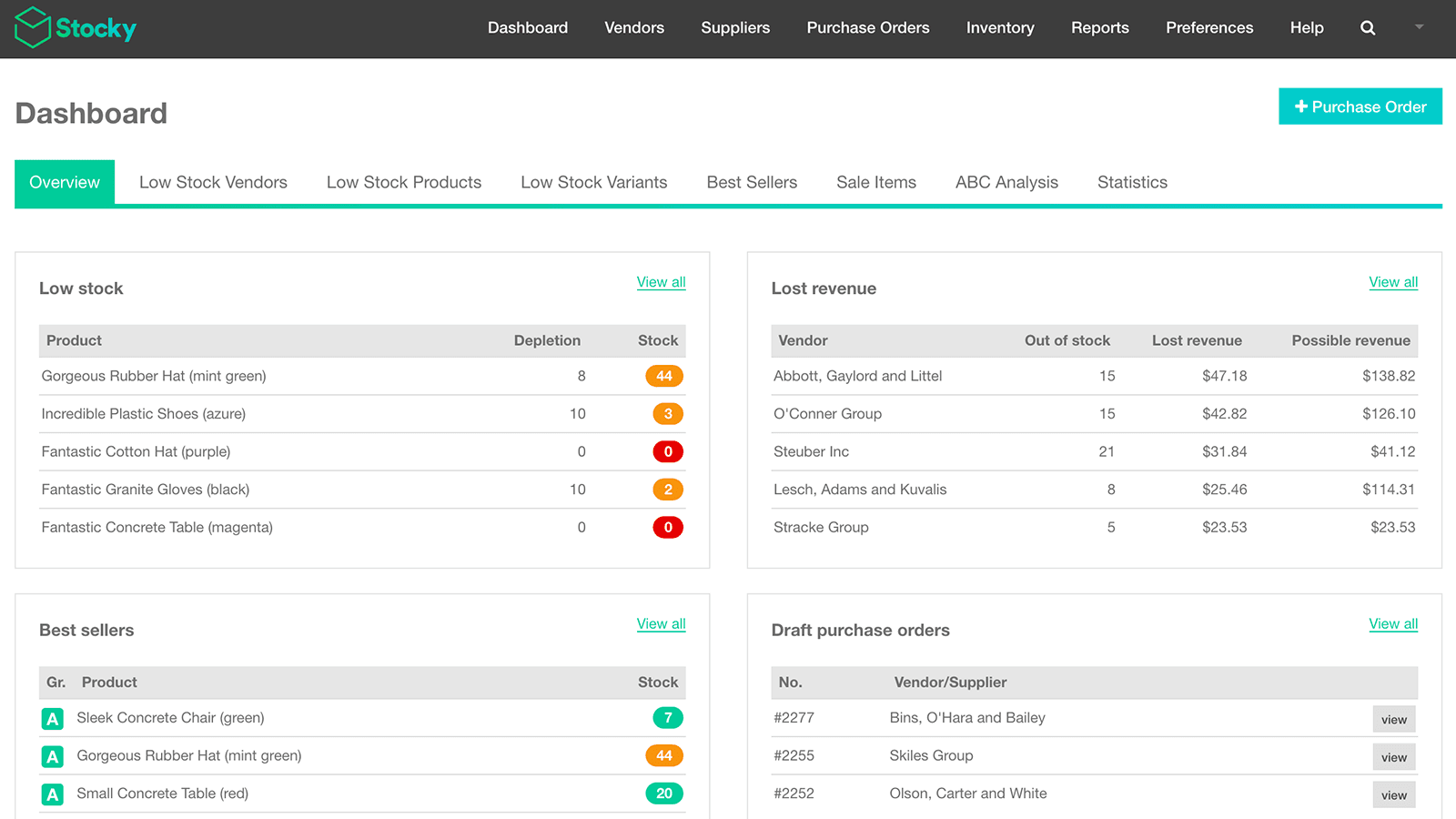
Stocky is Shopify's native inventory operations app, included free with Shopify POS Pro. It adds purchase order management, supplier tracking, demand forecasting based on sales velocity, stocktakes, and transfer orders between locations. For merchants already on POS Pro, Stocky covers most inventory operations needs without third-party tools. Mid-velocity stores running 3-10 locations and 500-5,000 SKUs find Stocky sufficient for purchasing and forecasting workflows.
Stocky's limitations show at higher operational complexity. The 3.4/5 rating reflects merchant frustration with sync delays, occasional inventory discrepancies under high-velocity conditions, and limited customization compared to dedicated inventory platforms. For retailers who need supplier portals, multi-warehouse routing, batch and lot tracking, or ERP-grade workflows, Cin7 or DEAR Inventory ($349-1,099/mo) handle requirements that Stocky cannot.
Third-Party POS Integrations
3. Square Integration & Sync (QuickSync)
Rating: 5.0/5,200+ reviews · Pricing: Free plan available, paid plans from $9.99/mo · Best for: Retailers with existing Square POS hardware needing Shopify catalog sync
Square Integration & Sync (QuickSync) is the highest-rated Square-Shopify integration, with 5,200+ reviews and 5.0/5 rating. The app handles two-way sync of products, inventory, and customers between Square POS and Shopify, with configurable sync direction (Square-to-Shopify, Shopify-to-Square, or bidirectional) and field-level mapping. For retailers with significant Square hardware investment or merchants who started on Square POS before adding Shopify e-commerce, this integration is the path of least resistance.
Sync intervals matter for high-velocity stores. QuickSync's free plan offers manual sync only; paid plans starting at $9.99/mo unlock real-time webhook-based sync with 30-second to 5-minute latency. Stores running flash sales or high-velocity weekends should plan for sync windows that exceed normal operating conditions — overselling risk increases with sync latency. The honest comparison: native Shopify POS eliminates sync entirely, but Square integration is the practical answer for stores already invested in Square hardware ($299-799 per terminal).
4. Shopify Sync for Clover
Rating: 4.5/180+ reviews · Pricing: Plans from $19/mo · Best for: Retailers with existing Clover POS hardware needing Shopify integration
Shopify Sync for Clover handles product, inventory, and order synchronization between Clover POS systems and Shopify stores. Clover hardware is common in restaurants, salons, and small retailers — particularly merchants who got Clover bundled with merchant services from their bank. The integration covers product catalog sync, real-time inventory updates, and order export to Shopify for unified reporting. For merchants locked into Clover hardware contracts (typically 3-year terms with banks), this integration extends the hardware investment by adding Shopify e-commerce on top.
Inventory and Operations Layer
5. Cin7 Core (DEAR Systems)
Rating: 4.4/180+ reviews · Pricing: From $349/mo · Best for: Multi-channel retailers with $1M+ annual revenue and complex inventory operations
Cin7 Core (formerly DEAR Inventory) is enterprise-grade inventory management for retailers running multiple sales channels, warehouses, and supplier relationships. It covers purchase orders, sales orders, batch and lot tracking, manufacturing workflows, multi-warehouse transfers, B2B portals, and integrations with QuickBooks/Xero accounting. For Shopify retailers hitting $1M+ in annual revenue with operational complexity that exceeds Stocky's capabilities, Cin7 Core is the standard upgrade path.
Pricing reality: Cin7 Core starts at $349/mo and scales by user count and integration complexity. Implementation typically requires 2-4 weeks of setup and migration work. The cost-benefit threshold lands roughly at the $1M-1.5M revenue mark — below that, Stocky plus disciplined manual workflows handle most needs. Above it, the operational hours saved by automated reordering, supplier portals, and multi-warehouse routing pay back the platform cost within 6-9 months.
Retail Workflow Specialization
6. Zapiet — Pickup + Delivery
Rating: 4.9/2,100+ reviews · Pricing: From $29.99/mo · Best for: BOPIS and local delivery retailers needing scheduling and capacity management
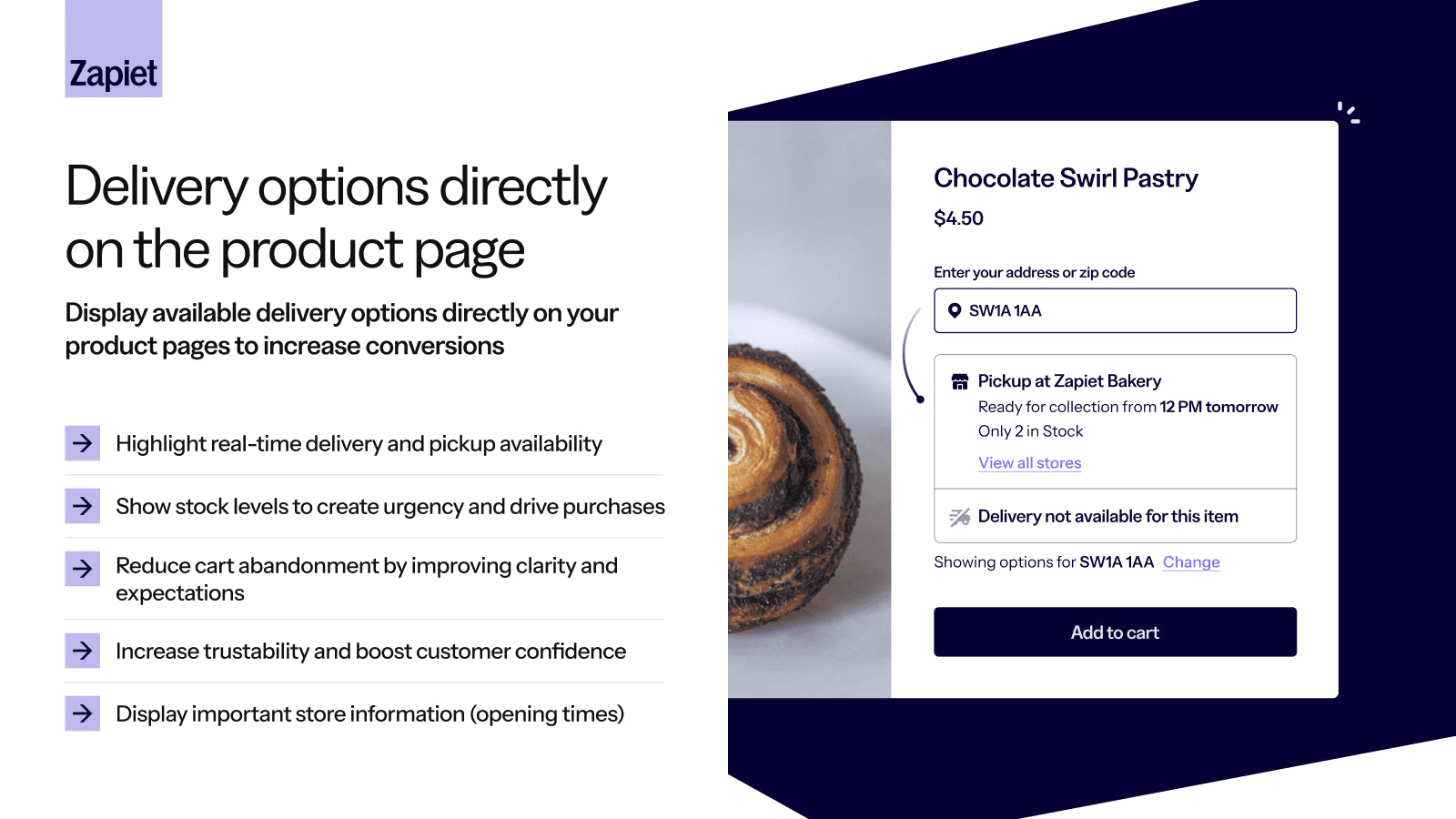
Zapiet is the leading pickup and delivery scheduling app on Shopify, with 4.9/5 rating across 2,100+ reviews. The app handles BOPIS (buy online pickup in-store) workflows, curbside pickup, and local delivery with date and time slot selection at checkout. Multi-location stores configure different pickup hours, capacity limits per slot, and customer notifications via email and SMS. For retailers running active pickup programs — particularly grocery, pharmacy, and home goods — Zapiet handles the complexity that Shopify's native pickup options cannot.
Zapiet's value compounds for stores running 3+ locations with varied pickup hours, holiday schedule management, or capacity constraints (pickup orders limited per hour to prevent staff overload). Single-location stores with simple pickup needs may find Shopify's native local pickup option sufficient at zero cost.
7. Endear (Clienteling)
Rating: 4.9/100+ reviews · Pricing: From $60/user/mo · Best for: Service-driven retail (jewelry, beauty, fashion) running clienteling programs
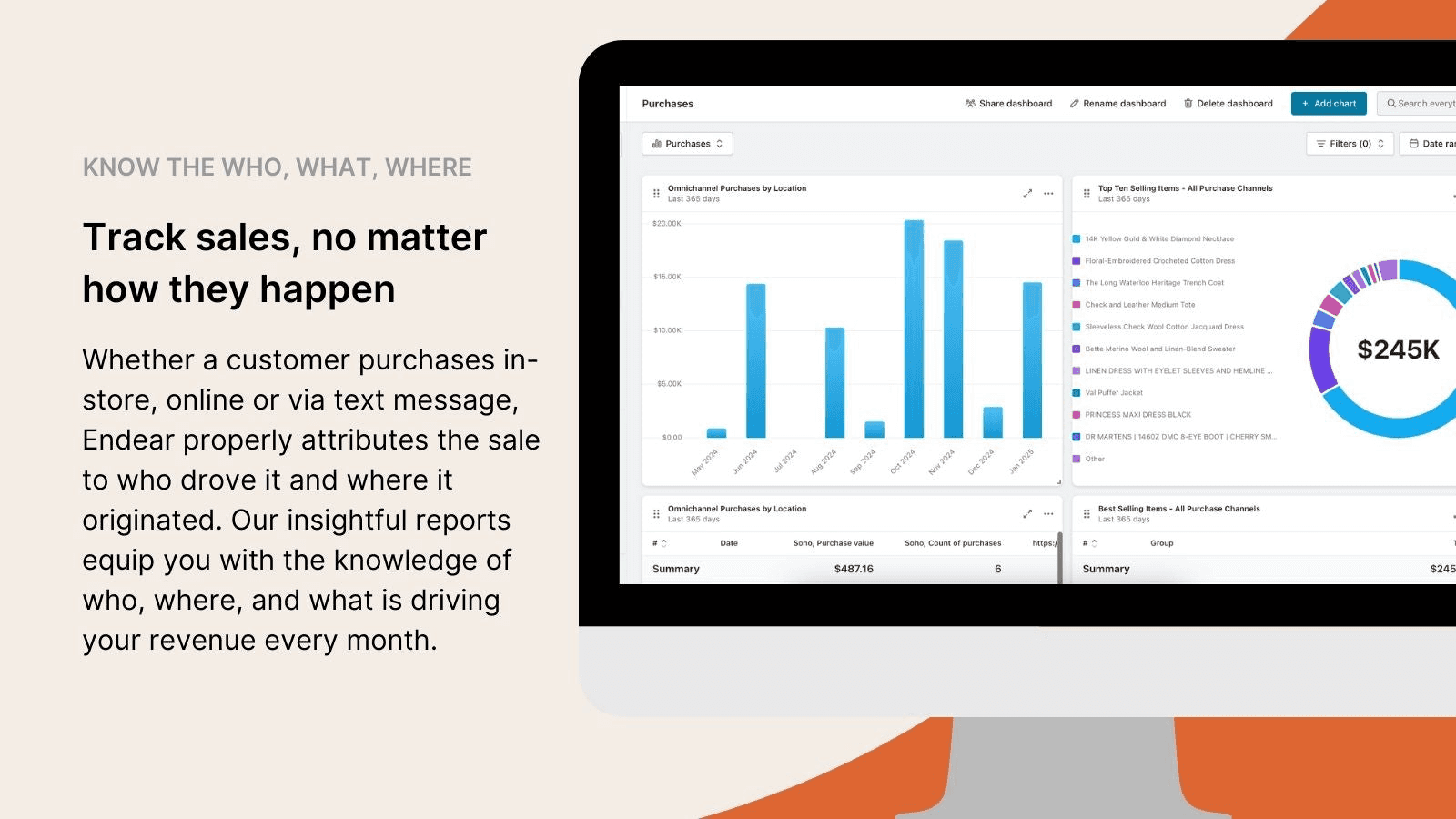
Endear is purpose-built clienteling software for retail teams running personalized customer outreach. Sales associates capture customer preferences, log in-store conversations, build outfit recommendations, and reach out via SMS and email through one platform connected to Shopify customer profiles. For service-heavy retail categories — jewelry, premium beauty, designer fashion, automotive — clienteling drives 20-30% of repeat revenue from a small base of high-LTV customers.
The economics work specifically when merchants have customers worth $500+ in annual purchase value and sales associates with relationship depth. Stores with transactional retail patterns (impulse purchases, low repeat) cannot justify $60/user/mo clienteling pricing.
8. BookThatApp by Zetya
Rating: 4.6/350+ reviews · Pricing: From $19.95/mo · Best for: Service-based retailers (salons, classes, rentals) needing appointment booking
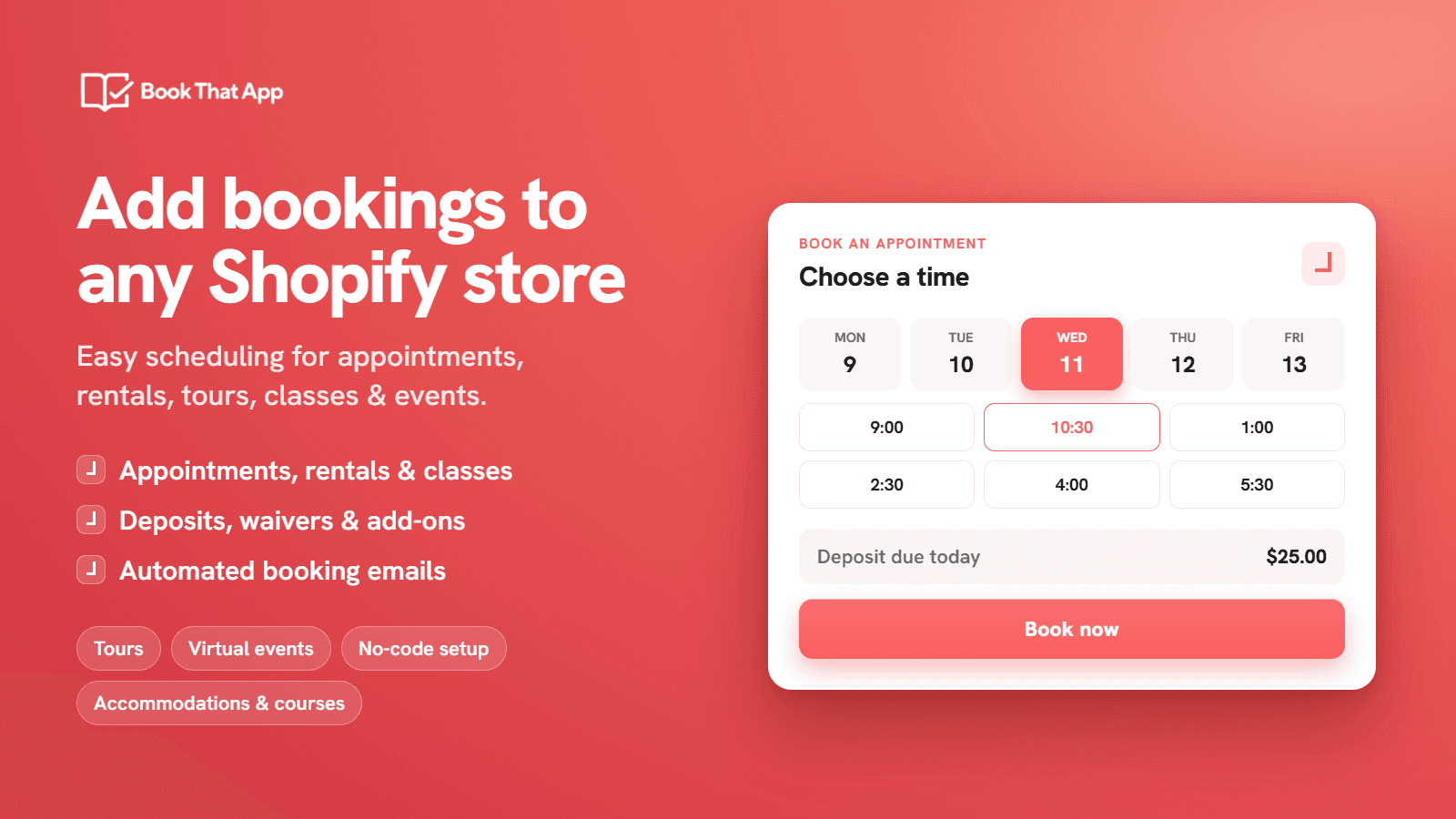
BookThatApp adds appointment scheduling, class booking, and rental management to Shopify retail operations. The app handles staff calendars, time slot selection at checkout, capacity limits per service, automated reminders, and reschedule workflows. For retailers running services alongside product sales — beauty salons, fitness studios, equipment rentals, repair shops — BookThatApp covers booking workflows that POS and standard product checkout cannot handle.
Comparing the Stack
The decision tree for most omnichannel retailers: start with Shopify POS Lite (free) for the in-person sales loop, add POS Pro ($89/mo per location) once daily transaction volume justifies smart inventory and staff permissions, layer in Stocky (free with POS Pro) for purchasing workflows, and add Zapiet ($29.99/mo) once pickup or delivery becomes a meaningful revenue channel. For stores with existing Square or Clover hardware, replace the POS layer with Square Integration & Sync ($9.99/mo) or Shopify Sync for Clover ($19/mo) and accept the sync latency tradeoff.
Online-side conversion is a separate stack. Libautech's Bundles & Upsell ($14.99/mo Package plan), Sticky Add to Cart (included in Package), and Announcement Bar (included in Package) cover product-page upsells, cart abandonment reduction via persistent CTA, and store-wide messaging for BOPIS availability or free-shipping progress. The combination handles the online conversion side of omnichannel retail at the lowest combined cost in the category.
How We Ranked These Apps
The Libautech team builds Shopify apps used by 5,000+ merchants across 50+ countries, holding multiple Built for Shopify certifications. The retail apps in this guide were evaluated using four criteria, weighted in order of merchant impact:
Inventory sync reliability. The single highest-impact retail factor is whether the app keeps online and in-person inventory aligned without overselling. Native POS systems score highest here by definition. Third-party integrations were evaluated based on documented sync intervals, webhook reliability, and merchant review patterns specifically mentioning sync failures.
Hardware ecosystem fit. Retail apps don't exist in isolation — they connect to physical hardware (terminals, scanners, printers, payment readers). Apps were ranked higher when they support standard retail hardware (Shopify POS hardware, Square hardware, Clover hardware) versus requiring proprietary devices that lock merchants into vendor ecosystems.
Operational complexity match. The right app depends on store complexity. Single-location, low-velocity stores need simpler tools than multi-location, high-volume operations. Apps were evaluated against the operational maturity threshold where their feature set actually pays back the monthly cost — not where vendors market them.
Review quality and recency. Apps with 4.5+ ratings across 100+ reviews scored highest, with bonus weight for reviews from the last 12 months. Apps with high review counts but documented quality drops (Stocky's 3.4 rating despite Shopify ownership) were noted with the specific concerns merchants raise.
Frequently Asked Questions
Do I need Shopify POS if I have an online-only store?
No. Shopify POS is built for retailers running in-person sales alongside online. Online-only stores get nothing from POS. The decision to add POS comes when you start selling at events, popups, wholesale appointments, or open a physical location.
Should I use Shopify POS or Square POS?
If you have no existing POS hardware, Shopify POS is the better choice for Shopify merchants because inventory sync is native and there is no integration latency. If you already have Square hardware (which is common for stores that started before adding Shopify e-commerce), keep Square and add the QuickSync integration. The cost of switching POS hardware mid-operation typically exceeds the value of going native.
What is BOPIS and do I need it?
BOPIS stands for buy online pickup in-store — customers order on your website and collect at your physical location. It typically lifts omnichannel revenue 15-30% for stores that already have ~80% catalog parity between online and in-store inventory. Stores with poor catalog parity should fix that first; stores with strong parity should add Zapiet or similar pickup scheduling.
When should I upgrade from Shopify POS Lite to POS Pro?
The trigger points are: 50+ daily transactions, multiple staff members needing role-based permissions, multi-location operations needing transfer workflows, or smart inventory needs (low-stock alerts, automated reordering). Below those thresholds, POS Lite plus Stocky alternatives handle most needs.
Do I need Cin7 Core or other enterprise inventory software?
Most stores under $1M annual revenue do not. Stocky (free with POS Pro) plus disciplined inventory counts handle most needs. Cin7 Core becomes worthwhile when you hit multi-warehouse, supplier portal, batch and lot tracking, or ERP integration requirements that Stocky cannot match — typically at $1M-1.5M+ revenue.
What is clienteling and which retailers benefit?
Clienteling is structured personalized outreach to high-LTV customers — sales associates log preferences, build recommendations, and reach out via SMS and email through dedicated software like Endear. It works for service-heavy retail with $500+ annual customer LTV (jewelry, premium beauty, designer fashion). Transactional retail with low repeat patterns cannot justify the cost.
Can I run appointment-based services through Shopify retail apps?
Yes, with BookThatApp or similar. Shopify's native checkout was built for product sales, not service appointments — booking apps add staff calendars, time slots, capacity limits, and automated reminders. Salons, fitness studios, equipment rentals, and repair shops typically need this layer on top of POS.
How do third-party POS integrations handle high-traffic days like Black Friday?
Carefully. Sync intervals that work fine under normal conditions (30 seconds to 5 minutes) become problematic under flash sales when inventory shifts faster than the sync window. Stores running aggressive flash sales should consider migrating to native Shopify POS for those high-velocity periods, or accept higher overselling risk during peak windows.
What hardware do I need to start with Shopify POS?
Minimum for testing: an iPad or iPhone with the free Shopify POS app installed and a Tap & Chip Reader ($49). Professional setups add a POS Go ($429) or POS Terminal ($349), receipt printer, cash drawer, and barcode scanner depending on workflow. Total first-register investment runs $400-1,200 depending on configuration.
How do Libautech's apps fit with retail operations?
Libautech's apps cover the online-conversion side of omnichannel retail. The $14.99/mo Package plan includes Sticky Add to Cart for persistent button visibility on online sessions, Bundles & Upsell for product page and cart upsells that lift online AOV, and Announcement Bar for store-wide BOPIS availability and free-shipping progress messaging. Combined with Shopify POS for the in-person side and Zapiet for pickup workflows, this stack handles a complete omnichannel retail operation at the lowest combined cost in the category.
Final Word
Most Shopify retailers under $5M annual revenue don't need enterprise POS or inventory tools. The native Shopify POS Lite or Pro plus disciplined inventory counts and Zapiet for pickup workflows handle most operational needs. Reserve Cin7 Core, Endear, and BookThatApp for stores where operational complexity, customer LTV, or service-based revenue patterns specifically justify the investment. Stack additional online conversion tools — Libautech's Bundles & Upsell, Sticky Add to Cart, Announcement Bar — to capture the e-commerce side of omnichannel revenue without adding monthly cost to the retail operations budget.
Building a Shopify retail app?
If you have built a Shopify app in the retail category and want it considered for this list, reach out at hello@libautech.com. We update this guide as new apps prove out merchant outcomes.