
8 Best Shopify SKU & Barcode Apps (2026)
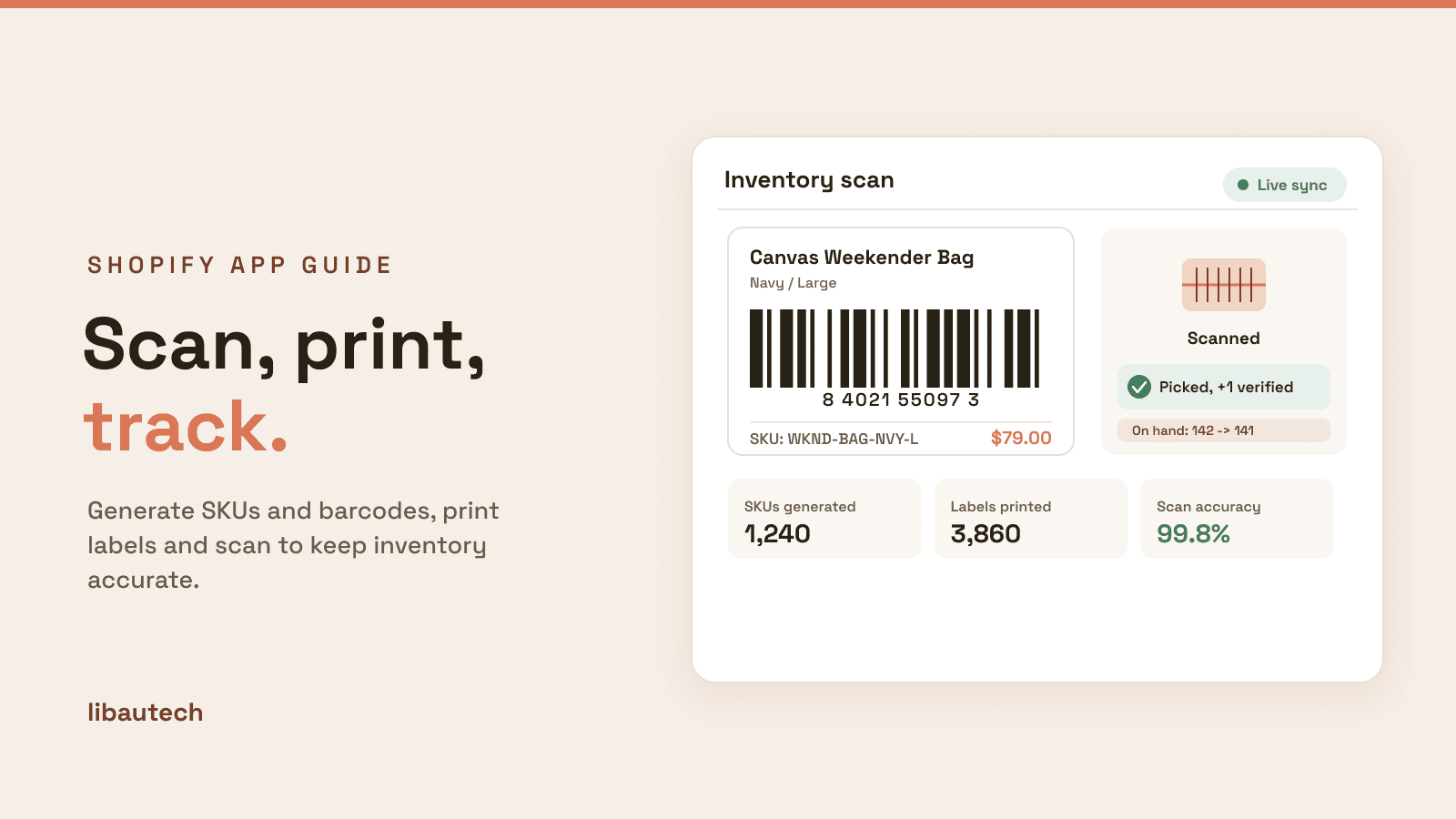
The best Shopify SKU and barcode apps in 2026 keep your inventory accurate and your back office fast: they generate consistent SKUs, print scannable barcode labels, and turn a phone or scanner into a fulfillment and stocktake tool. They cover four jobs: SKU generation, barcode label printing, mobile scanning, and a native baseline. Yanet and MS Barcode lead label printing, 506 EasyScan owns scanning, and Shopify's own free app is the basic starting point. We do not make a barcode app, so this is a neutral roundup ranked on merit.
Key takeaways
- Shopify's own Retail Barcode Labels app is free but basic, and its rating reflects that, so most stores that print labels seriously use a third-party app like Yanet or MS Barcode instead.
- A good SKU scheme is worth setting up once. Consistent, meaningful SKUs make picking, counting and reporting far easier than random codes assigned by hand.
- Scanning apps such as 506 EasyScan cut fulfillment errors: scan to verify picks and update stock, which matters most for multi-location or higher-volume stores.
- A SKU is your internal code; a barcode can be a UPC or GTIN used externally. If you sell on Amazon or in retail, you usually need real GS1 GTINs, not self-generated barcodes. Ratings and pricing are from the live App Store as of August 2026.
On this page
What a SKU and barcode app does
SKUs and barcodes are the backbone of inventory: the SKU is the internal code that identifies a product variant, and the barcode is the scannable version used to move it through fulfillment. Apps handle the parts Shopify's admin does not, in four ways.
Generate SKUs from rules, so codes follow a logical, consistent pattern across your catalog instead of being typed by hand and drifting over time.
Print barcode labels, designing and printing custom labels with barcodes, prices and product details on standard or thermal printers, in the sizes your products and shelves need.
Scan to fulfill and count, turning a phone or handheld scanner into a tool that verifies picks, speeds packing and runs stocktakes, updating inventory as you go.
Stay compliant, generating valid barcode formats, and, where you sell into retail or marketplaces, working with the GS1 GTINs those channels require.
Which inventory job is yours
Name your main task and match it to a row.
| Your task | Best pick | Why |
|---|---|---|
| Print custom barcode labels | Yanet Retail Barcode Labels | The most-reviewed label designer and printer. |
| Generate barcodes and labels | MS Barcode Labels & Generator | Barcode generation and printing in one app. |
| Scan to pick, pack and count | 506 EasyScan | A 5.0-rated scanning and stocktake tool. |
| Auto-generate an SKU scheme | SGT: SKU and Barcode Generator | Rule-based, consistent SKUs across the catalog. |
| Just the free basics | Retail Barcode Labels (native) | Shopify's own free, if basic, label app. |
How we ranked these
We do not make a barcode app, so nothing on this list is ours and there is no bias to disclose. We ranked on label design and print flexibility, SKU and barcode generation, scanning and stocktake features, rating and review depth, and price. We include Shopify's own free app for completeness but are honest that it is basic and lightly rated, so most stores step up to a third-party tool. Ratings and pricing are from the live Shopify App Store as of August 2026.
The 8 best SKU and barcode apps compared
| App | Rating | Reviews | Price | Best for |
|---|---|---|---|---|
| Yanet Retail Barcode Labels | 4.9 | 439 | Free to install | Designing and printing labels |
| MS Barcode Labels & Generator | 4.9 | 368 | Free plan available | Generating barcodes and labels |
| 506 EasyScan SKU & Barcode | 5.0 | 333 | From $9.99/mo | Scanning to pick, pack and count |
| RF: Barcode Generator & Labels | 5.0 | 295 | Free | Free barcode generation and labels |
| CTS Multi Barcode Labels | 4.9 | 85 | $9.99/mo | Multi-format, bulk labels |
| SGT: SKU and Barcode Generator | 4.7 | 42 | Free plan available | Rule-based SKU generation |
| Airo Retail Barcode Generator | 5.0 | 29 | Free plan available | Simple barcode generation |
| Retail Barcode Labels (native) | 2.3 | 466 | Free | A free, basic baseline |
Ratings and pricing verified from live listings, August 2026. Shopify's own Retail Barcode Labels is free but basic; its low rating is why most stores prefer a third-party app.
The apps, ranked
1. Yanet Retail Barcode Labels
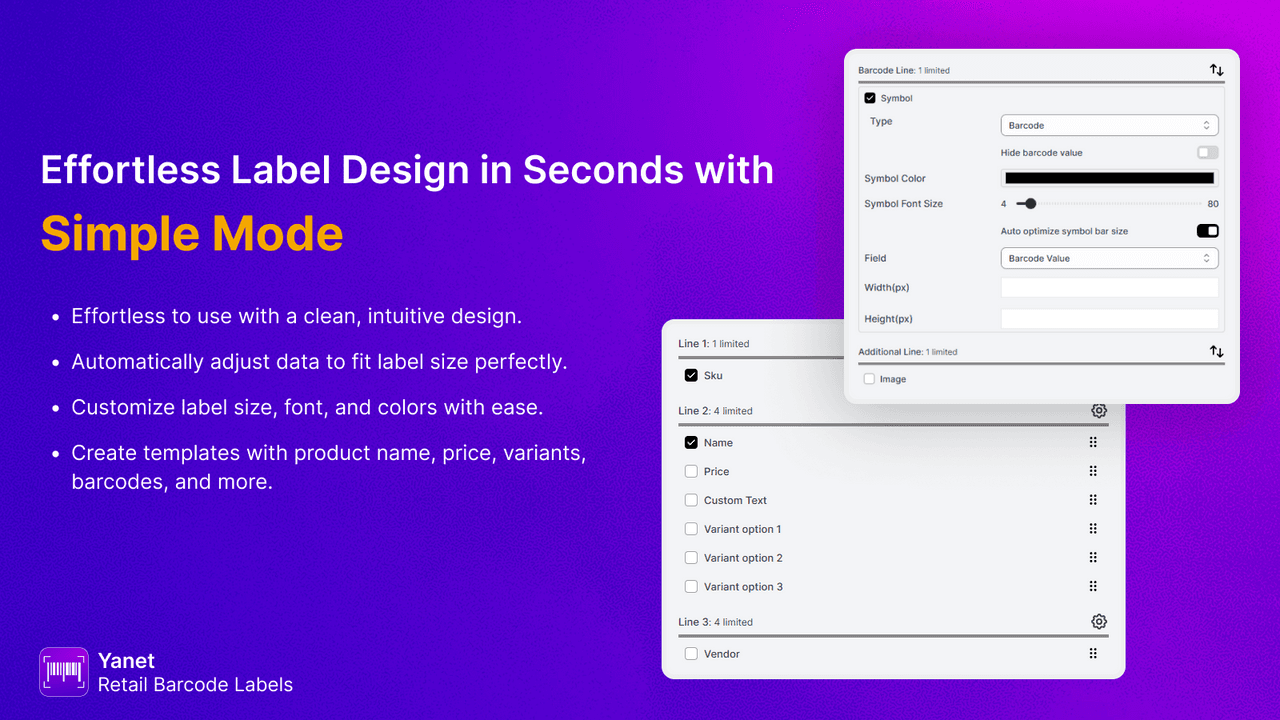
Yanet Retail Barcode Labels (4.9 across more than 430 reviews) is the most-reviewed label app and the pick for design and print. It creates custom barcode and price labels in any size, works with standard and thermal printers, and is free to install, which makes it the practical default over Shopify's basic native app.
Strengths: flexible label design, broad printer support, a deep review base at 4.9, and free installation.
Watch-outs: it is focused on labels, so pair it with a scanning app if you also need fulfillment scanning.
Best for: most stores that print barcode and price labels. Free to install.
2. MS Barcode Labels & Generator
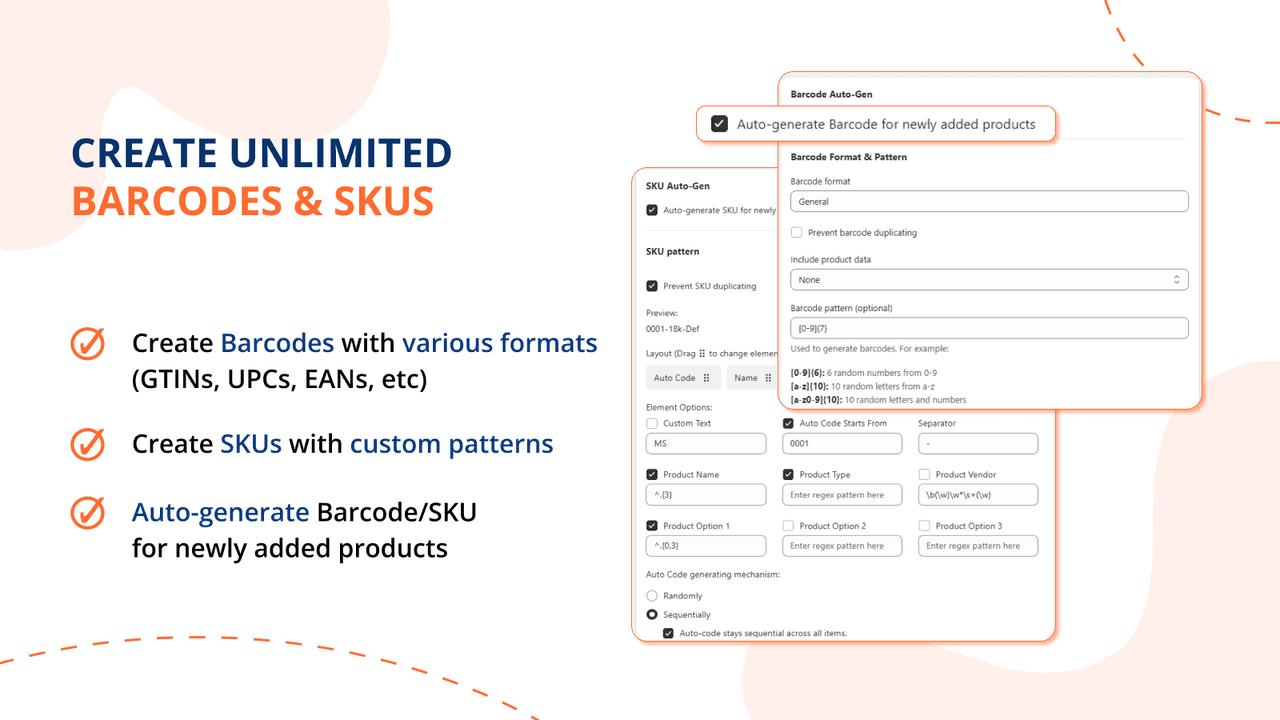
MS Barcode Labels & Generator (4.9 across roughly 370 reviews) handles both sides in one app: it generates barcodes for products that lack them and prints matching labels from flexible templates, on a free plan.
Strengths: barcode generation plus label printing together, flexible templates, a high rating, and a free tier.
Watch-outs: generated barcodes are for internal use; for retail or marketplaces you still need real GS1 GTINs.
Best for: stores that need to generate barcodes and print labels. Free plan available.
3. 506 EasyScan SKU & Barcode
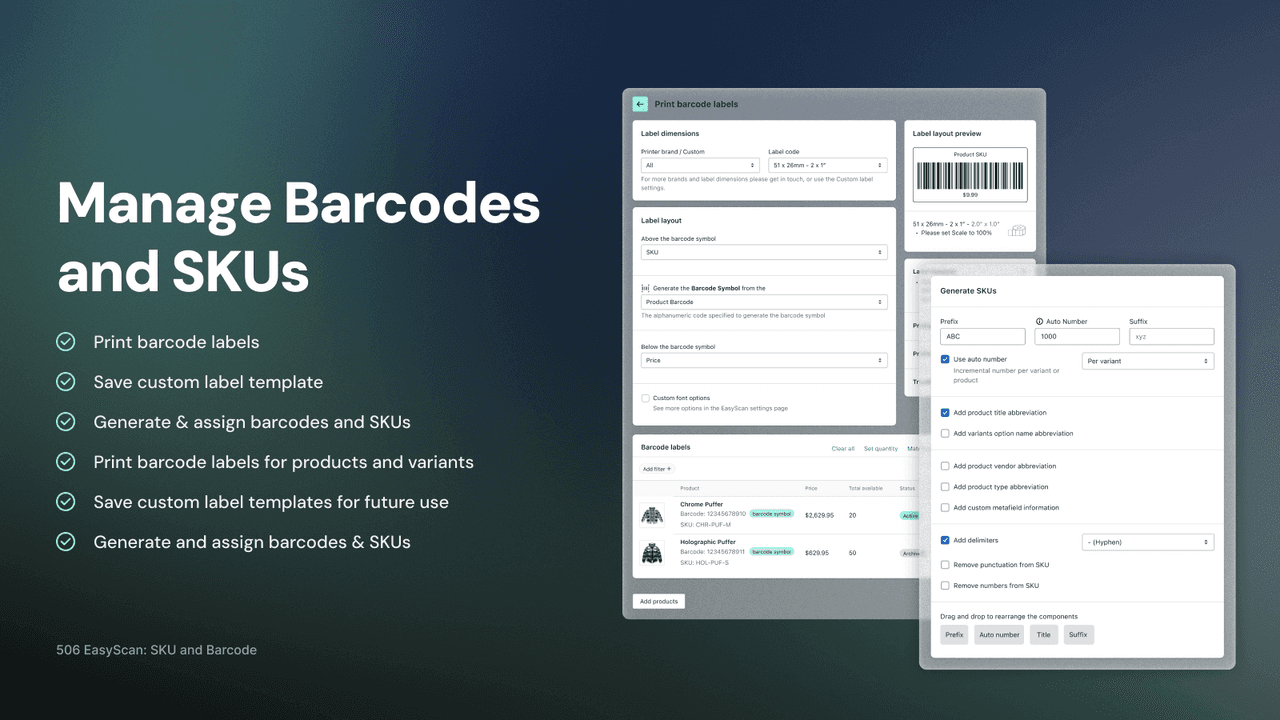
506 EasyScan (5.0 across more than 330 reviews) is the scanning specialist. It lets staff scan barcodes to verify order picks, speed packing and run stocktakes on a phone or handheld scanner, updating Shopify inventory as they go, which cuts fulfillment errors.
Strengths: a 5.0 rating, order-picking verification and stocktakes, and live inventory updates from a phone.
Watch-outs: it is a scanning workflow tool rather than a label designer, so pair it with a label app.
Best for: stores wanting to scan for fulfillment and stock accuracy. From $9.99/mo.
4. RF: Barcode Generator & Labels
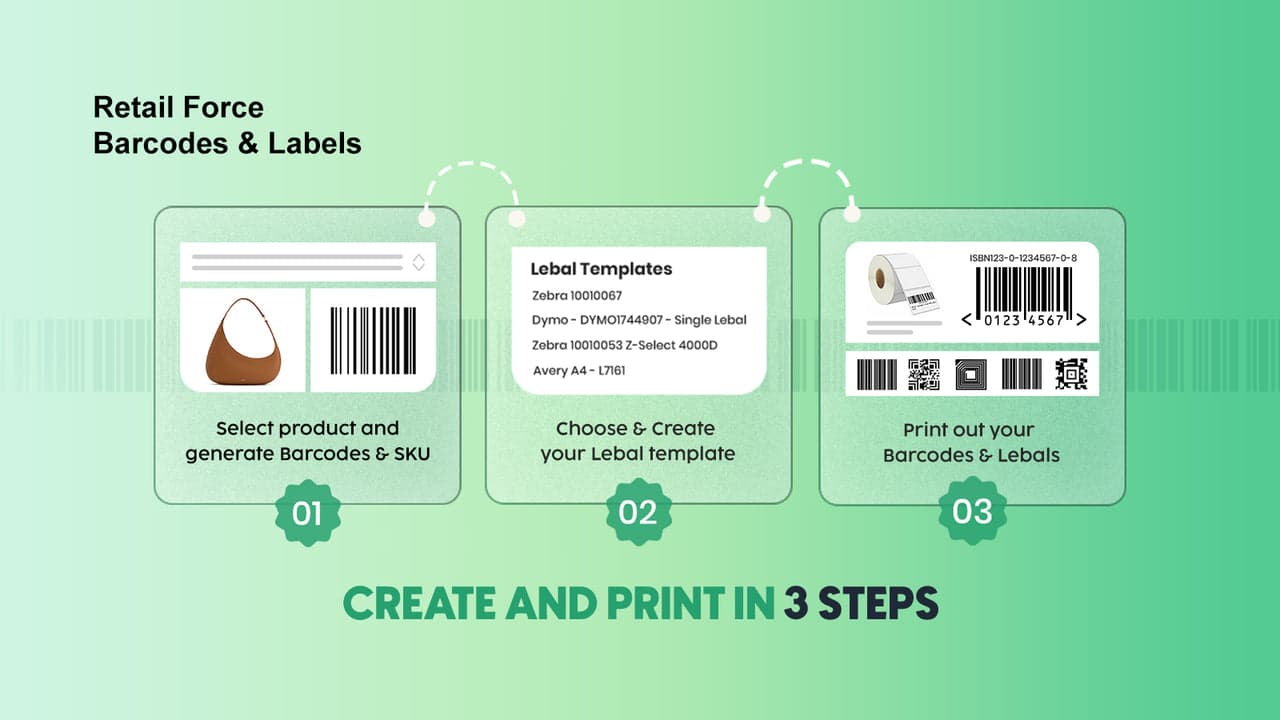
RF: Barcode Generator & Labels (5.0 across roughly 295 reviews) is a strong free option: generate barcodes and print labels at no cost, with a 5.0 rating across a solid review base, appealing to stores that want capable labeling without a subscription.
Strengths: a 5.0 rating, genuinely free barcode generation and printing, and a good review base.
Watch-outs: as a free app, advanced needs may push you toward a paid tool, and generated codes are internal, not GTINs.
Best for: stores wanting free barcode generation and labels. Free.
5. CTS Multi Barcode Labels
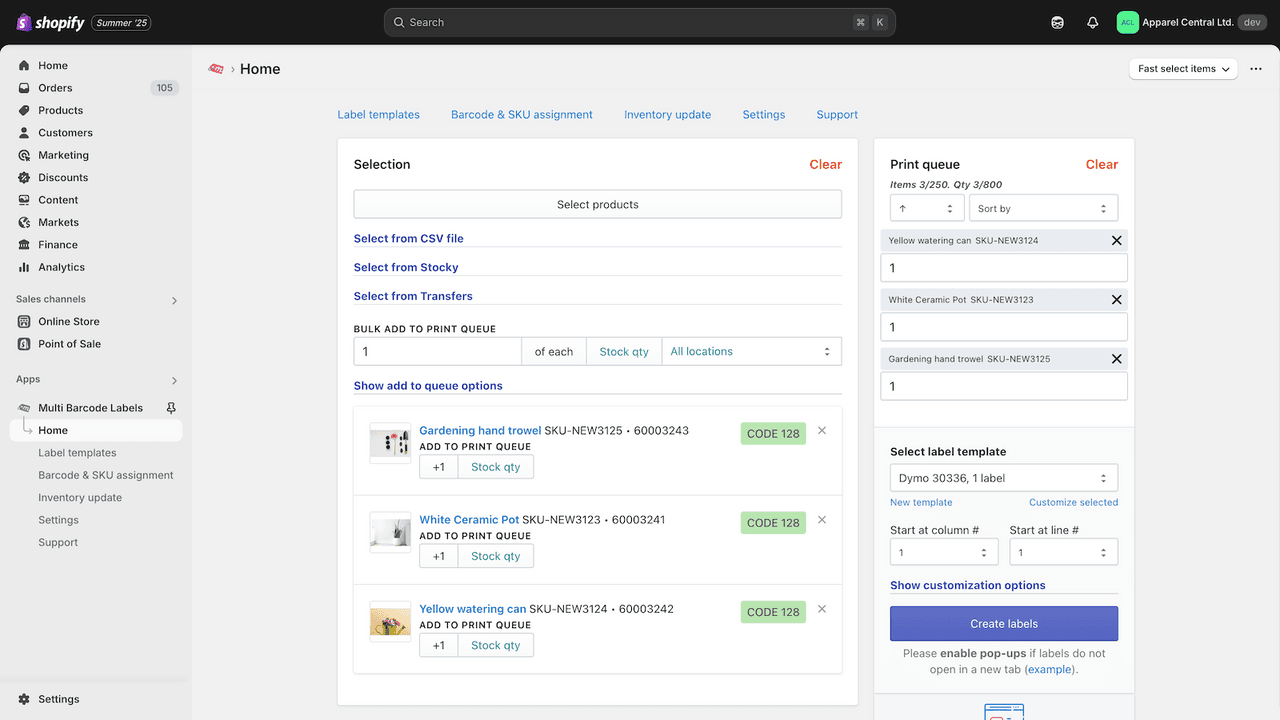
CTS Multi Barcode Labels (4.9 across roughly 85 reviews) is built for varied and high-volume labeling: many barcode and label formats, batch printing and template control, for stores and warehouses with mixed labeling needs.
Strengths: multi-format and bulk label printing with a high rating, suited to more complex operations.
Watch-outs: a smaller review base and a flat monthly fee, so it fits stores whose labeling is genuinely varied.
Best for: stores and warehouses with multi-format label needs. $9.99/mo.
6. SGT: SKU and Barcode Generator
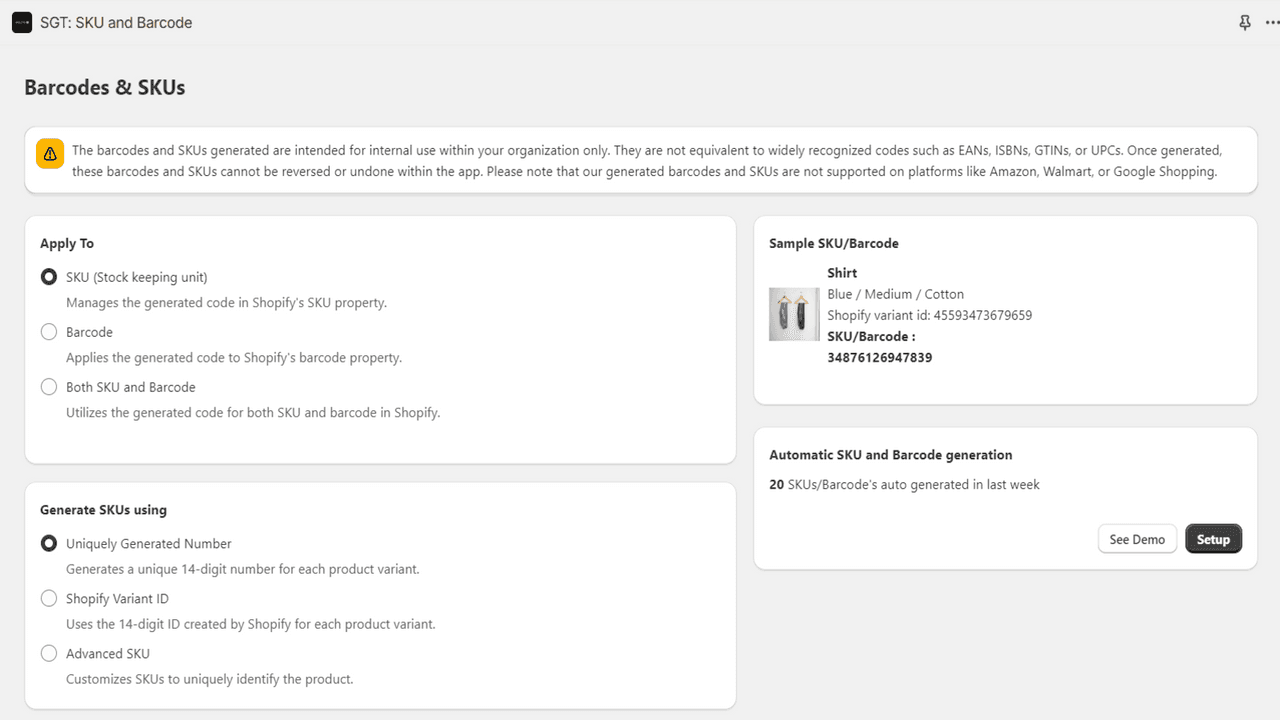
SGT: SKU and Barcode Generator (4.7 across roughly 40 reviews) focuses on the SKU side: it creates consistent, rule-based SKUs and barcodes across your catalog, so your codes follow a logical pattern rather than being assigned ad hoc.
Strengths: rule-based, consistent SKU and barcode generation, which pays off in cleaner inventory.
Watch-outs: a smaller review base, and it is generation-focused rather than a full label or scan tool.
Best for: stores wanting a clean, automated SKU scheme. Free plan available.
7. Airo Retail Barcode Generator
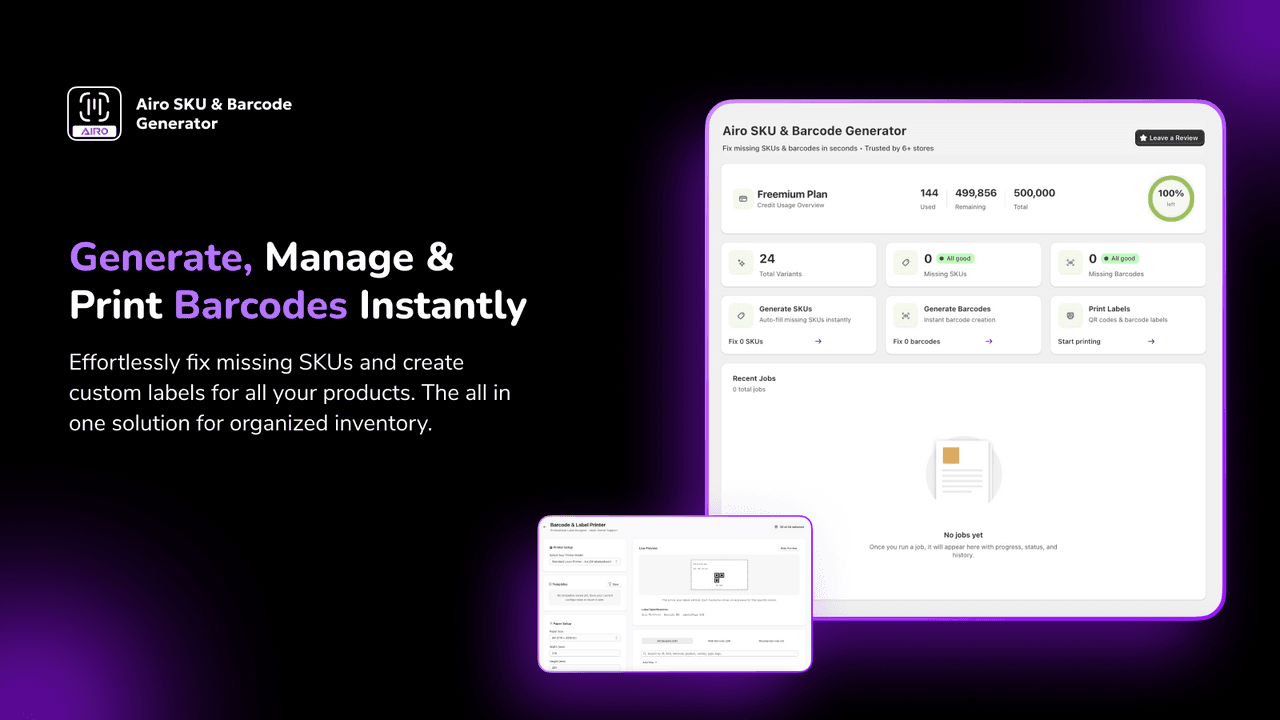
Airo Retail Barcode Generator (5.0 across a small base of 29 reviews) is a simple, well-rated generator for creating barcodes across products, on a free plan, for stores that just need clean barcodes without extra complexity.
Strengths: a 5.0 rating, simple barcode generation, and a free plan.
Watch-outs: a small review base and a narrow focus, so add a label or scan app for those jobs.
Best for: stores wanting simple, free barcode generation. Free plan available.
8. Retail Barcode Labels (native)
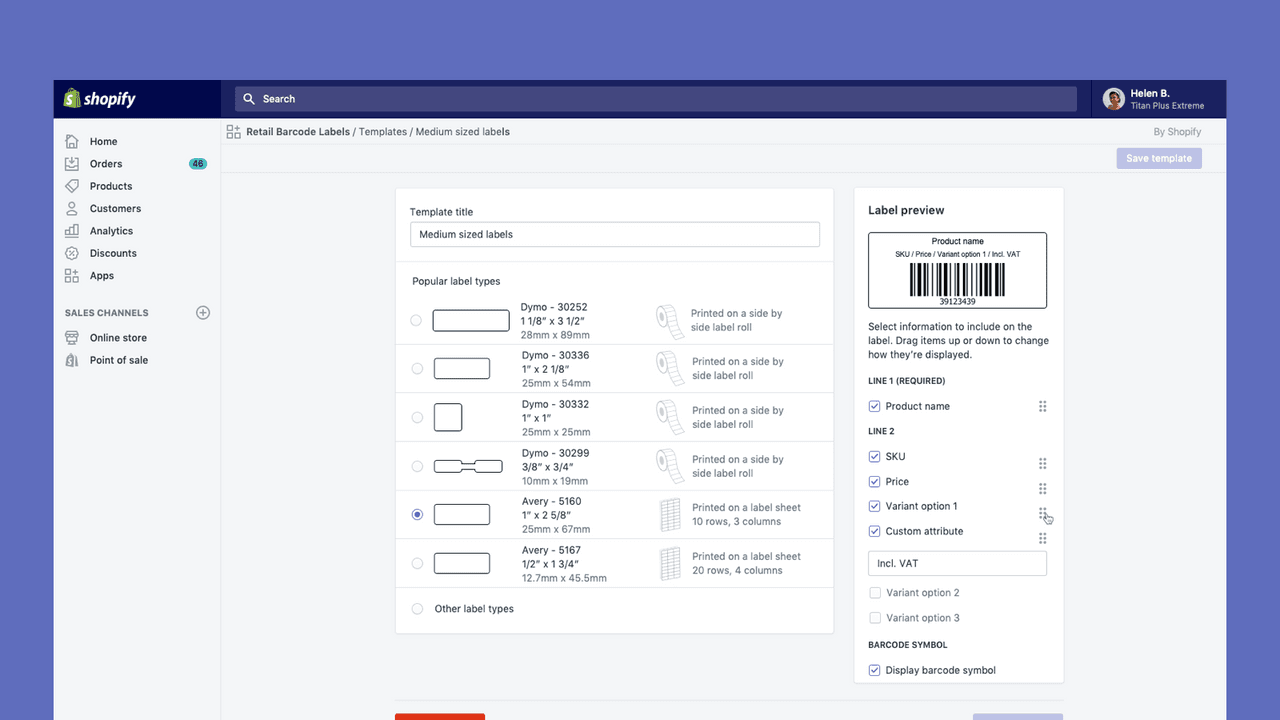
Retail Barcode Labels (2.3 across more than 460 reviews) is Shopify's own free app for printing barcode labels. It is included at no cost and covers the basics, but its low rating reflects a limited feature set and printer support, so it is a baseline rather than a first choice.
Strengths: free, official, and enough to print simple labels for a small store.
Watch-outs: a low rating, limited design and printer flexibility, and no scanning, so most stores outgrow it quickly.
Best for: new or small stores testing basic label printing for free. Free.
Which SKU or barcode app to choose
Best for label printing: Yanet Retail Barcode Labels, or MS Barcode to generate too.
Best for scanning and stocktakes: 506 EasyScan.
Best free option: RF: Barcode Generator & Labels.
Best for SKU schemes: SGT: SKU and Barcode Generator.
Best free baseline: Shopify's Retail Barcode Labels, before you upgrade.
Which SKU or barcode app fits your store?
Pick what you need most and we will point you to the best fit. We do not make a barcode app, so every pick here is chosen on merit.
Common SKU and barcode mistakes
Using random or inconsistent SKUs. SKUs assigned by hand drift into chaos. Set a clear, meaningful scheme once, or generate them by rule, so codes are readable and consistent across the catalog.
Confusing SKUs with barcodes and GTINs. A SKU is your internal code; a barcode encodes it, and a GTIN or UPC is a globally unique code from GS1. If you sell on Amazon or in retail, you need real GTINs, not self-generated barcodes.
Relying on the basic native app. Shopify's free label app is limited, which its rating shows. If labeling matters to your operation, use a proper label app for design and printer flexibility.
Not scanning at fulfillment. Picking and packing by eye causes wrong-item errors and stock drift. Scanning to verify each pick catches mistakes before they ship and keeps inventory accurate.
Printing labels that do not scan. Labels that are too small, low-contrast or poorly printed fail at the scanner. Test that your printed barcodes scan reliably before rolling them out across the store.
Think your app belongs on this list?
We review submissions against the same criteria we rank on and add the ones that qualify. If you build a Shopify app in this category, send it in.