
Best Shopify Inventory Sync Apps 2026
Last updated: May 2026 · Pricing verified May 4, 2026 · Reviewed by the Libautech team, builders of Bundles & Upsell, Sticky Add to Cart, Announcement Bar, and 7 other Shopify apps used by 5,000+ merchants across 50+ countries.
Key Takeaways
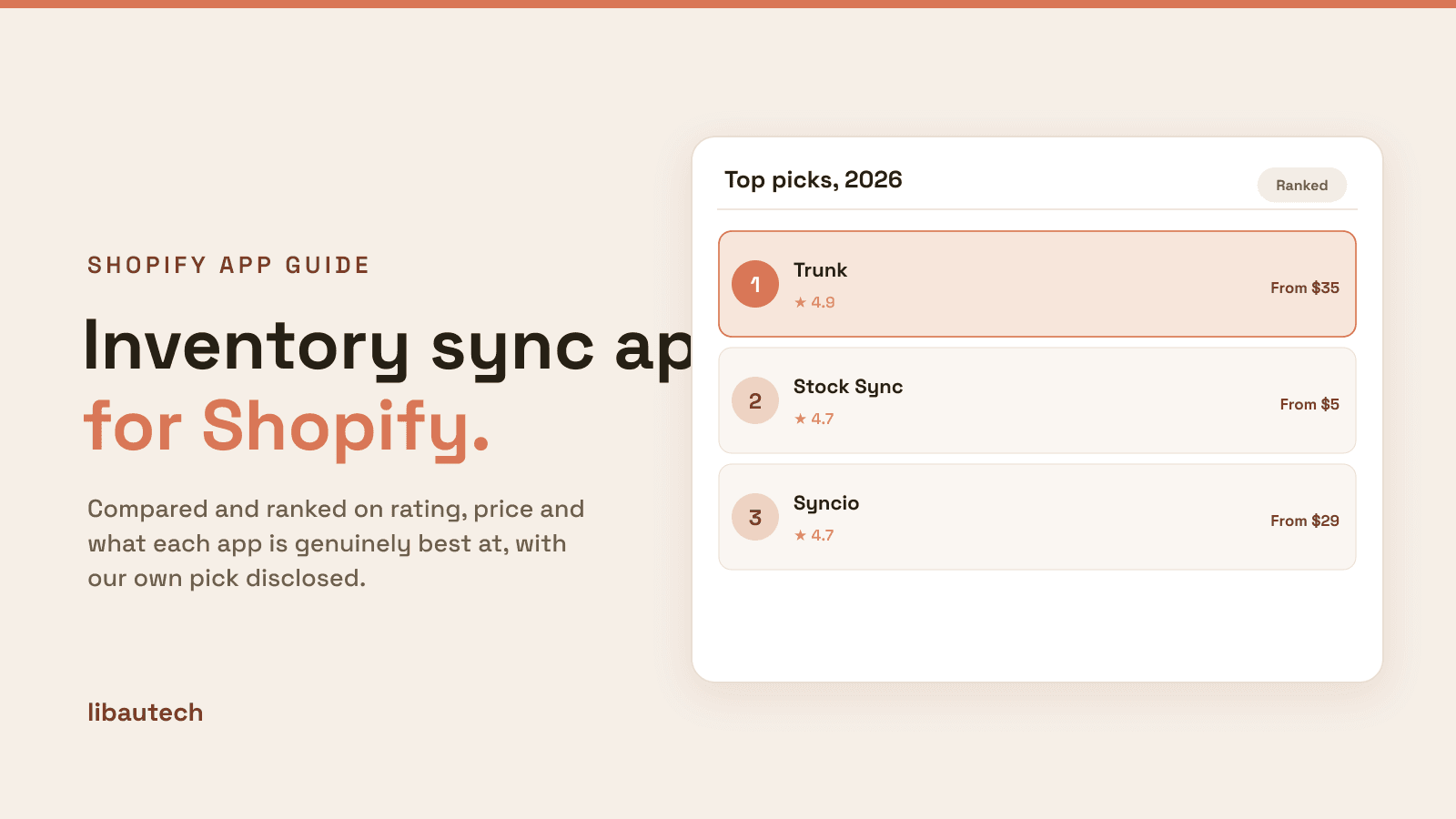
- Shopify inventory sync apps split into four distinct jobs that competitor blogs lump together. Multi-channel marketplace sync (Trunk, Stock Sync) keeps inventory aligned across Shopify, Etsy, Amazon, eBay, and other marketplaces. Multi-store Shopify sync (Syncio, Multi Store Sync Power) handles inventory between two or more Shopify stores. Supplier feed sync (Realtime Stock Sync, Stock Sync) pulls inventory from supplier feeds into Shopify. POS-to-online sync (QuickSync, Shopify Sync for Clover) handles physical retail to e-commerce inventory alignment.
- Inventory sync is the single highest-stakes integration in any multi-channel operation. Stores selling on Shopify plus Etsy, Amazon, or eBay routinely oversell items because inventory updates lag between channels by 5-30 minutes on scheduled sync. Overselling generates refunds, negative reviews, and platform penalties (especially on Amazon, where account suspension follows repeated stockouts). Investing in webhook-based real-time sync rather than scheduled batch sync prevents the cost.
- Multi-store Shopify sync drives operational efficiency for brands running regional storefronts. Brands with US, EU, and UK Shopify stores (running on different domains for tax, currency, and pricing reasons) need inventory sync between stores so the same SKU does not oversell across regions. Syncio at $29/mo per store handles webhook sync; Multi Store Sync Power at $14.99/mo flat handles 2-5+ stores.
- Supplier feed sync apps eliminate manual inventory updates for dropshippers and brands carrying third-party SKUs. Stock Sync at free/$5/mo and similar apps pull inventory from supplier FTP, CSV, XML, or API feeds on schedules ranging from hourly to daily, then push updates to Shopify. For dropshippers running 1,000+ SKUs across multiple suppliers, automated feed sync is non-negotiable. Manual updates compound to full-time work.
- The biggest inventory sync mistake is choosing scheduled-batch sync over webhook real-time sync to save money. Stores running flash sales, viral product launches, or high-velocity weekends routinely oversell when sync intervals exceed 5 minutes. Webhook-based real-time sync (Trunk, Syncio premium tiers) costs $20-100/mo more but pays back in prevented refunds within the first month for any store doing $20K+ monthly revenue.
- Inventory sync apps pair well with conversion tools rather than replacing them. The honest stack for most multi-channel stores is one sync platform plus Libautech's Bundles & Upsell, Sticky Add to Cart, and Announcement Bar on the $14.99/mo Package plan. Sync apps prevent overselling; conversion tools lift AOV. They run in parallel.
Who Needs an Inventory Sync App, and Why?
An inventory sync app is essential once you sell the same stock in more than one place, across multiple Shopify stores, sales channels, or listings that share SKUs. Without it, a sale in one place does not reduce stock in another, and you oversell, cancel orders and disappoint customers. A sync app keeps quantities accurate everywhere in real time.
You need one if you run multiple stores or channels, have products that share components or bundles, or have ever oversold. A single-store, single-listing setup rarely needs it.
The Four Jobs of Shopify Inventory Sync Apps
Most roundups of Shopify inventory sync apps treat marketplace sync, multi-store sync, supplier sync, and POS sync as one category. They are not. A multi-channel marketplace sync app keeps inventory aligned between Shopify and Etsy, Amazon, eBay, Walmart, or TikTok Shop. A multi-store Shopify sync app handles inventory between two or more Shopify stores (typically regional storefronts). A supplier feed sync pulls inventory from external supplier sources (FTP, CSV, XML, API) into Shopify. A POS-to-online sync handles physical retail to e-commerce inventory alignment. Different mechanics, different sync directions, different reliability requirements. Sort the four jobs first, then pick one tool per job.
The first job is multi-channel marketplace sync. The mechanic: app connects to multiple marketplace APIs, monitors inventory changes, pushes updates between channels via webhook or scheduled sync. Best fit: multi-channel sellers running Shopify alongside one or more major marketplaces. Trunk leads with webhook architecture and 4.9 rating; Stock Sync wins on affordability for entry-level multi-channel sellers.
The second job is multi-store Shopify sync. The mechanic: app installs on multiple Shopify stores, configures master-satellite or bidirectional sync, runs webhook-based updates when inventory changes on any store. Best fit: brands running regional storefronts (US, EU, UK on separate Shopify stores) or B2C-plus-B2B operations. Syncio leads for per-store complexity; Multi Store Sync Power wins on flat-rate pricing for 3-5+ stores.
The third job is supplier feed sync. The mechanic: app connects to supplier FTP, CSV, XML, or API endpoints, parses inventory data, pushes updates to Shopify on configurable schedules. Best fit: dropshippers and brands carrying third-party SKUs from multiple suppliers. Realtime Stock Sync wins on webhook performance; Stock Sync wins on affordability and supplier integration breadth.
The fourth job is POS-to-online sync. The mechanic: integration app pulls POS inventory data (Square, Clover, Lightspeed) and syncs with Shopify, with configurable sync direction. Best fit: retailers with existing POS hardware investments where Shopify is the e-commerce arm. QuickSync dominates Square integration; Shopify Sync for Clover handles the Clover hardware case.
How We Ranked These Apps
This ranking is based on four criteria applied to every Shopify inventory sync app tested in 2026, weighted by merchant impact. First, sync architecture and latency. The single highest-impact factor is whether the app uses webhook-based real-time sync or scheduled-batch sync. Webhook architecture catches inventory changes in seconds; scheduled sync runs every 5-30 minutes. Apps were ranked higher when they support webhook sync at their entry-tier price point, not just on top tiers. Second, channel and feed coverage. Multi-channel sync apps were evaluated by which marketplaces they support natively (Etsy, Amazon, eBay, Walmart, TikTok Shop, Square, BigCommerce). Supplier feed apps were evaluated by feed format support (FTP, CSV, XML, JSON, API, Google Sheets) and supplier API integrations.
Third, conflict resolution and direction control. Inventory sync apps fail when two channels both update the same SKU simultaneously. Apps were ranked higher when they offer configurable conflict resolution (last-write-wins, master-channel-wins, manual review) and clear sync direction control (one-way push, bidirectional, scheduled). Fourth, review quality and recency. Apps with 4.5+ ratings across 100+ reviews scored highest, with bonus weight for reviews from the last 12 months. Documented sync failures or overselling incidents in recent reviews were penalized regardless of overall rating.
Every pricing figure in this post was verified directly from the live Shopify App Store listing on May 4, 2026. Inventory sync app pricing structures change frequently, so always confirm current pricing on the official listing before installing.
1. Trunk - Stock Sync & Bundling
Rating: 4.9/5 across 950+ reviews · Pricing: Paid from $35/mo · Best for: Multi-channel sellers running Shopify plus Etsy, Amazon, eBay, Square, or TikTok Shop · Job solved: Webhook-based real-time multi-channel marketplace sync
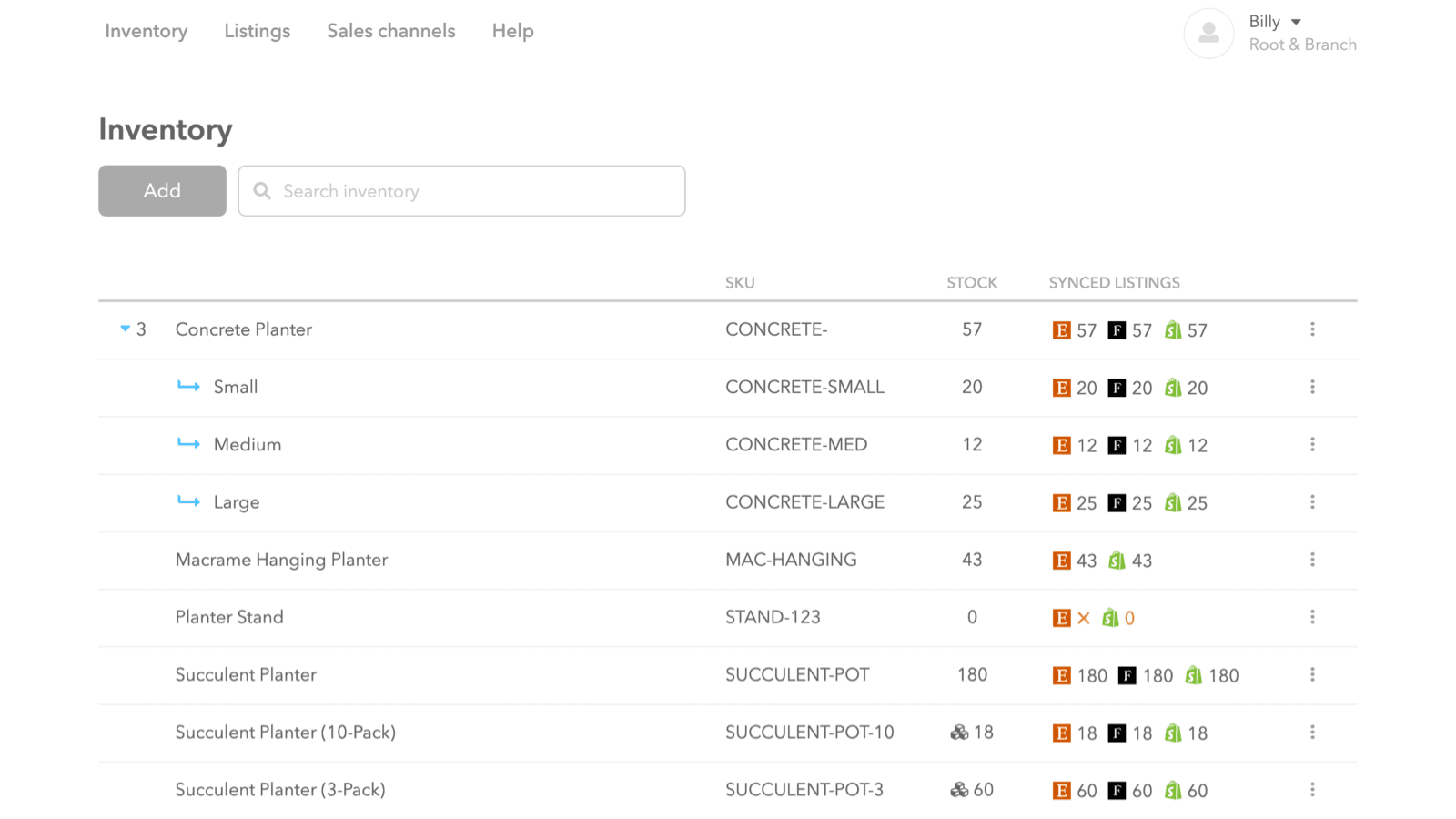
Trunk is the highest-rated multi-channel inventory sync app. The positioning: rather than competing on lowest pricing (Stock Sync wins) or supplier feed depth (Realtime Stock Sync wins), Trunk wins on webhook-based real-time architecture across all major marketplaces with bundle and kit support that mainstream alternatives often miss. For multi-channel sellers running Shopify plus 2+ marketplaces, Trunk is the default choice for preventing overselling under flash sales and viral product moments.
Core features: webhook-based real-time inventory sync across Shopify, Etsy, Amazon, eBay, Walmart, Square, BigCommerce, TikTok Shop, and Faire (sync windows typically 1-30 seconds rather than batch intervals); explicit bundle and kit relationship support so selling one bundle correctly deducts component inventory across all connected channels; configurable conflict resolution (last-write-wins, master-channel-wins, manual review) for cases where two channels update the same SKU simultaneously; sync direction control (one-way push, bidirectional, channel-specific) for operations needing different sync behavior per marketplace; full sync history and audit logs for troubleshooting overselling incidents; integration with Shopify Locations for stores running separate inventory pools per warehouse; sync failure alerting via email and in-app notifications; integration with Shopify Plus for B2B and DTC stores with mixed channel needs; multi-language support for international sellers; and a 14-day free trial covering full feature set before paid commitment. Where it falls short: $35/mo entry tier is meaningfully more expensive than Stock Sync ($5/mo). Setup complexity for first-time multi-channel sellers can be intimidating without technical support. Best fit for established multi-channel sellers where the webhook reliability earns its price premium.
2. Stock Sync: Inventory Sync
Rating: 4.7/5 across 1,400+ reviews · Pricing: Free plan, paid from $5/mo · Best for: Cost-sensitive multi-channel sellers and dropshippers running supplier feed sync · Job solved: Affordable multi-channel and supplier feed sync at the lowest entry price in the category
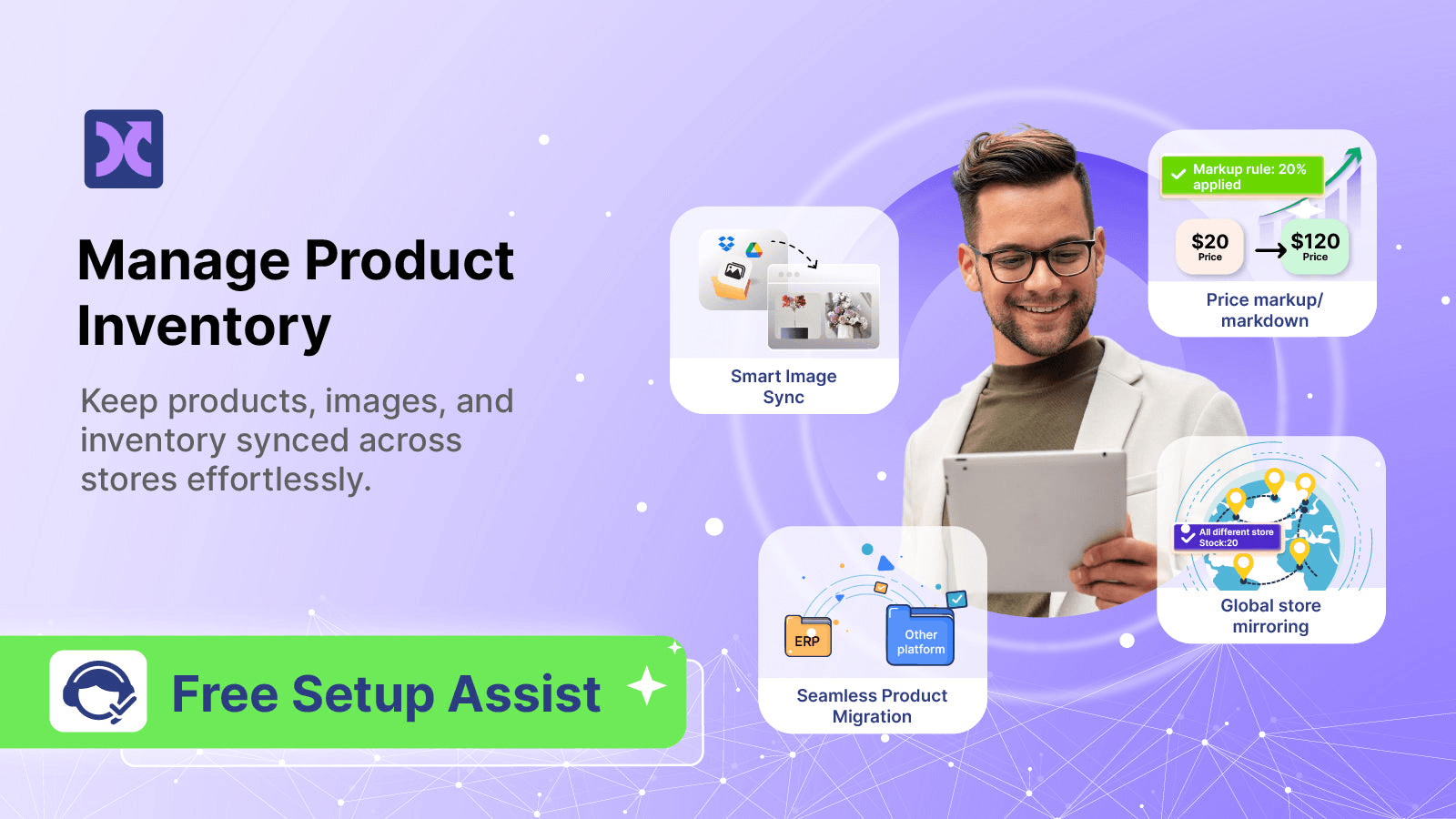
Stock Sync is the most-installed inventory sync app on Shopify with 1,400+ reviews and a free plan that handles basic supplier sync. The positioning: rather than competing on webhook real-time architecture (Trunk wins) or specialist niches (Syncio wins for multi-store), Stock Sync wins on affordability and feed format breadth. The app handles 100+ supplier feed integrations covering FTP, CSV, XML, JSON, Google Sheets, and direct API endpoints, plus marketplace sync for entry-level multi-channel sellers.
Core features: scheduled inventory sync from supplier FTP, CSV, XML, JSON, Google Sheets, and major supplier APIs; multi-channel sync for Shopify plus Etsy, Amazon, eBay (limited webhook support; primarily scheduled); 100+ pre-built supplier feed integrations including AliExpress, CJ Dropshipping, Doba, SaleHoo, and major distributor catalogs; configurable sync schedules from hourly to daily; product creation from feeds (auto-generate Shopify products from supplier inventory); inventory adjustment formulas (markup, percentages, fixed offsets); SKU mapping for stores using different SKU formats per channel; integration with Shopify Locations for multi-warehouse setups; sync failure logging with email alerts; and a free plan covering basic feed sync (sufficient for stores with simple single-supplier needs). Where it falls short: scheduled-batch sync rather than true webhook real-time sync, which means high-velocity stores running flash sales risk overselling. Bundle and kit support is limited compared to Trunk. Multi-channel marketplace sync depth lags behind Trunk for stores running Amazon at scale. Best fit for cost-sensitive sellers and dropshippers where the price savings outweigh the lack of webhook architecture, particularly stores under $20K/mo where overselling risk is lower.
3. Syncio Multi Store Sync
Rating: 4.7/5 across 700+ reviews · Pricing: Free trial, paid from $29/mo per store · Best for: Brands running 2-3 regional Shopify stores requiring webhook-based sync between them · Job solved: Webhook-based multi-store Shopify-to-Shopify inventory sync with master-satellite control

Syncio specializes in multi-store Shopify sync, handling the use case where a brand runs separate Shopify stores for different regions (US, EU, UK), languages, or B2C-plus-B2B operations. The positioning: rather than competing on multi-channel marketplace sync (Trunk wins) or supplier feeds (Stock Sync wins), Syncio wins on the multi-store Shopify use case where webhook-based sync between Shopify stores is the entire requirement. For brands running 2-3 stores, Syncio's per-store pricing is competitive; for 4+ stores, the cost compounds and Multi Store Sync Power becomes more attractive.
Core features: webhook-based real-time inventory sync between connected Shopify stores (sync windows typically 1-30 seconds); master-satellite configuration where one store is the source of truth and others receive updates; bidirectional sync configuration for stores wanting two-way updates; product data sync alongside inventory (titles, descriptions, images, pricing) with selective sync controls; order routing for B2B-plus-B2C setups where one store handles fulfillment for orders placed on multiple storefronts; integration with Shopify Locations for multi-warehouse routing; sync direction controls per product (some products sync, others stay store-specific); fulfillment status sync (shipped/delivered status flowing between stores); 14-day free trial covering full feature set; and dedicated support for setup of complex multi-store configurations. Where it falls short: per-store pricing ($29/mo each) becomes expensive for brands running 4+ stores. The app does not handle marketplace sync (Etsy, Amazon, eBay), which means multi-store brands also selling on marketplaces need a second sync platform. Best fit for brands running 2-3 regional Shopify stores where per-store pricing is acceptable and the webhook reliability matters.
4. Multi Store Sync Power
Rating: 4.9/5 across 480+ reviews · Pricing: Paid from $14.99/mo flat (covers 2-5+ stores) · Best for: Brands running 3+ Shopify stores wanting flat-rate pricing instead of per-store fees · Job solved: Multi-store Shopify sync at flat-rate pricing for brands scaling to 3+ stores
Multi Store Sync Power competes directly with Syncio on the multi-store sync use case but with flat-rate pricing instead of per-store fees. The positioning: rather than competing on per-store complexity (Syncio wins for 2-store setups), Multi Store Sync Power wins on flat-rate pricing that becomes meaningfully cheaper at 3+ stores. For brands scaling from 2 to 5+ regional Shopify stores, the flat-rate pricing produces substantial savings versus Syncio's per-store model.
Core features: webhook-based real-time inventory sync between connected Shopify stores; flat-rate pricing covering 2-5+ stores at $14.99/mo (versus Syncio's $29/mo per store); master-satellite and bidirectional sync configurations; product data sync alongside inventory (titles, descriptions, images, pricing) with selective controls; integration with Shopify Locations for multi-warehouse routing; SKU mapping for stores using different SKU formats per region; configurable sync direction per product category; fulfillment status sync between stores; and free trial covering full feature set before commitment. Where it falls short: smaller install base than Syncio (480 reviews vs 700+) means slightly less long-term validation data. Multi-channel marketplace sync is not the focus; brands also selling on Etsy, Amazon, or eBay need a second sync platform. Best fit for brands running 3+ regional Shopify stores where flat-rate pricing is the deciding factor over Syncio's per-store model.
5. Realtime Stock Sync
Rating: 4.8/5 across 250+ reviews · Pricing: Free plan, paid from $9.99/mo · Best for: Dropshippers and brands needing webhook-based supplier feed sync at affordable pricing · Job solved: Webhook-based supplier feed sync at lower price than Stock Sync's premium tiers
Realtime Stock Sync positions between Stock Sync (cheap, scheduled) and Trunk (expensive, real-time) by emphasizing webhook architecture for supplier feeds at sub-$10/mo entry pricing. The positioning: rather than competing on feed format breadth (Stock Sync wins) or marketplace sync (Trunk wins), Realtime Stock Sync wins on webhook-based supplier sync at a price point that makes real-time architecture accessible to smaller dropshippers. For stores running 100-500 SKUs from multiple suppliers where overselling on viral products is a real risk, the $9.99/mo entry tier delivers webhook reliability without committing to Trunk's $35/mo.
Core features: webhook-based real-time supplier feed sync (typically 1-30 second sync windows); supplier feed integration covering FTP, CSV, XML, JSON, and direct API endpoints; major supplier integrations (AliExpress, CJ Dropshipping, Spocket, and major US distributors); configurable sync schedules with webhook fallback for suppliers not supporting webhooks; product creation from feeds (auto-generate Shopify products from supplier inventory); inventory adjustment formulas (markup, percentages, safety stock buffers); SKU mapping; integration with Shopify Locations for multi-warehouse setups; sync failure alerting; and a free plan covering basic webhook sync (sufficient for stores starting out). Where it falls short: smaller install base than Stock Sync (250 reviews vs 1,400+) means less long-term validation. Multi-channel marketplace sync is limited compared to Trunk. Best fit for dropshippers and supplier-feed-driven stores where webhook reliability matters and Stock Sync's scheduled architecture is unacceptable.
6. QuickSync for Square
Rating: 4.8/5 across 700+ reviews · Pricing: Free plan, paid from $19/mo · Best for: Retailers running Square POS who need real-time sync to Shopify e-commerce · Job solved: Square POS to Shopify webhook-based inventory and order sync
QuickSync dominates the Square POS to Shopify integration use case. The positioning: rather than competing on multi-channel marketplace sync (Trunk wins) or multi-store sync (Syncio wins), QuickSync wins on the Square POS specialist focus that produces deeper Square integration than general-purpose sync platforms. For brick-and-mortar retailers running Square POS hardware who add Shopify as the e-commerce arm, QuickSync handles the inventory alignment between physical store sales and online sales.
Core features: webhook-based real-time sync between Square POS and Shopify storefront; bidirectional inventory updates (sales on either platform deduct inventory on both); order sync (Shopify orders flow to Square for unified reporting if desired); product data sync (titles, descriptions, images, pricing) between Square catalog and Shopify products; configurable sync direction per product category; customer sync between Square and Shopify customer databases; integration with Square Loyalty for unified loyalty programs across in-store and online; integration with Shopify Locations for multi-store retail brands; gift card sync between platforms; and a free plan covering basic inventory sync (sufficient for retailers under small SKU thresholds). Where it falls short: Square-specific focus means brands using Clover, Lightspeed, or other POS systems need different apps. Multi-channel marketplace sync is not the focus. Best fit for Square POS retailers adding Shopify as the e-commerce arm where Square integration depth matters more than multi-channel breadth.
7. Shopify Sync for Clover
Rating: 4.6/5 across 100+ reviews · Pricing: Paid from $24.99/mo · Best for: Retailers running Clover POS hardware needing real-time Shopify sync · Job solved: Clover POS to Shopify inventory and order sync for Clover-equipped retailers
Shopify Sync for Clover handles the Clover POS use case the same way QuickSync handles Square. The positioning: rather than competing across all POS platforms (no single app does that well), Shopify Sync for Clover wins on Clover specialist depth for retailers with Clover hardware investments. For independent retailers running Clover Mini, Flex, or Station POS terminals who add Shopify e-commerce, this app handles the inventory alignment that general-purpose sync platforms cannot.
Core features: webhook-based real-time sync between Clover POS and Shopify storefront; bidirectional inventory updates (sales deduct from both platforms); order sync between Clover and Shopify; product data sync between Clover catalog and Shopify products; configurable sync direction per product category; integration with Clover modifiers for product variants; customer sync between Clover and Shopify customer databases; integration with Shopify Locations; sync failure alerting; and 14-day free trial. Where it falls short: smaller install base (100 reviews) reflects the Clover-specific focus rather than broader market positioning. Pricing ($24.99/mo) is higher than QuickSync's $19/mo equivalent for Square. Best fit for Clover-equipped retailers adding Shopify e-commerce where the specialist Clover integration is the deciding factor.
8. Etsy Marketplace Integration (Shopify Native)
Rating: Built into Shopify · Pricing: Free with Shopify subscription · Best for: Shopify Plus and growth-tier merchants running Etsy as a single secondary marketplace · Job solved: Native Etsy inventory sync without third-party app for Shopify-Etsy single-marketplace operations
Shopify added a native Etsy integration as part of the marketplace channels expansion. The positioning: rather than competing on multi-marketplace breadth (Trunk wins), the native Etsy integration wins on simplicity and zero additional cost for stores running Etsy as the only secondary marketplace. The integration handles inventory sync, order routing, and product listing management without requiring a third-party sync app for the Etsy-specific use case.
Core features: native Etsy product listing creation from Shopify catalog with automated mapping; inventory sync between Shopify and Etsy with sync intervals managed by Shopify (not webhook real-time but typically faster than scheduled-batch alternatives); order routing where Etsy orders flow into Shopify admin for unified fulfillment; pricing management with markup rules for Etsy-specific pricing; integration with Shopify Locations for multi-warehouse fulfillment; access without additional subscription cost for any Shopify Plan tier; native Shopify support (single point of contact for issues); integration with Shopify Markets for international Etsy sellers; and integration with Shopify Payments for unified payout reporting. Where it falls short: Etsy-only, which means brands running Shopify plus 2+ marketplaces need a third-party sync app like Trunk anyway. Sync architecture is not true webhook real-time, which means high-velocity sellers may still oversell during flash sales. Bundle and kit support is limited. Best fit for Shopify merchants running Etsy as the only secondary marketplace where simplicity and zero additional cost matter more than feature depth.
Comparison Table: 8 Best Shopify Inventory Sync Apps (2026)
| App | Job | Rating | Pricing | Best For |
|---|---|---|---|---|
| Trunk | Multi-channel webhook | 4.9/5 (950+) | $35/mo | Best multi-marketplace sync |
| Stock Sync | Affordable feeds | 4.7/5 (1,400+) | Free, $5/mo | Cost-sensitive sellers |
| Syncio | Multi-store webhook | 4.7/5 (700+) | $29/mo per store | 2-3 regional stores |
| Multi Store Sync Power | Multi-store flat rate | 4.9/5 (480+) | $14.99/mo flat | 3+ regional stores |
| Realtime Stock Sync | Webhook supplier feeds | 4.8/5 (250+) | Free, $9.99/mo | Webhook dropshipping |
| QuickSync for Square | Square POS sync | 4.8/5 (700+) | Free, $19/mo | Square retailers |
| Shopify Sync for Clover | Clover POS sync | 4.6/5 (100+) | $24.99/mo | Clover retailers |
| Etsy Marketplace (Native) | Etsy-only sync | Built in | Free | Single Etsy marketplace |
Picking the Right Sync Stack by Operation Profile
The decision tree is shaped by the sync direction, channel count, and store velocity. For multi-channel sellers running Shopify plus 2+ marketplaces (Etsy, Amazon, eBay): Trunk at $35/mo. The webhook architecture and multi-marketplace breadth are non-negotiable for any store doing $20K+/mo where overselling risk is real.
For cost-sensitive single-marketplace sellers under $20K/mo: Stock Sync at $5/mo or the free Etsy native integration. The cost savings outweigh the lack of webhook architecture at this revenue scale.
For brands running 2-3 regional Shopify stores: Syncio at $29/mo per store. Webhook-based store-to-store sync with master-satellite configuration handles the regional storefront use case where Multi Store Sync Power per-store-flat-rate is competitive.
For brands running 4+ regional Shopify stores: Multi Store Sync Power at $14.99/mo flat. The flat-rate pricing produces substantial savings at 4+ stores compared to Syncio's per-store model.
For dropshippers running 100-500 SKUs from multiple suppliers wanting webhook reliability: Realtime Stock Sync at $9.99/mo. The webhook architecture at sub-$10 pricing fits stores where overselling on viral products is the risk worth paying to avoid.
For Square POS retailers adding Shopify e-commerce: QuickSync for Square at $19/mo. The Square-specialist depth produces better integration than general-purpose sync platforms.
For Clover POS retailers adding Shopify e-commerce: Shopify Sync for Clover at $24.99/mo. The Clover-specialist depth handles the use case general platforms cannot.
For brands running only Shopify plus Etsy: Shopify's native Etsy integration. The zero additional cost and native Shopify support justify the simplified single-marketplace use case where Trunk's multi-marketplace depth is overkill.
What Native Shopify Already Handles for Inventory
Before installing inventory sync apps, it is worth understanding what Shopify provides natively. Shopify Inventory handles the foundational layer: SKU tracking, multi-location inventory pools (Shopify Locations), basic inventory adjustments (manual count corrections, transfer between locations), low stock notifications, and inventory reports. Native Shopify includes Shopify POS for unified online and in-store inventory if the retailer is willing to use Shopify-branded POS hardware. Shopify Markets handles regional storefront inventory routing for stores running on a single Shopify store with regional currency and language overlays.
Native Shopify integrations include the Etsy marketplace channel (free, included in all Shopify plans), Amazon channel for Shopify Plus, Walmart channel, and TikTok Shop integration. These native integrations handle the basic inventory sync between Shopify and one secondary marketplace at a time. Shopify Plus extends with B2B inventory features (separate inventory pools per customer segment), advanced multi-location routing, and Shopify Functions for custom inventory logic.
What Shopify does not handle natively: webhook-based real-time sync between 3+ marketplaces simultaneously (native channels are typically scheduled-batch), supplier feed sync from external FTP/CSV/XML sources (no native supplier integration), multi-store Shopify-to-Shopify sync (separate Shopify stores have isolated inventory pools), POS integration with non-Shopify hardware (Square, Clover, Lightspeed need third-party apps), and bundle/kit relationships with cross-channel component deduction (native bundle support is limited).
How Inventory Sync Apps Pair with Conversion Tools
Sync apps prevent overselling; conversion tools lift AOV. They run in parallel rather than competing for budget. The honest stack covers both layers: sync apps handle the operational accuracy across channels so the brand does not generate refunds and platform penalties, while conversion tools lift AOV on every Shopify-side transaction. Libautech's app portfolio handles the conversion side at low cost so the sync budget can focus on the right specialist tool.
Libautech's Bundles & Upsell handles product page upsells, cart drawer upsells, and pre-purchase bundle offers at $14.99/mo on the Package plan that also includes Sticky Add to Cart and Announcement Bar. Sticky Add to Cart keeps the buy button visible while customers read product copy on long-form pages. Announcement Bar runs storewide messaging that frames offers consistently across pages (limited-time discounts, free shipping thresholds).
The combined stack for a typical multi-channel store: Libautech Package plan ($14.99/mo, conversion side) plus Trunk ($35/mo, sync side). Total cost: $44.99/mo for the full conversion plus sync toolkit. Stores running Stock Sync instead of Trunk adjust the sync line to $5/mo for $14.99/mo total. The configuration scales with sync complexity while keeping the conversion-side fundamentals constant at $9.99/mo regardless of which sync app is chosen.
Common Inventory Sync Mistakes
The biggest inventory sync mistake is choosing scheduled-batch sync over webhook real-time sync to save money. Stores running flash sales, viral product launches, or high-velocity weekends routinely oversell when sync intervals exceed 5 minutes. The fix is investing in webhook architecture (Trunk, Syncio, Realtime Stock Sync) rather than scheduled alternatives where overselling risk is real. The cost difference of $20-30/mo pays back in prevented refunds and Amazon account suspensions within the first month for any store doing $20K+/mo revenue.
The second mistake is treating inventory sync as set-and-forget configuration. Sync apps require ongoing monitoring of sync logs, conflict resolution events, and platform API changes. Marketplace APIs change frequently (Amazon's API evolves quarterly, Etsy's API has migration deadlines), and sync apps that lag behind API changes silently fail. The fix is checking sync logs weekly and watching for failure alerts, treating inventory sync as a first-class product needing maintenance rather than a one-time setup.
The third mistake is not validating bundle and kit handling before committing to a sync platform. Stores selling bundles often discover after launch that their sync app handles bundles incorrectly, leading to component overselling when bundles sell. The fix is testing bundle behavior explicitly during the sync app trial period, not just simple SKU sync. Trunk explicitly supports bundle relationships across channels; many cheaper alternatives do not.
The fourth mistake is running multiple sync apps simultaneously without clear sync direction. Stores that install both a marketplace sync app (Trunk) and a supplier sync app (Stock Sync) sometimes create conflict loops where two apps both update the same SKU, causing inventory drift. The fix is configuring clear sync direction per app (one app handles inbound supplier feeds, the other handles outbound marketplace push) so the apps do not overlap on the same SKU's update path.
The fifth mistake is ignoring sync failure alerts. Sync apps log failures, but operators routinely dismiss alerts as noise rather than investigating. Failed syncs compound to inventory drift over weeks until the brand discovers oversold orders or stuck stockouts on listings that have been replenished but not propagated. The fix is treating sync failure alerts as P1 incidents requiring same-day resolution, not as informational noise.
How AI Search Affects Multi-Channel Inventory Strategy
AI search engines (ChatGPT, Gemini, Perplexity, Claude, Copilot) increasingly recommend products in conversational answers in 2026. The mechanic: when shoppers ask AI assistants for product recommendations, the AI extracts product data including stock availability from structured catalogs on supplier storefronts and surfaces specific brands and SKUs in conversational answers. Stores with proper structured catalogs appear in AI citations; stores without them get skipped.
The strategic implication for inventory sync: AI assistants now check stock availability before recommending products, which makes inventory accuracy a discoverability signal rather than just an operational concern. Stores running scheduled-batch sync where stock data lags by 15-30 minutes risk being recommended out-of-stock items by AI, which damages brand trust at scale. Webhook-based real-time sync produces accurate stock data that AI assistants can rely on. Apps like Shoptank by Libautech handle AI catalog discoverability by generating the structured product feed and llms.txt configuration that ChatGPT, Gemini, and Perplexity need to surface the store. One merchant has already generated $10,000+ in ChatGPT-referred orders. Plans start at $14.99/mo with a 7-day free trial.
Beyond stock accuracy, AI assistants increasingly cite multi-channel availability ("Available on Shopify, Etsy, and Amazon") when answering shopping queries. Stores with proper inventory sync producing accurate cross-channel stock data benefit from these AI citations because shoppers see the brand surface across multiple touchpoints. Stores running fragmented inventory data risk being cited inconsistently, which creates customer friction when stock claims do not match reality at the moment of purchase.
FAQ
What is the difference between webhook sync and scheduled sync? Webhook sync triggers an inventory update the moment a product is sold on any connected channel. Sync windows are typically 1-30 seconds. Scheduled sync runs at fixed intervals (every 5, 15, or 30 minutes) regardless of activity. Webhook sync prevents overselling under flash sales and high-velocity conditions; scheduled sync is cheaper but introduces overselling risk during fast inventory changes.
Do I need an inventory sync app if I only sell on Shopify? No. Single-channel Shopify-only stores have no inventory to sync. Shopify's native inventory engine handles the single-channel case. Inventory sync apps become necessary the moment a second sales channel is added (Etsy, Amazon, eBay, marketplace, multiple Shopify stores, or POS hardware).
Which is better for Shopify and Etsy: Trunk or Stock Sync? Trunk for higher-velocity stores or multi-channel sellers running Shopify plus Etsy plus Amazon. Webhook sync prevents overselling. Stock Sync for cost-sensitive sellers or stores under $20K monthly revenue where the cheaper plan handles current load.
How do I sync inventory between two Shopify stores? Use Syncio at $29/mo per store or Multi Store Sync Power at $14.99/mo flat. Both handle webhook-based real-time sync between Shopify stores with configurable direction. The cost difference becomes meaningful at 3+ stores where Syncio per-store pricing compounds versus Multi Store Sync Power's flat rate.
What sync interval is acceptable for marketplace sales? For Amazon: aim for under 5-minute sync intervals to avoid suppressed-listing penalties. Amazon penalizes accounts with repeated overselling more aggressively than other marketplaces. For Etsy and eBay: 15-30 minute intervals work for most stores below $20K/mo. For all marketplaces during flash sales or viral product moments, webhook sync is the only reliable option.
Can I sync products and not just inventory? Yes. Most sync apps support product data sync (titles, descriptions, images, pricing) alongside inventory sync, but this is optional. Many merchants run inventory-only sync to avoid product description conflicts between channels.
How does inventory sync handle bundle products? Carefully. Bundle products are SKUs that combine multiple component SKUs. Selling one bundle deducts inventory from each component. Apps like Trunk explicitly support bundle and kit relationships across channels. Generic sync apps often handle bundles incorrectly, leading to overselling of components when bundles sell.
What happens if a sync fails? Quality apps log sync failures and alert merchants via email or in-app notifications. Cheaper or older apps fail silently, leaving merchants to discover oversold orders after the fact. When evaluating sync apps, specifically check failure logging and alerting features.
Can I sync inventory between Shopify and a custom ERP or warehouse system? Yes, via API integrations. Stock Sync, Trunk, and Realtime Stock Sync all support custom API endpoints for ERP and warehouse system integration. For larger merchants running NetSuite, SAP, or custom warehouse management systems, dedicated middleware platforms (Celigo, Boomi, MuleSoft) handle complex sync requirements at higher cost.
How do Libautech's apps fit with inventory sync? Libautech does not build inventory sync apps. The category requires deep integration with marketplace APIs and POS systems that fall outside the focus areas. The $14.99/mo Package plan (Sticky Add to Cart, Bundles & Upsell, Announcement Bar) complements sync platforms by handling Shopify-side conversion, urgency messaging, and AOV mechanics without interfering with inventory operations.
Think Your App Belongs on This List?
We update these lists as new tools launch and existing ones improve. If you are a developer building a Shopify inventory sync, multi-channel marketplace, multi-store sync, supplier feed, or POS integration app and want your app considered for inclusion, submit it here and tell us what your app does, who it is for, and include a link to your Shopify App Store listing. We review every submission. Apps that demonstrate consistent merchant value (stable rating above 4.5/5, active maintenance in 2026, transparent pricing, and webhook-based real-time architecture rather than scheduled-batch sync) get added on the next quarterly refresh.
Final Word
Most Shopify inventory sync mistakes come from choosing the cheapest option rather than the right one for the actual sync direction and velocity. Trunk's $35/mo for webhook-based marketplace sync prevents thousands in oversold-inventory refunds for any store doing $20K+ monthly revenue across 2+ channels. Stock Sync's free plan is real but reliability matters more than cost above $50K/mo. Multi-store and POS sync needs are specific. Do not buy general-purpose sync platforms when Syncio or QuickSync handle the exact use case better. Validate sync performance under specific load conditions before committing budget. Pair the sync layer with conversion tools (Libautech's $14.99/mo Package plan covers Bundles & Upsell, Sticky Add to Cart, and Announcement Bar) and the operational picture is complete: sync apps prevent overselling, while the conversion stack lifts AOV on every Shopify-side transaction.