How to Connect Printful to Shopify (2026 Guide)
Adding Printful to your Shopify store is a great way to start selling customized products without holding inventory. Printful manages everything from printing to shipping, allowing you to focus on designing and promoting. Here’s a quick and easy guide to integrate Printful with your Shopify store and start selling.
Step 1: Install the Printful App
- Click on the Link to Install Printful: Start by heading to the Shopify App Store and searching for "Printful" or by clicking the installation link provided in the description.
- Install the App: Click “Add app” and follow the prompts to complete the installation. Once installed, you’ll see Printful listed in your Shopify Apps dashboard.
- Set Up Your Printful Account: If you’re new to Printful, create an account by adding your business details. Printful will connect this account to your Shopify store for easy product syncing.
Step 2: Choose Products to Sell
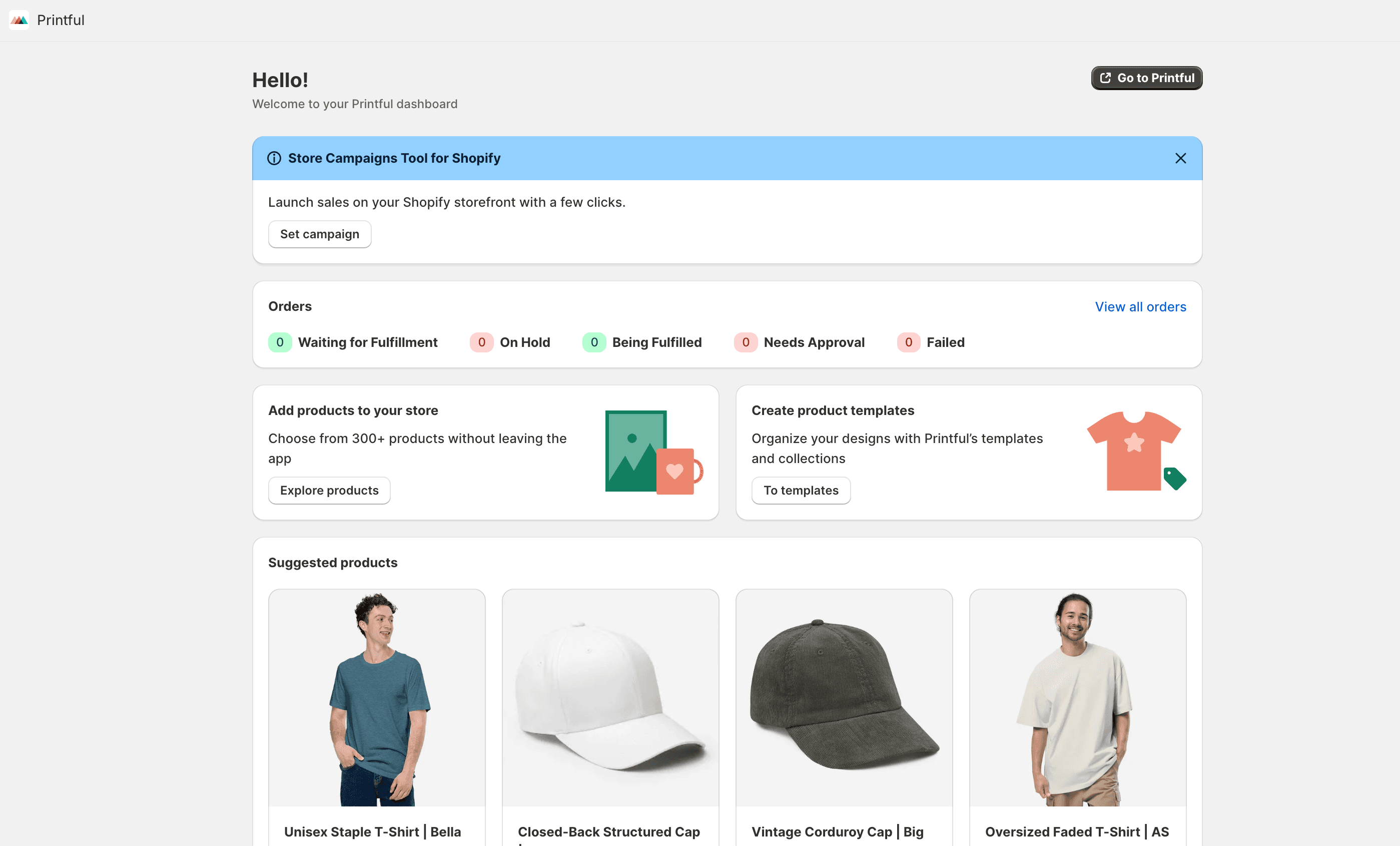
- Open the Printful App: Go to your Shopify Apps page, find Printful, and open it. You’ll see an option to browse the Printful catalog.
- Browse the Product Catalog: Printful offers a wide range of products, including clothing, accessories, home decor, and even footwear. Decide which type of products you’d like to sell. For example, if you’re creating a custom apparel store, you can choose from T-shirts, hoodies, hats, and more.
Step 3: Customize Your Products
- Select a Product Template: Choose the specific item you want to sell. For example, if you select a T-shirt, you’ll be taken to a design page where you can add your custom artwork or text.
- Upload Your Design: Use the design tool to upload images, add text, or choose from Printful’s built-in clipart and fonts. Position your design exactly where you want it on the product.
- Choose Colors and Sizes: Select the colors and sizes you want to offer. Printful will show you mockups, so you’ll know exactly how your product will look before publishing.
Step 4: Set Your Prices
- Determine Your Markup: Once your product is designed, Printful will show you the base cost. Add a markup to ensure you’re making a profit.
- Add to Shopify: When satisfied with your product, click “Add to Store” or “Submit to Store” to sync the product with your Shopify store automatically.
Step 5: Configure Shipping
- Set Up Shipping Rates: Go to Shopify’s “Settings” and then “Shipping and Delivery.” Here, you can configure flat-rate or carrier-calculated shipping rates for your store. Printful will handle shipping from their facilities, so make sure the rates align with their costs.
- Test the Process: Place a test order to make sure everything works smoothly from browsing to checkout.
Step 6: Start Promoting Your Store
Now that your Printful products are live on Shopify, it’s time to start marketing! Use social media, email marketing, or paid ads to drive traffic to your store. Consider promoting your products through platforms where your target audience is most active.
Quick Recap
- Install Printful: Find it in the Shopify App Store or use a referral link.
- Choose Products: Browse the catalog and select items that match your brand.
- Customize and Upload Designs: Use Printful’s design tool to personalize your products.
- Set Prices: Add a markup to Printful’s base costs to ensure profitability.
- Configure Shipping: Make sure your Shopify shipping rates align with Printful’s rates.
- Promote Your Store: Use marketing strategies to attract customers and drive sales.
Adding Printful to your Shopify store is straightforward and allows you to offer customized products without the hassle of managing inventory. Follow these steps and you’ll be ready to start selling in no time!
Printful vs Printify: Which Should You Choose?
Before going all-in on Printful, it’s worth knowing how it compares to the other major print-on-demand option: Printify.
| Feature | Printful | Printify |
|---|---|---|
| Product quality | Consistently high (in-house production) | Varies by print provider |
| Fulfillment speed | 2–5 business days | 2–7 business days |
| Pricing | Slightly higher base cost | Lower base cost (more providers) |
| Branding options | Packing slips, neck labels, stickers | Limited on most providers |
| Shopify integration | Native, automatic sync | Native, automatic sync |
| Free plan | Yes | Yes (premium plan available) |
| US/EU warehouses | Yes (Charlotte, Riga, Barcelona, others) | Depends on provider |
Bottom line: Printful is the better choice if you prioritize consistent quality and brand presentation. Printify can work out cheaper if you’re scaling volume and don’t mind testing providers.
Printful Pricing: What Does It Actually Cost?
Printful is free to install. You only pay per order fulfilled. There’s no monthly fee on the base plan.
- T-shirts: Base cost typically $12–$15 (you set your retail price on top)
- Hoodies: Base cost $25–$35
- Mugs: Base cost $8–$10
- Posters: Base cost $9–$14
- Printful Growth plan: $24.99/month. Gives 20–33% discount on base prices (worth it once you’re doing 10+ orders/month)
Shipping is charged separately at checkout, based on destination. Printful shows you exact costs in their product builder before you publish anything.
Troubleshooting: Common Printful + Shopify Issues
Products not syncing between Printful and Shopify
This is the most common issue. If products you created in Printful aren’t appearing in Shopify (or vice versa), check: Printful Dashboard → Stores → your store → Sync. Force a manual sync. If the product shows “Unsynced” status, click it and map your Shopify variants to Printful variants manually.
Orders not fulfilling automatically
Go to Printful → Settings → Order fulfillment and make sure automatic fulfillment is enabled. Also check that your Shopify payment is captured (not just authorized) before Printful will pick up the order.
Wrong shipping rates shown at checkout
Printful requires Shopify carrier-calculated shipping to show live rates. This is available on the Shopify Basic plan and above. If you’re on a legacy plan, you may need to upgrade or use flat-rate shipping profiles instead.
Mockup images not showing in Shopify
After creating a product in Printful, the mockup images sync to Shopify automatically, but it can take a few minutes. If they’re still missing after 10 minutes, go to Printful → Products → [your product] → Mockups and regenerate them.
How to Price Your Printful Products Profitably
A common mistake with print-on-demand is underpricing. Here’s a simple formula:
Retail price = Printful base cost + Printful shipping estimate + your margin (40–60%)
For example: a t-shirt with a $13 base cost and $4 shipping estimate should retail for at least $28–$32 to hit a healthy margin. Most successful Printful stores price custom apparel at $30–$45.
Don’t forget to account for Shopify transaction fees (0.5–2% depending on your plan) and any ad spend if you’re running paid traffic.