
8 Best Shopify Product Comparison Apps (2026)
Last updated: April 2026 · Pricing and ratings verified from live Shopify App Store listings on April 30, 2026. Reviewed by the Libautech team — builders of Built for Shopify apps used by 5,000+ merchants across 50+ countries.
Key Takeaways
- Shopify product comparison apps split into two distinct jobs that competitor blogs treat as one. In-store side-by-side comparison apps (LDT, Bear Specification, Compareder, Globo Product Filter, Product Specification Tabs, EComposer, BSS) let customers compare two or more products from your own catalog. External price comparison apps (Libautech Amazon Buy Button) show your product's price alongside marketplace prices so customers can verify they're getting a competitive deal.
- Side-by-side comparison drives 15-30% conversion lift on consideration-heavy categories — electronics, appliances, supplements, mattresses, software, B2B equipment, anything where customers research multiple options before purchasing. Comparison tables eliminate the back-and-forth tab-switching that drives bounce rates on technical product categories.
- External price comparison addresses a different objection: customers leaving your product page mid-purchase to verify the price isn't cheaper on Amazon. By showing the Amazon price directly on the product page (often higher than yours), you neutralize the price-check exit before it happens — customers don't bounce, they convert.
- Comparison apps work best when integrated into the natural buying flow. Floating compare buttons across collection pages, automatic comparison-prompt suggestions when customers view three or more similar products, and one-click "add to compare" mechanics that don't require leaving the current page. Apps requiring manual setup per product fail to scale beyond small catalogs.
- Pricing is exceptionally accessible in this category. Most in-store comparison apps offer free tiers or paid plans starting at $5.99-9.99/mo. External price comparison apps run free to $14.99/mo. The right app costs less than $15/mo for most stores.
- The biggest comparison-app mistake is installing a side-by-side tool when products don't have meaningful technical specifications to compare. Apparel and beauty stores with size and color options don't earn the cost — the comparison adds no decision value. Comparison apps shine on technical, spec-heavy, multi-attribute products where customers genuinely need decision support.
Who Needs a Product Comparison App, and Why?
A product comparison app lets shoppers put similar products side by side, matching specifications, features and prices in one view. For considered purchases, electronics, appliances, anything with specs, that removes the friction of jumping between pages and helps a hesitant buyer decide, on your store rather than a competitor's.
You need one if you sell products people compare on features or specs, have several variants of a similar item, or see shoppers bouncing between product pages. Impulse or single-option products rarely need it.
The Two Jobs of Shopify Product Comparison Apps
Most roundups of Shopify product comparison apps lump together in-store side-by-side comparison tools with external price comparison apps as if they're the same product. They are not. A side-by-side comparison app lets customers compare two or more products from your catalog against each other on the same page — specs, prices, features, attributes. An external price comparison app lets customers see your product's price alongside the same product's price on Amazon or other marketplaces, neutralizing the price-check exit. Different mechanics, different vendor specializations, different conversion problems being solved.
The honest framing: Shopify product comparison apps break into two distinct jobs. Most stores need exactly one approach (some need both), and picking the wrong type wastes setup time on a tool that doesn't address the actual conversion barrier.
The first job is in-store side-by-side product comparison — customers compare two or more products from your own catalog against each other on a comparison page or table. The mechanics: customer clicks "add to compare" on multiple products, the app generates a side-by-side comparison view showing specifications, prices, features, and attributes, customer makes the decision and adds the chosen product to cart. LDT Product Compare, Bear Specification & Compare, Compareder, Globo Product Filter, Product Specification Tabs, EComposer, and BSS Product Comparison lead this layer. The right pick for technical product categories where customers research multiple options before deciding.
The second job is external price comparison and marketplace visibility — customers see your product's price alongside the same product's price on Amazon or other external marketplaces directly on the product page. The mechanics: app fetches marketplace pricing for matched products and displays it inline, often with a buy-on-marketplace button that lets customers click through if they prefer (with revenue-sharing or affiliate economics). Libautech Amazon Buy Button leads this layer. The right pick for stores selling identical or similar products that are also available on Amazon, where customers' price-check behavior currently drives bounces.
This post ranks 8 apps across the two jobs based on verified April 2026 Shopify App Store data and what each one actually solves.
Comparison apps stack with broader product-page tools. See our guides on best Shopify product variant customization apps for the related variant display layer where comparison meets configurator mechanics, best Shopify search and filter apps for the discovery layer that surfaces comparable products before the comparison stage, and best Shopify product display apps for the broader product-page presentation layer.
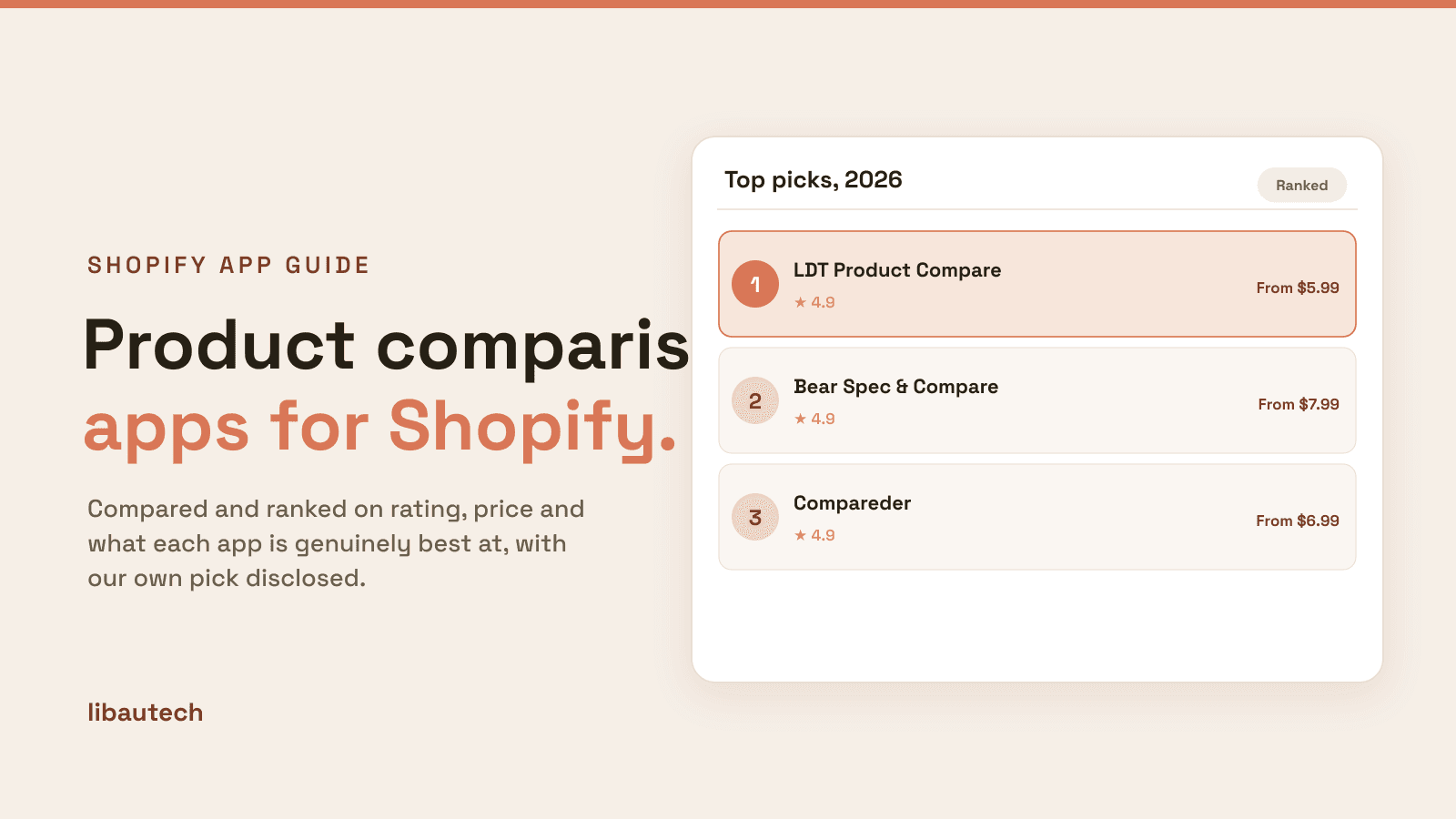
Quick Comparison: 8 Best Shopify Product Comparison Apps (2026)
| App | Rating | Free Plan | Paid From | Layer | Best For |
|---|---|---|---|---|---|
| LDT Product Compare | ⭐ 4.9 (300+) | Yes | $5.99/mo | In-store | Most-installed simple side-by-side comparison |
| Bear Specification & Compare | ⭐ 4.9 (200+) | Yes | $7.99/mo | In-store | Dynamic spec tables, category-specific comparisons |
| Compareder — Product Compare | ⭐ 4.9 (350+) | Yes | $6.99/mo | In-store | Customizable layout, bulk attribute management, analytics |
| Globo Filter & Compare | ⭐ 4.9 (1,800+) | Yes | $9.90/mo | In-store | Filter + compare combined, large installed base |
| Product Specification Tabs by Hura | ⭐ 4.8 (200+) | Yes | $5.99/mo | In-store | Spec tabs + comparison hybrid, technical products |
| EComposer Page Builder | ⭐ 5.0 (8,000+) | Yes | $19/mo | In-store | Comparison tables built into page builder, design control |
| BSS Product Comparison | ⭐ 4.8 (150+) | Yes | $4.99/mo | In-store | Affordable, multi-language, BSS Commerce ecosystem |
| Libautech Amazon Buy Button | ⭐ 4.8 (200+) | Yes | $9.99/mo | External price | Shows Amazon price on product page, neutralizes price-check exits |
Layer 1: In-Store Side-by-Side Comparison Apps
This layer is for stores selling technical or spec-heavy products where customers research multiple options before deciding — electronics, appliances, supplements, mattresses, software, B2B equipment, kitchen appliances, fitness equipment, audio gear, anything with measurable specifications customers care about. The mechanics: customer clicks "add to compare" on multiple products, the app generates a side-by-side comparison page showing specs, prices, features, and attributes, customer picks the winner and adds to cart. Seven apps lead this layer.
1. LDT Product Compare
Best for: Shopify stores wanting the most-installed simple side-by-side product comparison app with floating compare button, customizable specifications, and mobile-optimized comparison views.
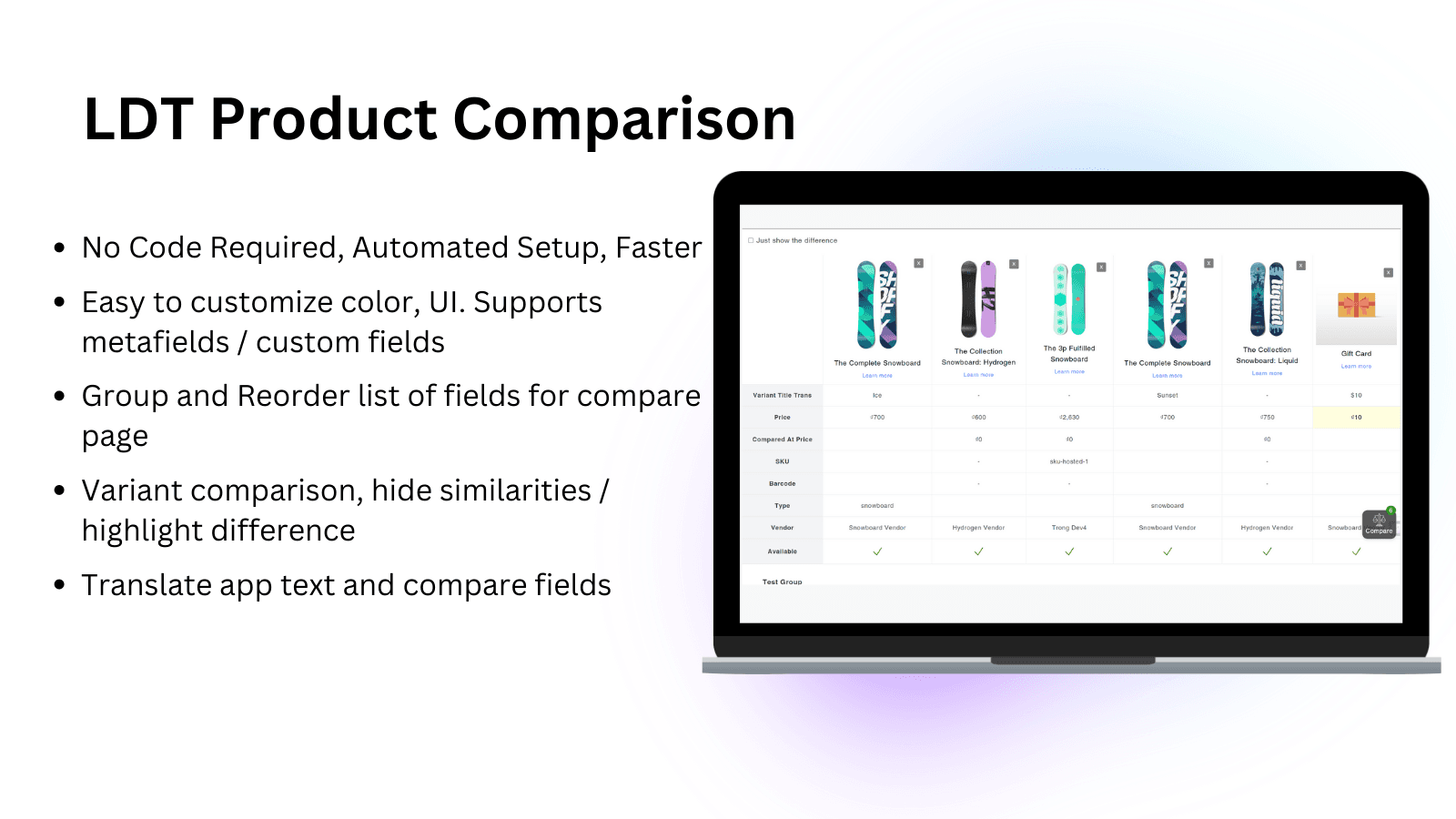
LDT Product Compare holds 4.9 stars across 300+ reviews — one of the most-installed dedicated comparison apps on the Shopify App Store. The positioning is focused simplicity: floating "Compare" button across collection and product pages, customers add products to a comparison drawer, click to view a side-by-side comparison page with all specifications and prices. No configurator overhead, no broader feature creep, just product comparison done well at a competitive entry price.
The floating compare button matters specifically for collection-page browsers. Customers comparing three or four similar products typically open multiple browser tabs and switch back and forth — LDT's floating button captures the comparison intent without the tab-switching overhead, keeping customers on your store rather than letting them get distracted by other tabs.
Core features: floating compare button on collection and product pages; side-by-side comparison view with customizable specifications; mobile-optimized comparison layout; product specification highlighting (similarities and differences); customizable comparison parameters per product category; integration with Shopify Online Store 2.0 themes; mobile-responsive widget.
Where it falls short: feature set is intentionally simpler than Globo Filter & Compare or EComposer — stores wanting filter mechanics or page-building tools alongside comparison need a broader app. UI feels less polished than premium-tier alternatives. Some merchant reviews flag occasional theme integration friction on heavily customized themes.
Pricing: Free plan available. Paid plans from $5.99/mo.
2. Bear Specification & Compare
Best for: Shopify stores selling spec-heavy products (electronics, appliances, fitness equipment, audio gear) wanting dynamic specification tables that update automatically when product data changes, plus side-by-side comparison.
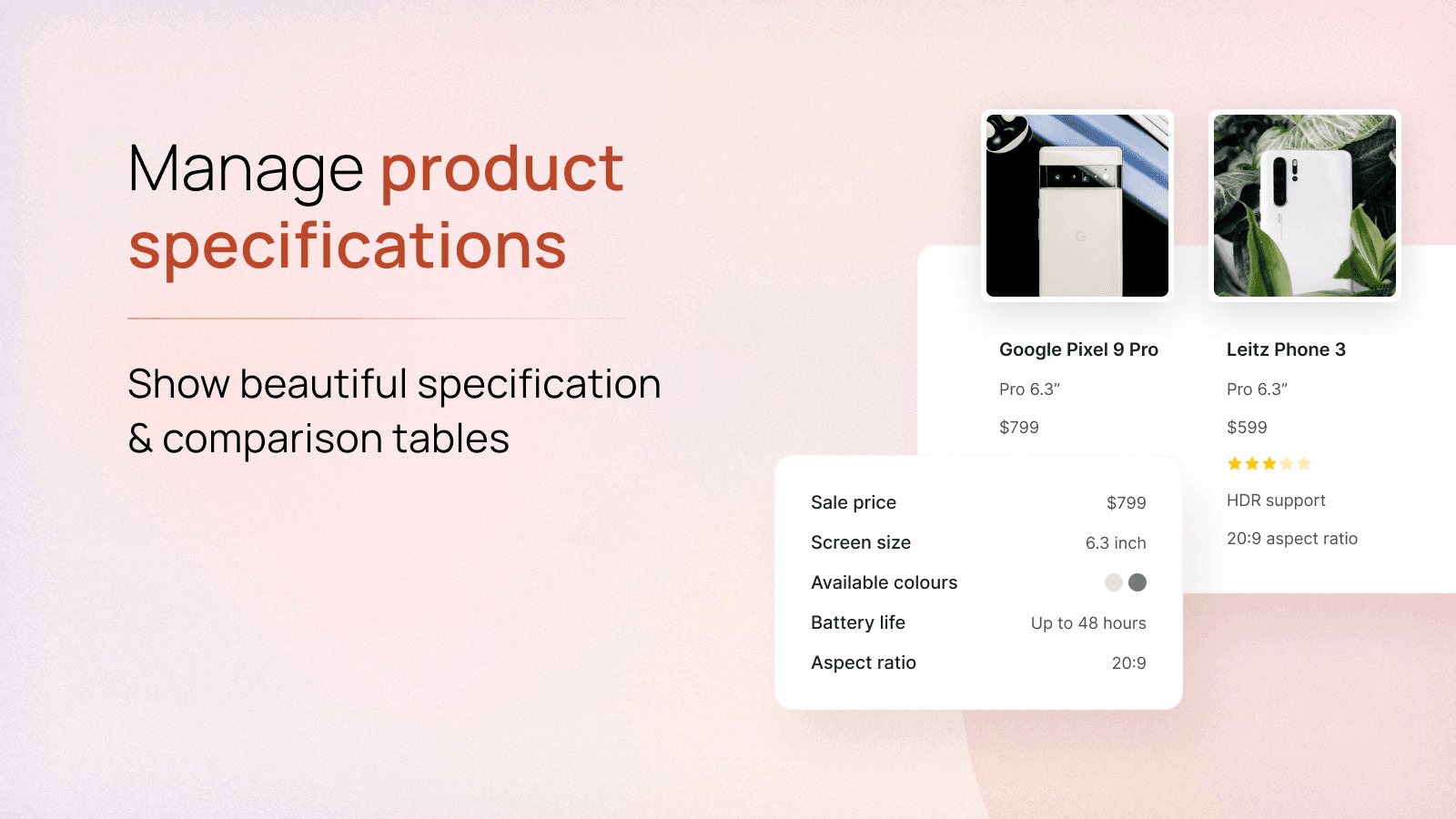
Bear Specification & Compare holds 4.9 stars across 200+ reviews. The differentiating feature is dynamic specification tables: rather than manually maintaining static spec sheets that drift out of sync with product data, Bear pulls specifications dynamically from product metafields, so editing a product's specs automatically updates the comparison page and product specification table. For stores with frequently updated catalogs (consumer electronics with model refreshes, supplement formulas changing, software version updates), this dynamic sync eliminates spec drift.
The category-specific comparison templates matter specifically for stores selling diverse product categories. A store selling both speakers and headphones doesn't compare them on the same attributes — Bear lets merchants set per-category comparison templates so headphones compare on driver size, frequency response, and battery life while speakers compare on power output, frequency range, and connectivity. The right comparison view per product type, not a one-size-fits-all spec table.
Core features: dynamic specification tables linked to product metafields; category-specific comparison templates; side-by-side comparison view with highlighting of differences; wishlist integration for saved comparisons; mobile-responsive design; integration with Shopify Online Store 2.0 themes.
Where it falls short: smaller installed base (200+ reviews) than Globo Filter & Compare's 1,800+ — less historical track record at scale. Setup of category-specific templates takes initial configuration time. Pricing entry point ($7.99/mo) higher than LDT or BSS for stores wanting only basic comparison.
Pricing: Free plan available. Paid plans from $7.99/mo.
3. Compareder — Product Compare
Best for: Shopify stores wanting customizable comparison layouts with bulk attribute management for large catalogs, advanced filtering, and analytics on customer comparison behavior.
Compareder holds 4.9 stars across 350+ reviews. The differentiating positioning is bulk attribute management plus analytics: rather than configuring comparison attributes product-by-product, merchants build attribute templates and apply them across hundreds of products simultaneously. For stores with large catalogs (200+ products), this bulk approach saves days of repetitive configuration work versus per-product setup.
The analytics layer matters specifically for optimization-focused merchants. Compareder tracks which products customers compare most often, which attributes drive comparison decisions, and which comparisons convert at higher rates — surfacing data merchants can use to prioritize attributes that matter, deprioritize ones that don't, and optimize product positioning based on observed comparison behavior.
Core features: customizable comparison layouts matching store branding; bulk attribute management across multiple products; analytics on comparison interactions and conversion rates; advanced filtering integrated with comparison; floating compare button on collection and product pages; mobile-responsive design; integration with Shopify Online Store 2.0 themes.
Where it falls short: feature set complexity adds setup overhead versus simpler alternatives like LDT. Pricing scales with feature usage on premium tiers. Some merchant reviews flag occasional theme compatibility issues on heavily customized themes requiring developer help.
Pricing: Free plan available. Paid plans from $6.99/mo.
4. Globo Filter & Compare
Best for: Shopify stores wanting product filtering and comparison combined under one app — customers filter collections to find candidates, then compare the filtered results side-by-side without switching apps.
Globo Filter & Compare holds 4.9 stars across 1,800+ reviews — the largest installed base in this layer. The positioning combines two related discovery functions: collection-page filtering (price, category, attributes, tags) plus side-by-side comparison of filtered results. Customers filter to narrow down candidates, click "compare" on the most interesting options, and view a comparison page — all in one app rather than two.
The combined-app angle matters specifically for stores wanting simpler app stacks. Where LDT, Bear, and Compareder handle comparison only (requiring a separate filter app), Globo bundles filter and compare so the discovery flow stays in one app from collection page through comparison through cart. Fewer apps, fewer support relationships, fewer integration surfaces to maintain.
Core features: collection-page filtering by price, attributes, tags, and metafields; side-by-side comparison of filtered candidates; floating compare button across product pages; mobile-responsive filter and compare interface; SEO-friendly filtered URLs; integration with Shopify Online Store 2.0 themes; multi-language support; merchant dashboard with filter and comparison analytics.
Where it falls short: combined feature set means neither filter nor compare is as deep as dedicated alternatives — stores wanting advanced filter logic or comparison-specific analytics may find limits. Pricing entry point ($9.90/mo) higher than dedicated comparison apps. Some merchant reviews flag setup complexity for stores with non-standard catalog structures.
Pricing: Free plan available. Paid plans from $9.90/mo.
5. Product Specification Tabs by Hura
Best for: Shopify stores selling technical products wanting structured specification tabs on product pages plus side-by-side comparison — the spec-tab-plus-comparison hybrid for spec-heavy categories.
Product Specification Tabs holds 4.8 stars across 200+ reviews. The positioning is the hybrid of two adjacent functions: structured specification tabs on individual product pages (replacing free-form description text with organized spec tables) plus comparison functionality across products. For technical product categories where customers want detailed specs presented cleanly on product pages and the option to compare, this combination handles both jobs.
The spec-tabs angle matters specifically for stores with rich technical data. A camera product page with 50+ specifications presented in free-form text overwhelms customers; the same data in organized tabs (Sensor, Lens, Video, Connectivity, Physical) is scannable and decision-oriented. Add comparison across products and the customer flow handles both research depth (single-product specs) and decision support (multi-product comparison).
Core features: structured specification tabs on product pages; side-by-side comparison of specifications across products; customizable tab labels per product category; mobile-responsive tab and comparison interface; integration with Shopify Online Store 2.0 themes; merchant dashboard for tab and comparison configuration.
Where it falls short: smaller installed base (200+ reviews) than Globo or Compareder. Less polish than EComposer at premium tiers. Best for stores where structured spec tabs are the primary need and comparison is secondary — stores wanting comparison-first features should pick a dedicated comparison app.
Pricing: Free plan available. Paid plans from $5.99/mo.
6. EComposer Page Builder
Best for: Shopify stores running custom landing pages and comparison pages — EComposer is a full page builder that includes comparison table elements alongside broader page-building tools.
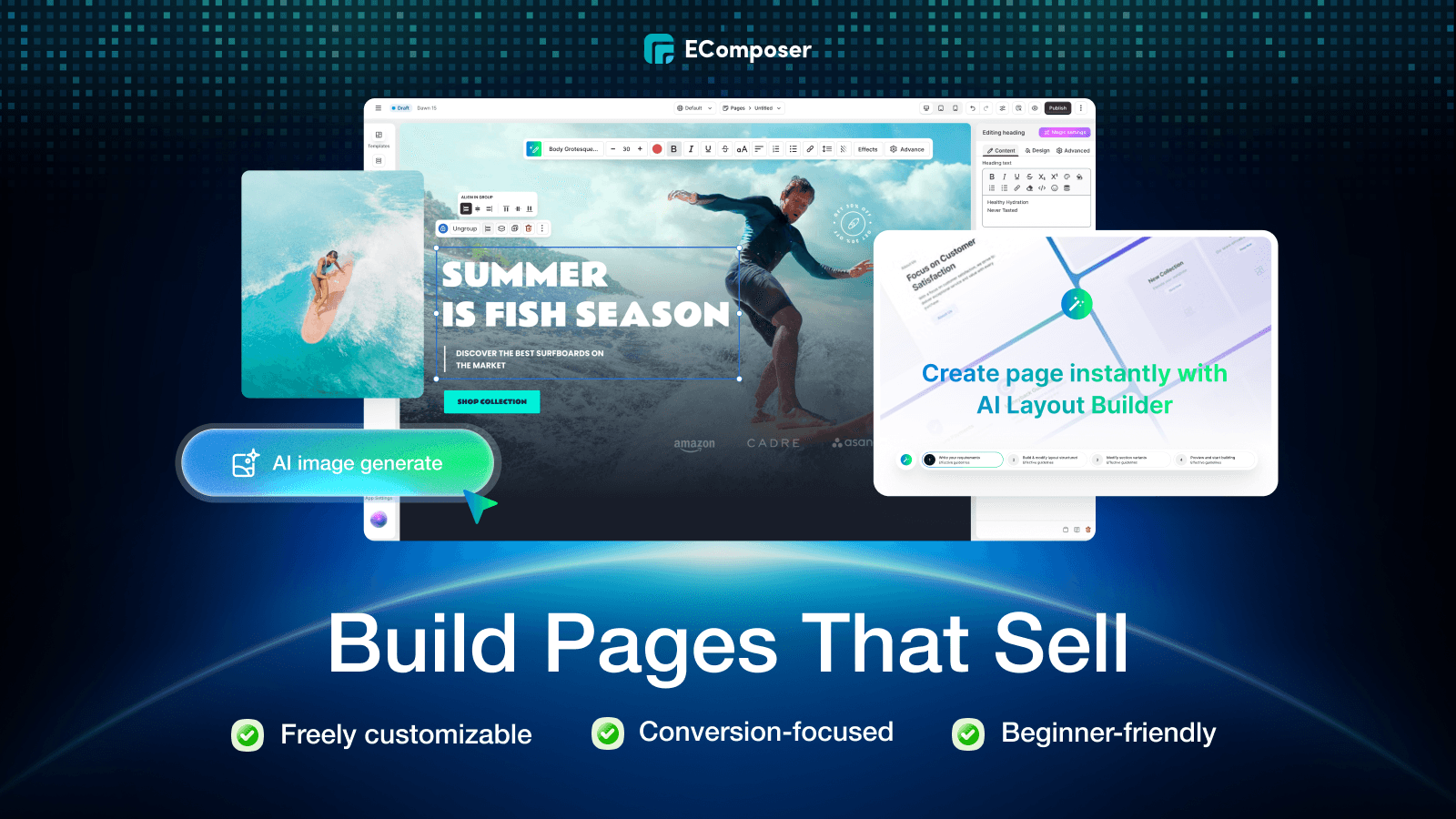
EComposer holds 5.0 stars across 8,000+ reviews — the largest review base in this list and one of the most-installed apps in the broader Shopify page-builder category. The positioning is broader than dedicated comparison: EComposer is a full drag-and-drop page builder with comparison tables as one element among many (testimonials, FAQ blocks, hero sections, image galleries, pricing tables, and dozens more). For stores wanting comparison plus broader landing-page capabilities under one app, EComposer handles both.
The page-builder context matters specifically for stores running marketing campaigns. A comparison-focused landing page ("Choose your tier" or "Which model fits you?") needs comparison tables alongside hero sections, feature callouts, and CTAs — dedicated comparison apps don't build the surrounding landing page, just the comparison element. EComposer ships both.
Core features: drag-and-drop page builder with 60+ section templates; comparison table element with customizable columns and rows; pre-designed landing-page templates for product comparison; mobile-responsive editor with device-specific design; integration with Shopify Online Store 2.0 themes; A/B testing on landing pages; merchant dashboard with analytics.
Where it falls short: comparison is one feature among many — stores wanting comparison-only functionality pay for capabilities they don't use. Pricing entry point ($19/mo) higher than dedicated comparison apps. Setup complexity is real for stores wanting full page-builder flexibility.
Pricing: Free plan available. Paid plans from $19/mo.
7. BSS Product Comparison
Best for: Shopify stores wanting affordable side-by-side comparison with multi-language support, integration into the BSS Commerce ecosystem, and the lowest pricing entry in this layer.
BSS Product Comparison holds 4.8 stars across 150+ reviews. The positioning is affordable comparison at the lowest entry price in the layer ($4.99/mo) with multi-language support for international stores and integration with BSS Commerce's broader app ecosystem (B2B Wholesale, Login as Customer, Order Form). For stores already using BSS apps, the consolidated vendor relationship simplifies operations versus juggling multiple comparison-app vendors.
The price advantage matters specifically for budget-conscious stores. Where Compareder is $6.99/mo and Bear Specification is $7.99/mo, BSS at $4.99/mo handles the core comparison use case at meaningfully lower cost — the savings compound for stores with multiple BSS apps benefiting from bundled discounts.
Core features: side-by-side comparison view with customizable specifications; floating compare button across collection and product pages; multi-language support for international stores; integration with BSS Commerce ecosystem (B2B Wholesale, etc.); mobile-responsive design; integration with Shopify Online Store 2.0 themes.
Where it falls short: smallest installed base in this layer (150+ reviews). Less polished than Globo or EComposer at premium tiers. Best as a budget pick for small-to-mid stores or those already in the BSS ecosystem rather than a top recommendation for stores choosing comparison-first.
Pricing: Free plan available. Paid plans from $4.99/mo.
The Honest Trade-Off: When You Don't Need a Comparison App
Worth saying explicitly: not every Shopify store benefits from a comparison app. Apparel, beauty, and lifestyle stores where products differ on size, color, or aesthetic preferences — not measurable specifications — don't earn the cost of comparison functionality. Customers comparing two T-shirts don't need a side-by-side spec table; they need good product photos and clear sizing.
The signal that a comparison app is worth installing: products have measurable specifications that drive purchasing decisions (battery life, dimensions, materials, performance metrics, technical capabilities). The signal that it's not worth it: products are differentiated by aesthetics, vibe, or personal preference where comparison adds no decision value. Test conversion on the consideration-heavy product pages before committing to a comparison subscription.
Layer 2: External Price Comparison
This layer addresses a different conversion problem: customers leaving your product page mid-purchase to verify the price isn't cheaper on Amazon or another marketplace. Where in-store comparison apps help customers choose between products in your catalog, external price comparison apps neutralize the price-check exit by showing the marketplace price directly on your product page — often higher than yours, which converts the customer rather than losing them. One app leads this layer.
8. Libautech Amazon Buy Button
Best for: Shopify stores selling products that are also available on Amazon — the app shows the Amazon price for matched products directly on your product page, neutralizing price-check exits and turning the comparison into a conversion advantage.
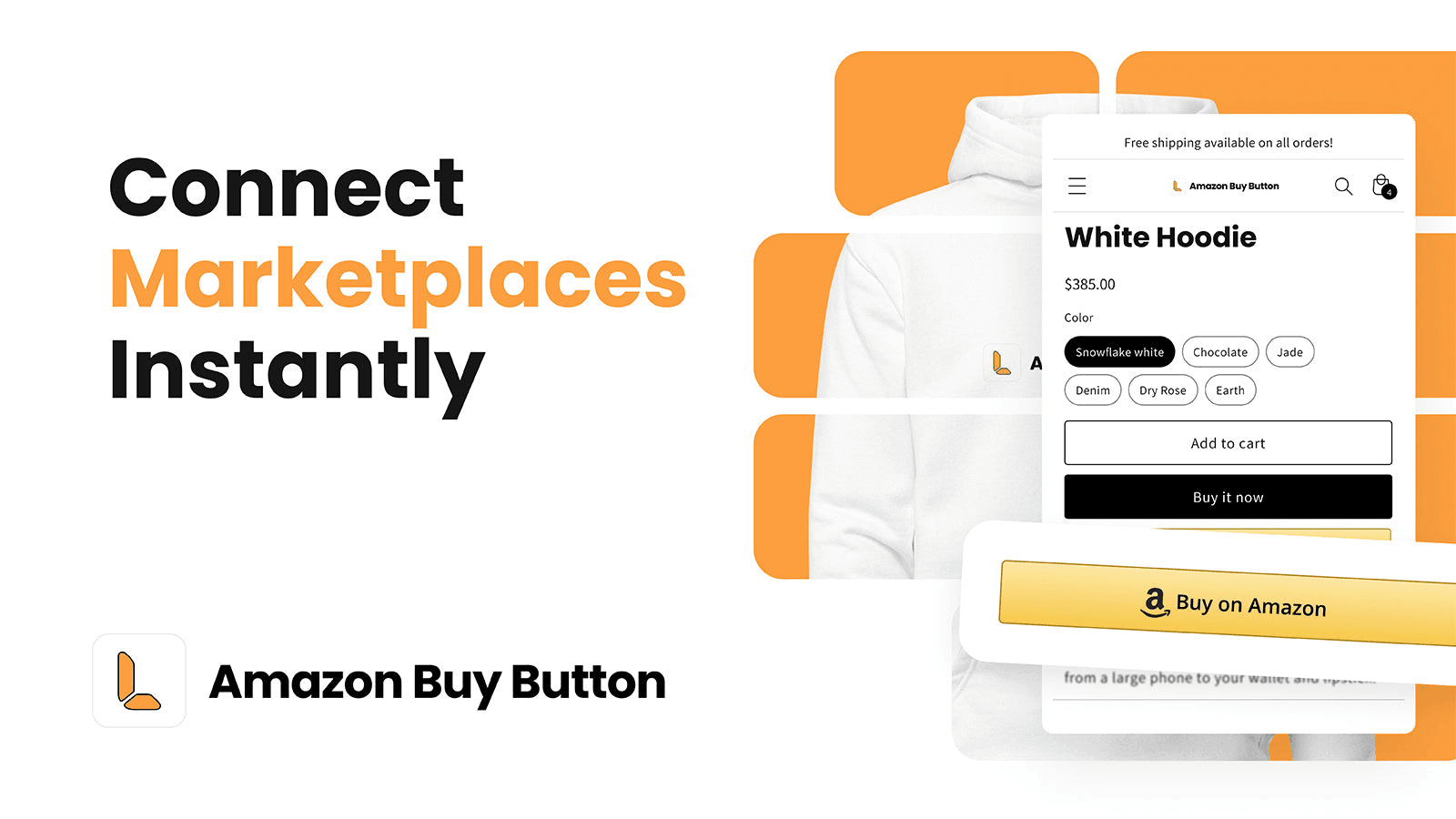
Libautech Amazon Buy Button holds 4.8 stars across 200+ reviews. The positioning is single-purpose: customers researching a purchase typically open Amazon in another tab to verify they're getting a competitive price, and a meaningful share of those tab-switches end with the purchase happening on Amazon instead. The app addresses this specifically by fetching the matching product's Amazon price (via product matching by ASIN, GTIN, or manual mapping) and displaying it inline on the Shopify product page — often showing that the merchant's price is competitive or better, which converts the customer who would otherwise have bounced to verify.
The mechanic is straightforward conversion engineering. If your price is $49.99 and Amazon's price for the same product is $54.99, showing both on your product page tells the customer they're already getting the better deal — no need to leave to verify. If Amazon's price is the same or slightly lower, the on-page display still saves the customer the tab-switch overhead, and many customers prefer to buy direct from the brand for return policy, support quality, or relationship reasons. The app turns Amazon's price comparison into your conversion advantage rather than your conversion leak.
The optional Amazon Buy Button mode enables a different revenue pattern: stores can choose to display an actual "Buy on Amazon" button alongside their own "Add to Cart" button, capturing affiliate commissions on customers who do prefer to purchase via Amazon. For stores selling products with thin margins or volatile Amazon competition, capturing affiliate revenue from price-checking customers (rather than losing the sale entirely) maintains revenue capture even when the cart goes to Amazon.
Core features: automatic Amazon price fetching for matched products via ASIN, GTIN, or manual mapping; inline price display on Shopify product pages; optional "Buy on Amazon" button with affiliate commission capture; price update frequency configurable per product or category; multi-marketplace support (US, UK, EU Amazon marketplaces); merchant dashboard with price-comparison analytics; integration with Shopify Online Store 2.0 themes; mobile-responsive widget.
Where it falls short: requires that products are matched to Amazon catalog — fully unique products without Amazon equivalents don't benefit from the comparison mechanic. Stores selling exclusively private-label or unique products that don't appear on Amazon should skip this layer. Some merchants flag occasional product matching false positives where Amazon's catalog returns slightly different SKUs than the merchant's product — manual mapping resolves this but requires initial configuration time.
Pricing: Free plan available. Paid plans from $9.99/mo.
Which Comparison App to Choose
For most-installed simple side-by-side comparison: LDT Product Compare. 4.9 stars, 300+ reviews, $5.99/mo entry, the default pick for focused comparison.
For dynamic spec tables linked to product metafields: Bear Specification & Compare. 4.9 stars, category-specific templates, the right pick for spec-heavy electronics and appliances.
For customizable layouts with bulk attribute management and analytics: Compareder — Product Compare. 4.9 stars, 350+ reviews, the optimization-focused pick for large catalogs.
For combined product filtering plus comparison under one app: Globo Filter & Compare. 4.9 stars, 1,800+ reviews, the most-installed combined filter+compare option.
For structured spec tabs plus comparison hybrid: Product Specification Tabs by Hura. 4.8 stars, the right pick for technical products needing both organized specs and comparison.
For full page builder with comparison tables as one element: EComposer Page Builder. 5.0 stars, 8,000+ reviews, the broadest scope for stores running custom landing pages.
For affordable comparison with multi-language and BSS Commerce ecosystem: BSS Product Comparison. 4.8 stars, $4.99/mo entry, the budget pick.
For external price comparison and Amazon price visibility: Libautech Amazon Buy Button. 4.8 stars, neutralizes price-check exits, captures affiliate revenue on Amazon-bound customers.
For most Shopify stores in this category, the honest framing is layer-first. Stores selling spec-heavy products (electronics, appliances, supplements, mattresses, software, B2B equipment) need in-store side-by-side comparison — install LDT, Bear, Compareder, or Globo for full functionality. Stores selling products that are also available on Amazon need external price comparison to neutralize price-check exits — install Libautech Amazon Buy Button. The two layers solve different conversion problems and many stores benefit from running both simultaneously.
Bonus: Pair Comparison with Cart-Side Cross-Sell
One genuine cross-fit worth mentioning: stores running product comparison apps (where customers actively research and compare) often have natural cross-sell opportunities once the customer picks their winner. A customer comparing three blender models and choosing one is a high-intent buyer for blender accessories (extra jars, smoothie cups, replacement blades), warranty extensions, or recipe books. A customer comparing four mattresses and choosing one is a high-intent buyer for mattress protectors, sheets, or pillows.
This is where Libautech Bundles & Upsell sits alongside comparison apps in the stack. Bundles & Upsell isn't a comparison app — LDT, Bear, Compareder, and the rest own the side-by-side comparison infrastructure. What it does is run cart popup and cart drawer upsell mechanics that surface complementary products when the customer adds the comparison winner to cart. The comparison app handles decision support; Bundles & Upsell handles cart-side accessory cross-sell.
The two apps stack cleanly because they operate at different stages of the buying flow. Comparison at consideration (customer evaluates options, picks winner). Bundles & Upsell at cart drawer or popup (customer sees complementary products, accepts or declines, completes checkout). No overlap, no conflict, just a natural extension of the consideration flow into incremental cart value.
Bundles & Upsell uses flat monthly pricing ($14.99 Starter, $29.99 Pro, $49.99 Unlimited) with no revenue share or cap, so cross-sell revenue (accessories, warranty, complementary products) is pure incremental margin. For stores selling consideration-heavy products where customers do meaningful research, capturing 5–20% additional cart value through cart-side cross-sell is realistic without disrupting the comparison experience.
How We Ranked These Apps
This ranking is based on four criteria applied to every Shopify product comparison app tested in 2026. First, Shopify App Store rating and verified review volume as of April 30, 2026 — the strongest signal of long-term merchant satisfaction at scale. Second, fit-to-job for which of the two layers each app actually solves (in-store side-by-side comparison vs external price comparison) rather than treating these as a single category. Third, pricing structure and total cost at realistic merchant volumes — a $4.99/mo dedicated app and a $19/mo page builder handle different scopes, and the math depends on how broadly stores use the broader feature set. Fourth, comparison depth and integration quality, since merchant satisfaction depends on whether the app handles specifications, dynamic data, mobile UX, and theme integration without manual workarounds.
Every pricing and feature figure in this post was verified directly from each app's live Shopify App Store listing on April 30, 2026. App pricing structures change — always confirm current pricing on the official listing before installing. Ratings and review counts reflect the Shopify App Store at the time of our last update.
Frequently Asked Questions
What is a Shopify product comparison app?
A Shopify product comparison app handles one of two distinct jobs. In-store side-by-side comparison apps (LDT, Bear Specification, Compareder, Globo Filter & Compare, Product Specification Tabs, EComposer, BSS) let customers compare two or more products from your own catalog against each other on a comparison page. External price comparison apps (Libautech Amazon Buy Button) show your product's price alongside marketplace prices like Amazon directly on the product page, neutralizing price-check exits.
What is the best Shopify product comparison app in 2026?
Depends on the layer. For in-store comparison: LDT Product Compare (4.9 stars, 300+ reviews, simplest), Bear Specification (dynamic spec tables), Compareder (analytics + bulk attributes), Globo Filter & Compare (4.9 stars, 1,800+ reviews, combined filter+compare), Product Specification Tabs (spec tabs hybrid), EComposer (5.0 stars, 8,000+ reviews, page builder with comparison), or BSS Product Comparison (budget pick at $4.99/mo). For external price comparison: Libautech Amazon Buy Button (4.8 stars, Amazon price visibility). Pick the layer first.
How much do Shopify comparison apps cost?
Entry tiers range from free (most apps offer free plans) to $4.99-9.99/mo for most paid plans. EComposer (page builder with comparison) starts at $19/mo for the broader scope. External price comparison apps run free to $14.99/mo. The right app costs less than $15/mo for most stores once the layer is identified.
Does product comparison actually convert better?
Yes, on the right product categories. Side-by-side comparison drives 15-30% conversion lift on consideration-heavy categories — electronics, appliances, supplements, mattresses, software, B2B equipment, anything where customers research multiple options. The lift comes from eliminating tab-switching that drives bounce rates. Apparel, beauty, and lifestyle stores see minimal lift because comparison adds no decision value when products differ on aesthetics or personal preference rather than measurable specifications.
What is the difference between in-store comparison and external price comparison?
Different conversion problems. In-store comparison helps customers choose between two or more products in your own catalog — "which of these three blenders is best for me?" External price comparison addresses customers leaving your product page mid-purchase to verify the price isn't cheaper on Amazon — "is your price competitive vs. Amazon?" Many stores benefit from running both layers because they solve different conversion barriers.
How does the Amazon price comparison work?
The Libautech Amazon Buy Button app fetches Amazon prices for matched products (matched by ASIN, GTIN, or manual mapping) and displays them inline on Shopify product pages. If your price is competitive or better, customers see that directly without leaving to verify on Amazon. Optional "Buy on Amazon" button mode lets stores capture affiliate commissions on customers who do prefer to purchase via Amazon, maintaining revenue capture even when the cart goes to Amazon.
Do comparison apps work with mobile?
Most yes. Modern comparison apps are mobile-responsive with optimized layouts for narrow screens — typically vertical-scroll comparison cards on mobile rather than the desktop side-by-side table format. LDT, Compareder, and Globo Filter & Compare have particularly polished mobile experiences. For stores where 50%+ of traffic is mobile, verify mobile UX before committing because some apps degrade meaningfully on mobile despite being mobile-aware.
Can I compare more than two products at once?
Most apps support 3-4 products simultaneously. LDT, Compareder, Bear Specification, and Globo Filter & Compare all support 3-4 products in a comparison view. Beyond 4 products, comparison tables get unwieldy on most screen sizes — most apps cap at 4 simultaneously by design. For B2B or technical product categories where customers genuinely compare more options, EComposer's page builder lets merchants build custom comparison pages with more columns.
Do I need a separate comparison app if I already have a page builder?
Sometimes. EComposer specifically includes comparison table elements as part of its page builder, so EComposer users don't need a separate comparison app for landing-page comparison tables. For dynamic comparison (customer-driven "add to compare" mechanics across the site), a dedicated comparison app like LDT or Compareder is still needed because page builders don't include the customer-facing compare button infrastructure.
Will comparison apps slow down my Shopify store?
Modern comparison apps load widgets asynchronously with minimal page-speed impact. Floating compare buttons load after the page is interactive, and comparison pages render only when accessed. Built for Shopify-certified apps in this category have been audited for Shopify performance standards. Always test page speed before and after install with Google PageSpeed Insights to confirm impact on your specific theme.
Think Your App Belongs on This List?
We update these lists as new tools launch and existing ones improve. If you are a developer building a Shopify product comparison, price comparison, or comparison-adjacent app and want your app considered for inclusion, submit it here — tell us what your app does, who it is for, and include a link to your Shopify App Store listing. We review every submission.